40
© 2022 Enter your company name
2. Select the audio file you want to have it on your list, the list is located on the left side of the window.
3. Then click button to add the audio file in, click button to remove it. And click [Save to Machine]
button to complete the setting.
4.4.5.2 Record
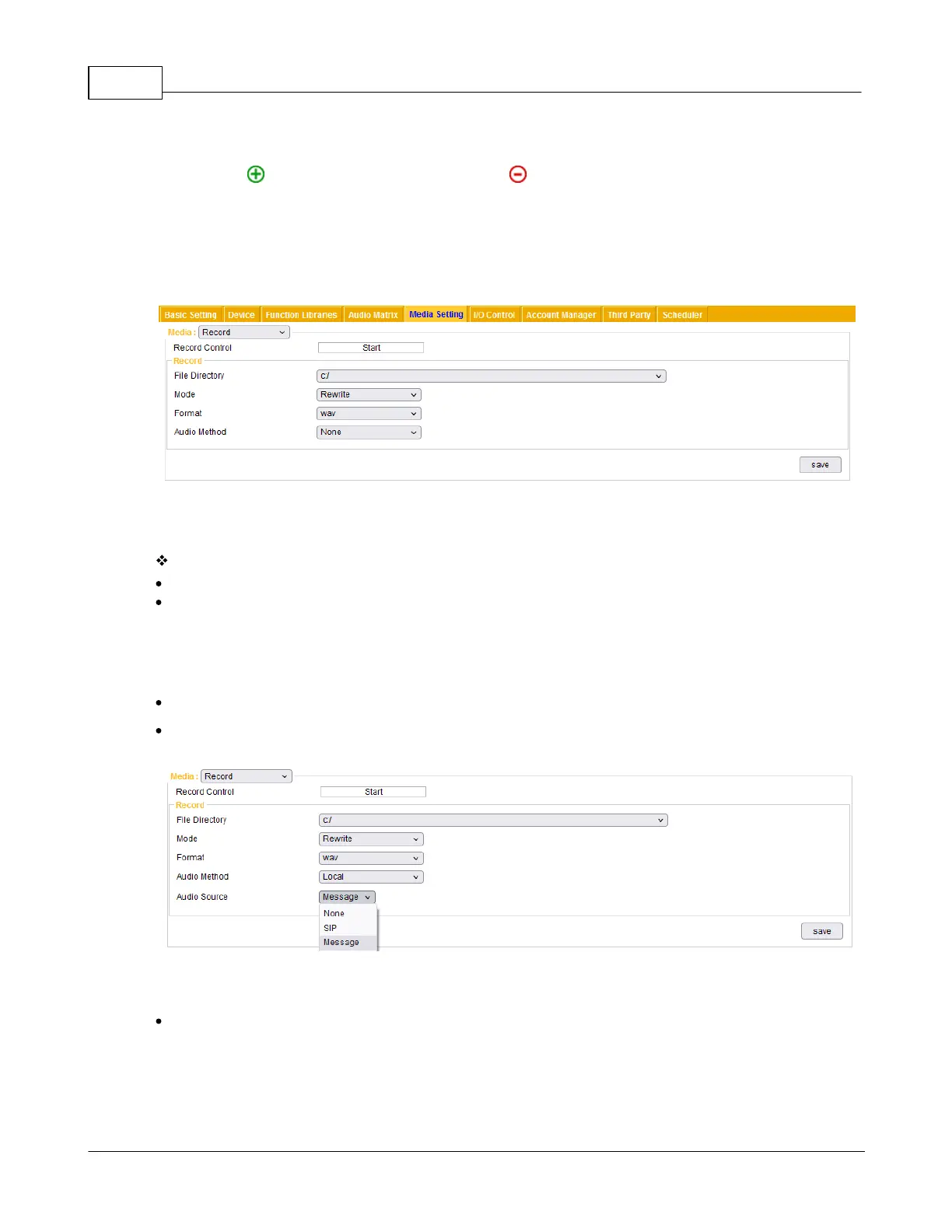
Before operating the [Record] function of IPSM/IPBX-2C20, please configure the basic recording settings
in this webpage.
Record Setting
File directory: The file path where the recorded files will be stored.
Mode: When the memory storage is not enough, choose either [Rewrite] or [Stop] mode.
o Rewrite: Rewrite the file from the first recorded file when the memory storage is full. If there are no
other recorded files which can be deleted, the recording will be stopped.
o Stop: Stop recording if the memory storage is full.
Format: Choose which audio codec (Wav or MP3) the recorded file will be saved as.
Audio method: Choose the audio source of recorded file either from [Local] IPSM/IPBX-2C20 or
[Network].
Network: Record the audio source from the network. Please set the [Network IP address] and
[Network Port].



 To Next Page