Upload Setting
Your console is capable of sending your sensor data to select internet-
based weather services: Wunderground.com, Weathercloud.net and,
wow.metoffice.gov.uk. User need to register at the select website to get
the station ID and password
8)
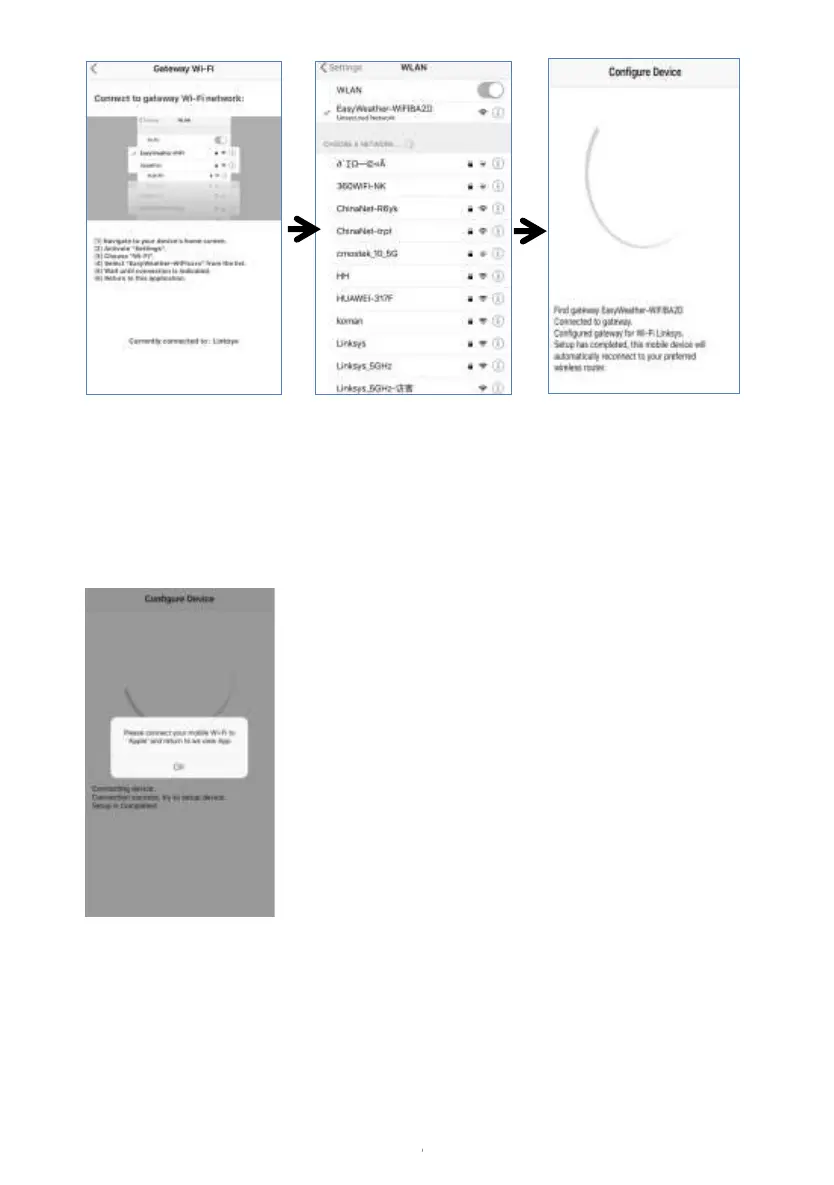
It may have chance to happen that it
cannot return back the same WiFi
network which you selected on step 4)
The window “Please connect your
mobile Wi-Fi to xxxx(WiFi Network
name) and return to WS View App”
will pop up. Press OK to continue.


 To Next Page