EasyManua.ls Logo

TESA WS2900C-PRO - User Manual

TESA WS2900C-PRO
73 pages
Print Icon
To Next Page IconTo Next Page
Loading...
1
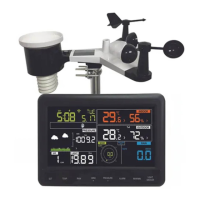
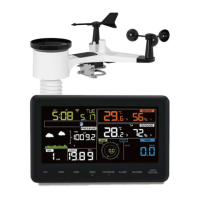
PROFESSIONAL WEATHER STATION
WS2900C-PRO
Operation Manual
Table of Contents
1. Introduction ....................................................................................... 4
2. Warnings and Cautions .................................................................... 4
3. Quick Start Guide ............................................................................. 4
4. Pre-Installation Checkout and Site Survey ...................................... 5
4.1 Pre Installation Checkout ............................................................. 5
4.2 Site Survey ................................................................................... 5
5. Getting Started ................................................................................. 6
5.1 Contents ....................................................................................... 6
5.2 Sensor Set Up .............................................................................. 7
5.2.1 Install U-bolts and mounting pole .......................................... 7
5.2.2 Install wind vane .................................................................... 9
5.2.3 Install wind speed .................................................................. 9

Table of Contents

Questions and Answers

  • T
    tannerwilliamsAug 2, 2025
    What to do if my TESA Weather Station is not reporting data to Wunderground.com?
    • E
      Evelyn GreeneAug 3, 2025
      If your TESA Weather Station is not reporting data to Wunderground.com, please check the following: 1. Confirm that your password or key is correct. Remember that it is the password you registered on Wunderground.com, and it cannot begin with a non-alphanumeric character. 2. Verify that your station ID is correct, paying close attention to potential substitutions of the letter 'O' for the number '0', and ensure that the station ID is all caps. 3. Ensure the date and time are correct on the console; incorrect settings may lead to reporting old data. 4. Confirm that your time zone is set properly to ensure real-time data reporting. 5. Check your router firewall settings, as the console sends data via Port 80.
  • D
    dellisAug 8, 2025
    How to fix no WiFi connection on my TESA WS2900C-PRO?
    • A
      Alexander VasquezAug 8, 2025
      To troubleshoot a lack of WiFi connection on your TESA Weather Station, consider the following steps: 1. Check for the WiFi symbol on the display. Successful wireless connectivity is indicated by the WiFi icon in the time field. 2. Ensure your modem WiFi settings, including network name and password, are correct. 3. Verify that the console is plugged into AC power, as it will not connect to WiFi when powered by batteries alone. 4. Confirm that your router is operating on a 2.4 GHz band, as the console does not support 5 GHz routers. If you have a dual-band router, you may need to disable the 5 GHz band and enable the 2.4 GHz band. 5. Note that the console does not support guest networks.
  • C
    christopher97Aug 17, 2025
    Why does the temperature sensor on my TESA WS2900C-PRO Weather Station read too high during the day?
    • M
      Michael PetersonAug 17, 2025
      If the temperature sensor on your TESA Weather Station reads too high during the daytime, ensure that the sensor array is not located near heat-generating sources or structures like buildings, pavement, walls, or air conditioning units. You can also use the calibration feature to offset installation issues related to radiant heat sources.
  • T
    thoAug 22, 2025
    What to do if the relative pressure on my TESA WS2900C-PRO does not agree with an official reporting station?
    • R
      Rodney MoralesAug 22, 2025
      If the relative pressure on your TESA Weather Station doesn't match an official reporting station, first, verify that you are viewing the relative pressure and not the absolute pressure. If you are viewing the absolute pressure, switch to relative pressure. Also, ensure that you have properly calibrated the sensor to an official local weather station.
  • L
    lopezdawnAug 28, 2025
    Why does my TESA WS2900C-PRO rain gauge report rain when it is not raining?
    • B
      Brandy WilkinsonAug 28, 2025
      If your TESA Weather Station rain gauge reports rain when it is not actually raining, it might be due to an unstable mounting. Make sure you have a stable and level mounting solution to prevent false readings.
  • E
    elizabethcarlsonNov 12, 2025
    What to do if the outdoor sensor array of my TESA Weather Station does not communicate to the display console?
    • D
      Derek MoyerNov 12, 2025
      If the outdoor sensor array of your TESA Weather Station isn't communicating with the display console: * Try resetting the console by pressing the reset button for 3 seconds with an open-ended paperclip to discharge the voltage completely. Then, remove the batteries and cover the solar panel for one minute to drain any remaining voltage. Reinsert the batteries and attempt to resync the console with the sensor array from about 10 feet away. The LED next to the battery compartment should flash every 16 seconds. * If the LED doesn't flash every 16 seconds, replace the batteries in the outside sensor array, ensuring correct polarity. * If the sensor flashes every 16 seconds but the issue persists, there may be temporary communication loss due to interference or other location factors. Y...

Summary

Warnings and Cautions

Installation Safety Warnings

Covers lightning strike and high location installation risks.

Pre-Installation Checkout and Site Survey

Getting Started

Sensor Setup Guide

Comprehensive guide for assembling and setting up the outdoor sensor package, including mounting and connections.

Display Console Setup

Display Console Operation

Understanding the Screen Display

Detailed explanation of all icons and readings on the console screen.

Alarm Mode

Displaying and Setting Alarms

How to view alarm values and configure high/low alerts for weather conditions.

Calibration Mode

Live Internet Publishing

Connecting Console to Wi-Fi

Steps to establish a Wi-Fi connection, including downloading the mobile app and network setup.

Wi-Fi Configuration Steps

Guides users through selecting SSID, entering password, and connecting to the Wi-Fi network.

Upload Data to Ecowitt Website

Instructions for registering and uploading weather data to the Ecowitt online platform.

Upload Data to Wunderground.com

Steps for registering and uploading weather data to the Wunderground service.

Upload Data to Weathercloud.net

Instructions for registering and uploading weather data to the Weathercloud service.

Upload Data to WeatherObservationWebsite (WOW)

Steps for registering and uploading weather data to the WOW service.

Registering WeatherUnderground.com via PC;Mac

Troubleshooting Guide

Sensor Communication Issues

Steps to resolve problems where the outdoor sensor array does not communicate with the console.

No WiFi Connection Troubleshooting

Steps to diagnose and resolve issues preventing the console from connecting to WiFi.

TESA WS2900C-PRO Specifications

General IconGeneral
ModelWS2900C-PRO
CategoryWeather Station
Temperature Measurement Range-40°C to 60°C (-40°F to 140°F)
Temperature Accuracy±1°C
Humidity Measurement Range10% to 99%
Humidity Accuracy±5%
Wind Speed Accuracy±1 m/s
Wind Direction Range0° to 360°
Rainfall Measurement0 to 9999 mm
Rainfall Accuracy±10%
Barometric Pressure Range300 to 1100 hPa
Power Source (Base Station)5V DC Adapter
Communication433 MHz
Data Update Interval16 seconds
DisplayLCD
Wireless Range100m
Wind Speed Measurement0 to 50 m/s
TypeWireless

Related product manuals