13
USER MANUAL
DS 300H Series � 3/3 � 30 kVA � UPS CONTROLLED UPS
2.4 Connecting the UPS Power Cables
WARNING!!! A separate power line should be used to supply the UPS AC input. Never use the
same line to supply another electrical device. Do not use any additional cable to
increase the length of the UPSʼs input cable. It is advised to use an MCCB suitable
for the input current on the UPSʼs input line.
The connection of the electrical panel should be supplied by a grounded outlet. Otherwise,
the UPS and the load connected to the output will be left ungrounded. The
grounding system must be checked, and must be strengthen if required. Potential
difference between ground and neutral must be less than 3V AC.
Descriptions of the UPS input output cable connection terminals are shown in figure 2.1
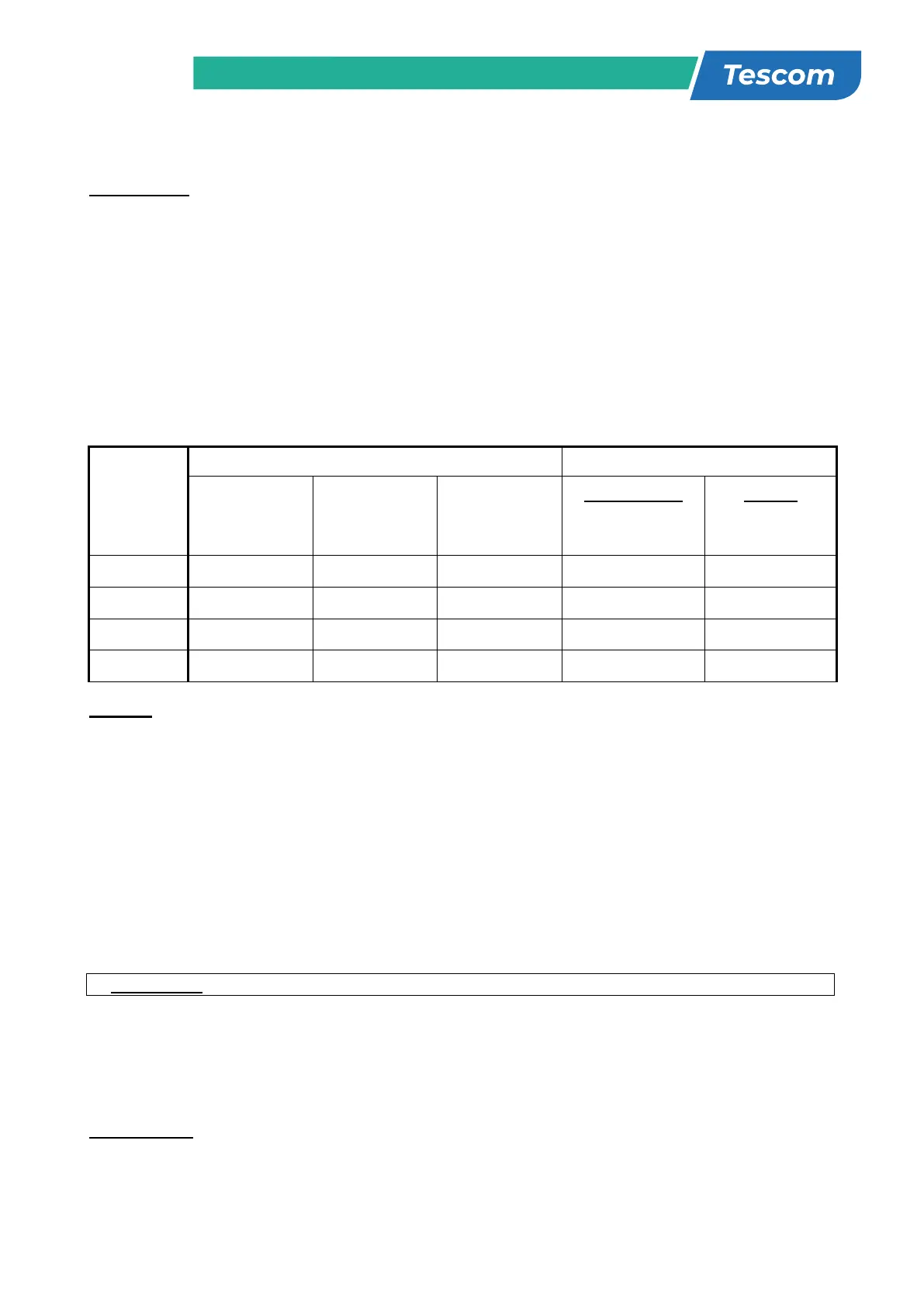
Recommended input line cable and fuse ratings are given in the table below.
UPS power
(kVA)
Recommended cable size (mm
2
)
Line input
Bypass input /
UPS output
External Battery
Input / output
Cable connections
U-V-W-N
Battery
connections
+ & -
10 10 10 6 16mm
2
terminal 16mm
2
terminal
15 10 10 10 16mm
2
terminal 16mm
2
terminal
20 10 10 10 16mm
2
terminal 16mm
2
terminal
30 16 16 16 16mm
2
terminal 16mm
2
terminal
NOTES: The neutral conductor should be sized for 1,5 times the output/bypass phase current. These
recommendations are for guideline purposes only and are superceded by local regulations
and codes of practice.
2.5 Safety Earth
The safety earth cable must be connected to the earth BUS BAR and bonded to each cabinet in
the system and also the earthing and neutral bonding arrangements must be in accordance with
the local laws.
ATTENTION!!! Failure to follow adequate earthing procedures can result in electric shock hazard to
personnel, or the risk of fire.
2.6 Cable connection procedure
WARNING!!! All connections of the UPS must be done by qualified service personnel
After positioning the UPS, the cables must be connected as described below:
1. Verify all switches and fuses in front of the UPS are at “0” position. (OFF)
2. Connect the 3 phase AC input coming from the mains distribution panel to the AC input terminals as
shown on the label. (Figure 2.1)
ATTENTION!!!: ENSURE CORRECT PHASE SEQUENCE.
If there is a phase sequence error, UPS doesnʼt transfer the load to INVERTER output. If
you canʼt see SYNC:OK in the INFORMATION MENU on LCD, then change the input phase sequence.
3. Connect the output of the UPS to the load distribution panel.
4. Connect the battery groups. Refer to battery installation section.



 To Next Page