38
EN
620
- ON/OFF key of massages operated
through the pump 2.
- ON/OFF key of massages operated
through the pump 1.
- Chromo
experience
ON/OFF button.
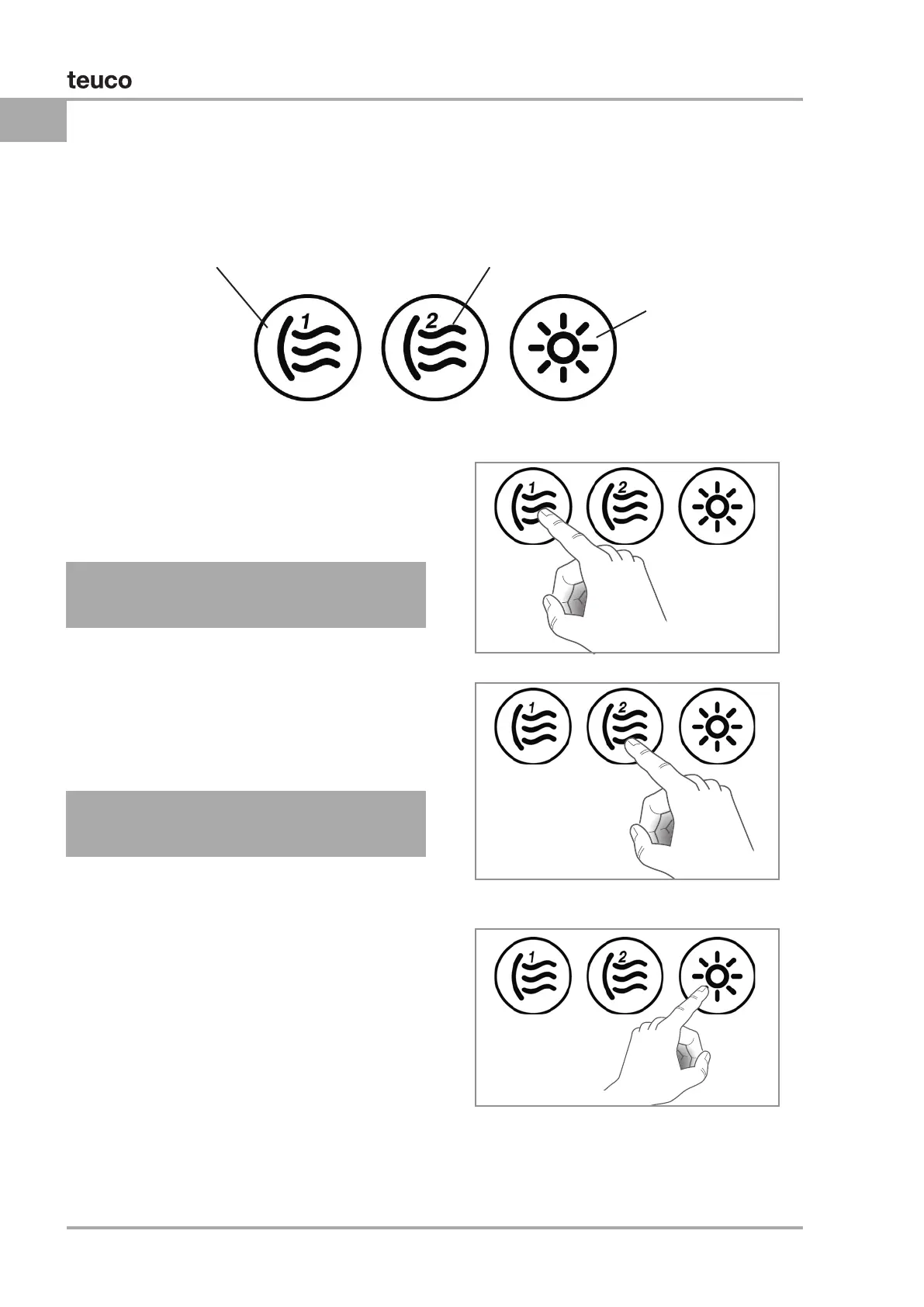
DETAILS OF THE BUTTON PANEL
PUMP 1
PUMP 2
LIGHT
Press the “Pump 1” button to activate the relative
massage seats. Press “Pump 1” a second time to
cut short the massage session.
Press the “Pump 2” button to activate the relative
massage seats. Press “Pump 2” a second time to
cut short the massage session.
Press the “Light” button to switch on the chromo
experience function inside the minipool. The
indicator light will also switch on.
The chromotherapy will start to function, rotating
the colours at approximately 10-second intervals.
The colours are: White - Pink - Red - Orange -
Yellow - Green - Cyan - Blue - Purple.
If you wish to select xed lighting in the required
colour and for an unspecied period of time, switch
the light off and then on again (within 2 seconds)
while it is the required colour.
Press the “Light” button again to switch off the
chromo experience.
DURATION.
DURATION.


 To Next Page
 Loading...