39
EN
620
CC9 COUNTER
RC9 C9V=+0000
C9
XXX P=0027
SETTING THE DURATION OF THE WHIRLPOOL SESSION - TIMER
The procedure for setting duration of whirlpool
session is listed hereunder:
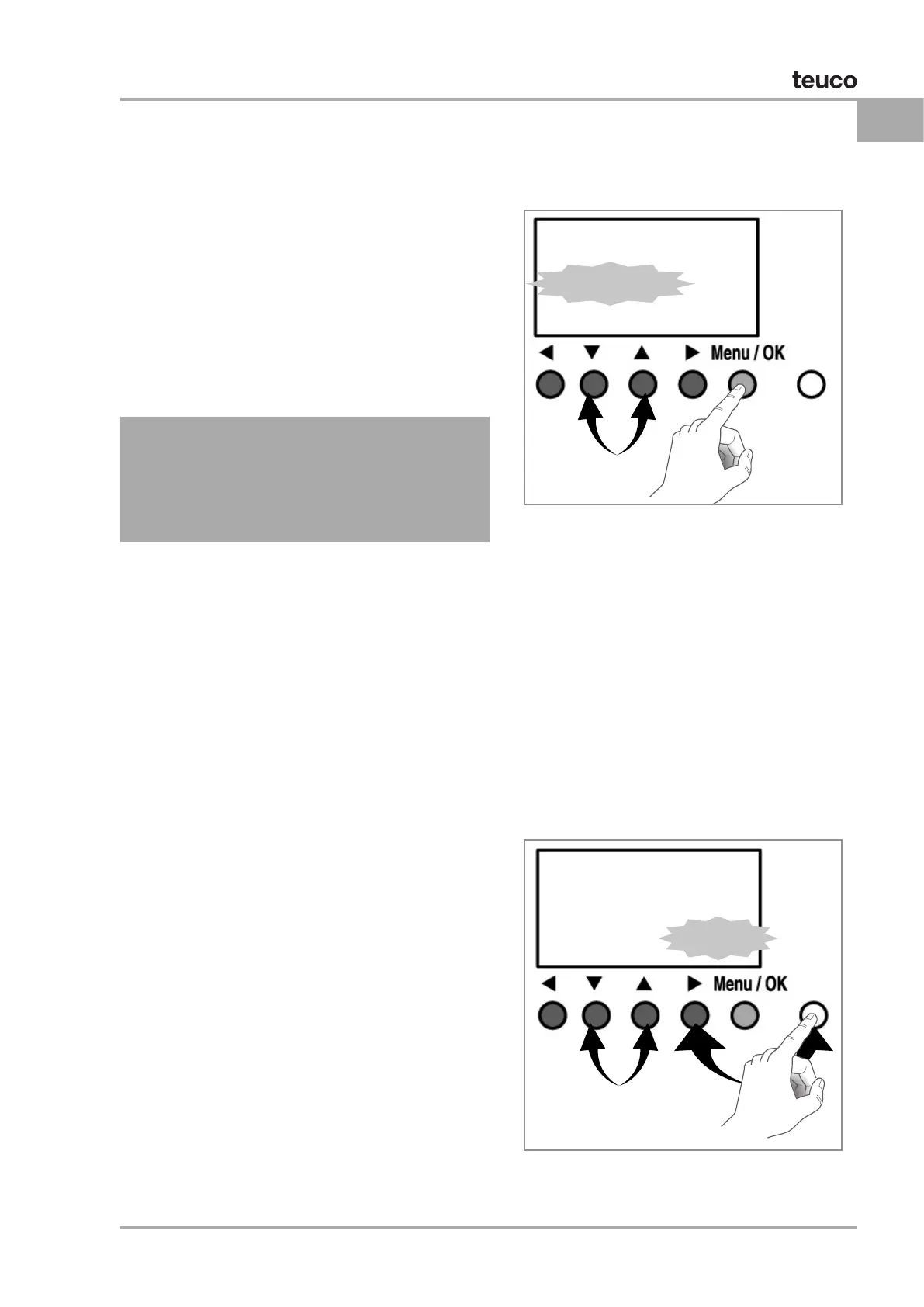
1) Press OK/MENU button
2) Select the PARAMETER line through the
arrows ▲▼
3) Press OK/MENU button
4) Move the blinking cursor to the whirlpool
session duration time through the arrow ►
5) Set the required whirlpool session duration
between 15 and 30 minutes with the arrows
▲▼
6) Press OK/MENU button
7) Select the line YES with the arrows ▲▼ to
conrm the new setting, otherwise select
NO and enter a new value to continue.
8) Press OK/MENU button.
SET TIME / DATE
Press the “Menu/OK” key on the control panel until a
list of functions is shown on the display.
By pressing the keys ▲ and ▼ ▼, select the writing
“G/M MODIFICATION”.
When selecting the writing, it starts blinking.
Press “Menu/OK” key to access.
Using the keys
► and ◄, select the value to be mod-
ied. Through the keys
▲ and ▼ set the required
value and press “Menu/OK” to conrm and return to
the main menu.
Set the “CAL” (calibration) value inserting the value,
expressed in seconds, corresponding to the deviation
between the two clocks occurred in a six-month pe-
riod.
00:00 01/03/2015
XXXXXXXXXX
G/M MODIFICATION
XXXXXXXXXX


 To Next Page
 Loading...
