23 • RADIO 3SIXTY
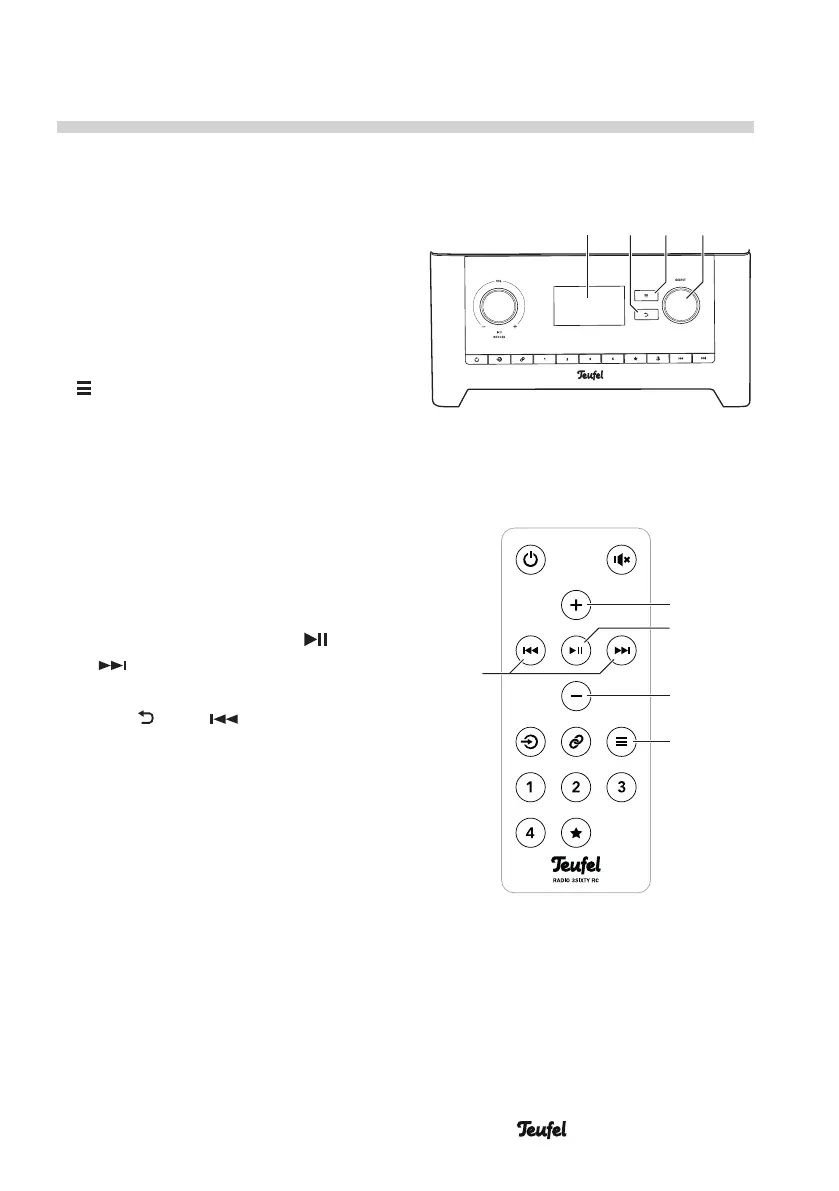
(8)(7)(6)
(5)
SELECTBACK
(24)
(29)
(21)
(23)
(22)
The Menu
Use the menu to configure the func-
tions of your RADIO 3SIXTY.
You can also set numerous param-
eters in the Teufel Remote App (see
page 30).
The menu is shown on the display
panel (5).
– To access the menu, tap the button
(7)/(24). Thus, you will access
the submenu of the active source.
In each of these submenus, there
are direct links to the menus
“Source” and “System settings”.
– To select menu items and set
the parameters, turn the control
SELECT(8) or use the buttons
+(21) and – (23).
– To confirm, push the control
SELECT(8) or the buttons (22)
or (29).
– You can go back one step with the
button (6) or (29).
• The RADIO 3SIXTY will return to
normal operation after 30 seconds
of button inactivity.
On the next page, you will find an
overview of the menu system. All
menu items are described on the
following pages.


 To Next Page