38 • RADIO 3SIXTY
Playback
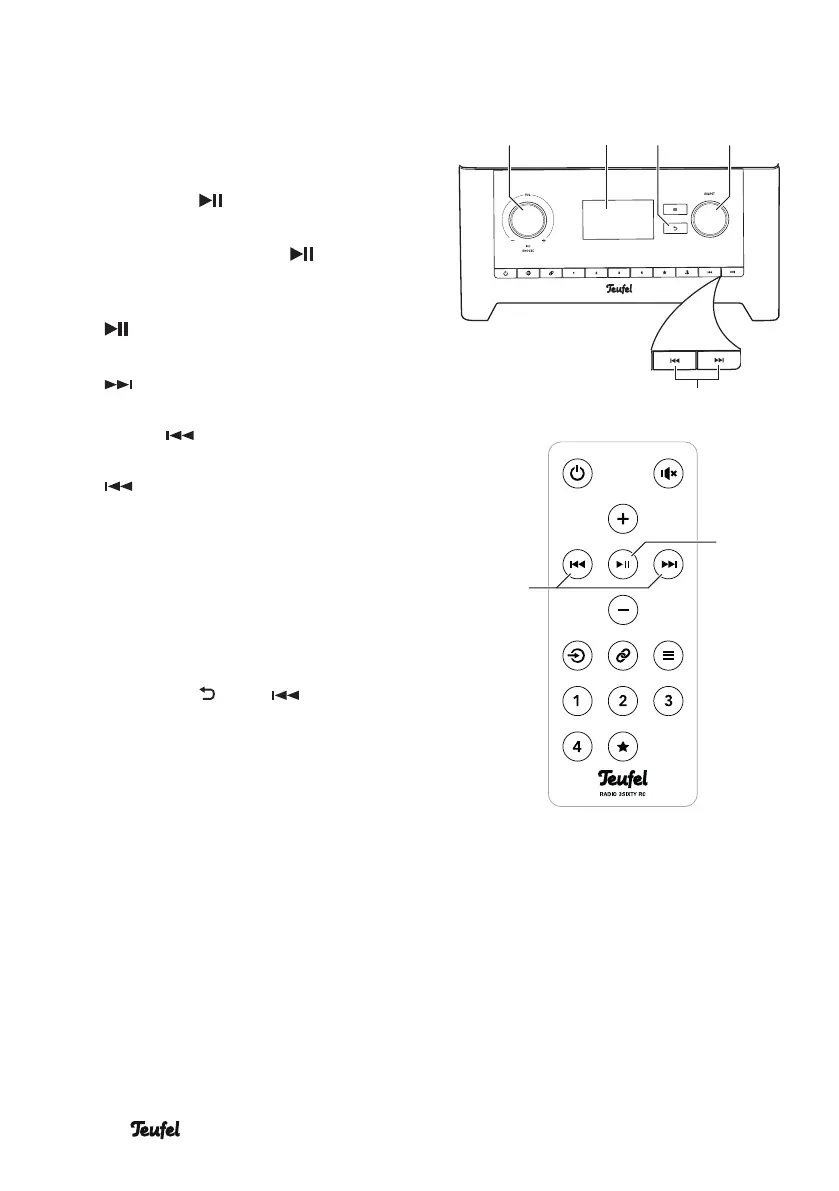
– Select the first track of your choice
from the list and start playback by
pushing the control SELECT(8) or
the button (22).
– Pause playback: Push the control
VOL (4) or the button (22).
– Continue playback: Push the
control VOL(4) or the button
(22) again.
– Play next track: Tap the button
(9)/(29).
– Restart the current track: Tap the
button (9)/(29).
– Play previous track: Tap the button
(9)/(29) twice.
– By turning the control SELECT(8),
you return to the previous list
where you can select another
track.
– You can go back to the respective
parent list by repeatedly pushing
the button (6) or (29).
SELECTBACK
(29)
(22)
(5) (8)(4) (6)
(9)


 To Next Page