-10-
BASIC CONNECTION
u Ensure that the power switch on this unit and
all peripheral equipment are turned off before
commencing installation.
u Read through the instructions before
connecting other equipment
u Ensure that you observe the color-coding
when connecting audio and video cables
u Please use only one signal connection method
to the TV set and choose the correct video
output settings on the player, otherwise there
may be some image distortion.
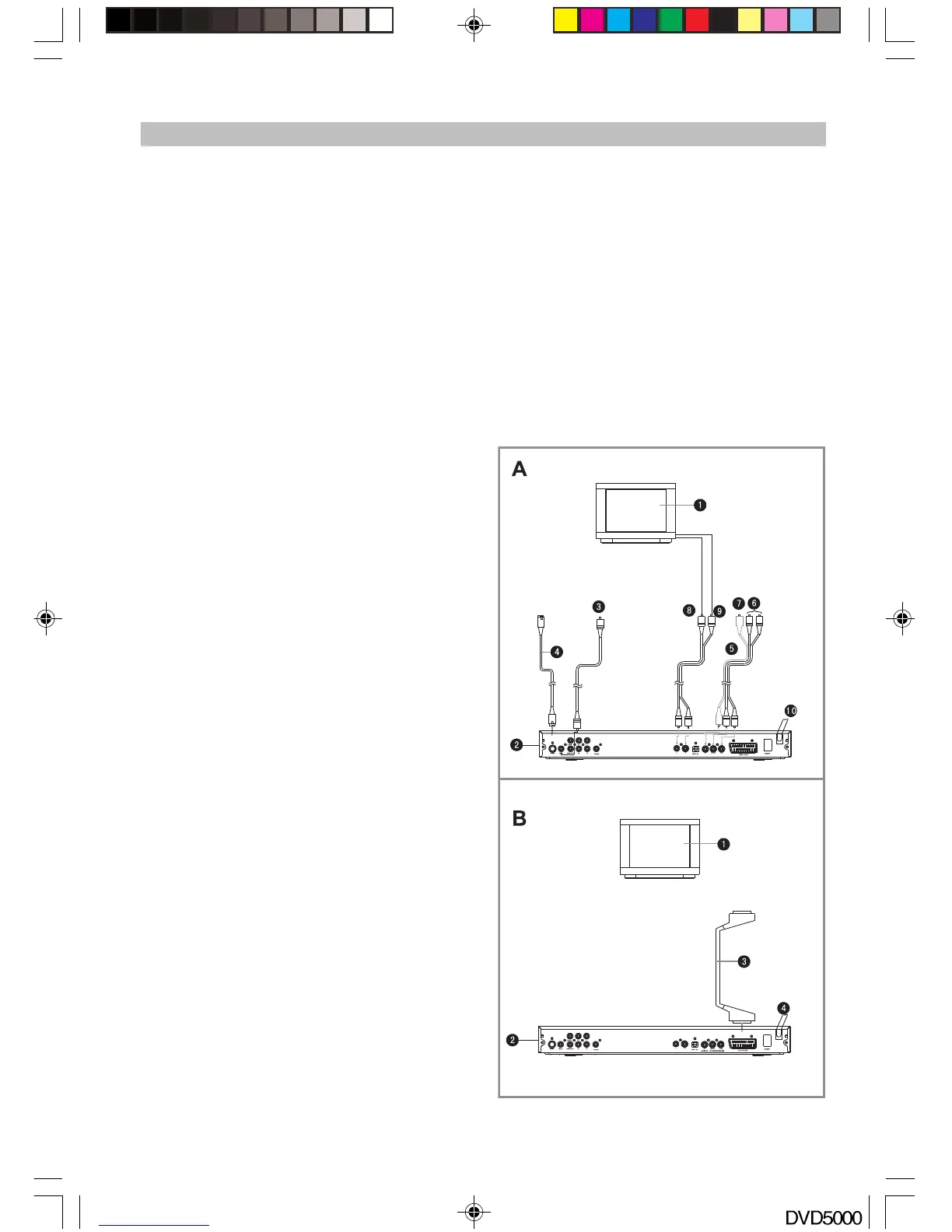
Connecting to stereo TV set (See Fig. A)
1. TV set (not included)
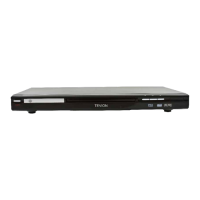
2. DVD Player with DivX playback + Card Reader
3. To TV video input connector (yellow)
4. S-video cord (not included) to S-video input
connector
5,6,7. Component video cable (optional) to the
corresponding Y Pb/Cb Pr/Cr VIDEO IN jack
on the TV. (green, blue, red).
8, 9. To audio input connector (Audio output L, R)
10. AC power cord.
To get better picture quality, you can use an S-
video cable (not supplied) to connect to your TV
set only if your TV has an S-video input. Please
note that you will have to change your TV set to
the S-video input.
If your TV set has a Y, Cb, Cr input, you can
obtain an even clearer picture when you connect
to the Y, Cb, Cr output jacks of this DVD player.
The Video out setting must be set as YUV if you
use the Y, Cb and Cr outputs.
If your TV has the “Y Pb Pr” function (progressive
scan function), you can use this unit’s progressive
scan output by using the Y Pb Pr output jacks &
setting the DVD player’s VIDEO OUT as Y Pb Pr.
Notes:
1. Select the following speaker size setting in
the “Audio” menu if you are using the TV
speakers:
Front: Large
Center/Rear/Subwoofer: Off.
This setting creates the Stereo effect, the
signal from Audio output L, R is the same as
the FL & FR output, this is also the same as
the audio signal from the SCART jack.
2. Only one kind of connection to your TV set
can be made at one time. If your TV set doesn’t
support “Y Pb Pr” function then DO NOT switch
the VIDEO OUT to Y Pb Pr on your DVD Player,
otherwise this will result in no picture being
shown.
3. Please note that not all high definition television
sets are fully compatible with this product and
may cause distortion be displayed within the
picture. In case of a 525 or 625 progressive
scan picture problem, it is recommended that
you switch the connection to the ‘standard
definition’ output.
Connection with SCART Jack (See Fig. B)
1. TV set (not included)
2. DVD Player with DivX playback + Card Reader
3. SCART cable (included)
4. AC power cord
The unit’s video output must be set up as RGB to
use the SCART function.
Notes:
1. Select your desired video connection from
the options below.
2. Select the following speaker size setting in
the “Audio” menu if you are using the TV
speakers:
Front: Large
Center/Rear/Subwoofer: Off.
3. Never connect an Audio output and SCART
output at the same time.
DVD5000_IB.p65 05-10-22, 23:1610



 To Next Page