-12-
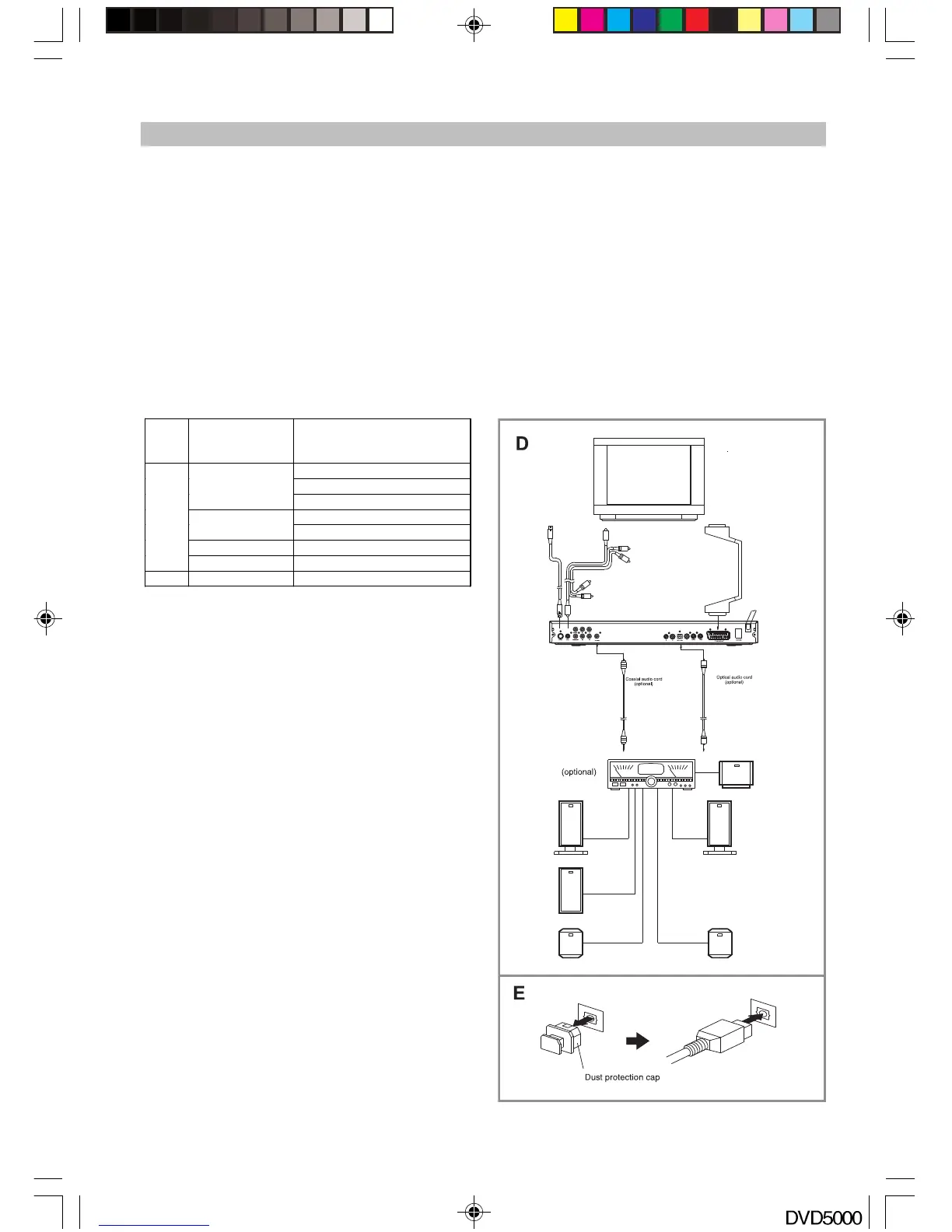
Connecting to an external decoder or a power amplifier (See Fig. D)
When DVD discs recorded in DOLBY digital, MPEG audio or other special formats are played, a
corresponding bit stream is output from the player’s OPTICAL and COAXIAL digital audio output connector.
When the player is connected to an external decoder or a power amplifier, you can enjoy theater-
quality sound in your home.
Notes when connecting the optical digital cable: (See Fig. E)
Remove the protective cap from the optical connector; insert the plug of the DVD and amplifier optical
slot so that the configurations of both the cable and the connector match. Keep the protective cap and
always reattach the cap when not using the connector to protect the laser beam against dust.
Coaxial digital audio output connector:
* Sound having 96 KHZ sampling will be converted
to 48 KHZ sampling when it is output from the
coaxial digital audio output connector
Note: Please set the digital output as RAW.
Caution: Do not connect an amplifier with a
Coaxial or Optical digital input connector, which
does not contain the Dolby Digital or MPEG audio
decoder otherwise it may be harmful to your ears
and damage your speakers
Sound
recording
format
Digital output setting
PCM (44.1KHz sampling) *
Raw
Dolby digital
OFF
Raw
DTS
OFF
Linear PCM PCM (44.1KHz sampling)
DVD
Other PCM (44.1KHz sampling)
CD Linear PCM PCM (44.1KHz sampling)
BASIC CONNECTION
DVD5000_IB.p65 05-10-22, 23:1612



 To Next Page