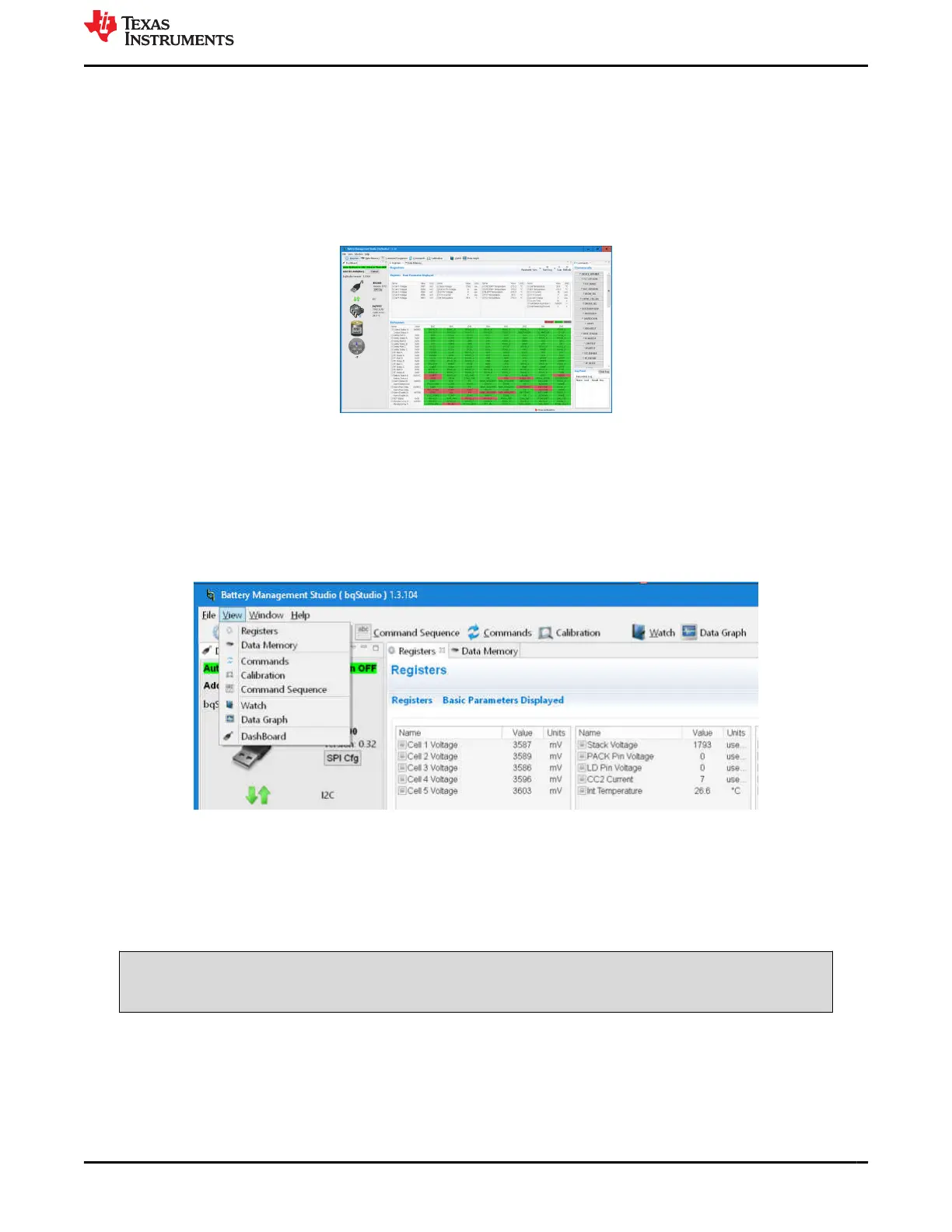
The center panel of the window initially shows the register tab. The register display shows device status registers
and is read once when the device is detected. To update the register values select the Refresh button at the
top of the Registers tab. To repeatedly read the registers select the Scan button. To repeatedly read and log
the register values to a file select the Start Log button and follow the prompts to save a log file. When a log is
running, select Stop Log to end the log and close the file. The Parameter View selection allows the choice of
basic parameters which shows commonly used registers, or all parameters which shows more registers.
If a device is connected and powered after BQStudio is powered, dashboard may auto detect the device and
update the device and register display. Figure 4-3 shows a register display with a connected device.
Figure 4-3. Register View with Device
The available tools for the device are shown at the top of the window and may be selected by clicking on the tool
icon. Tools may also be selected from the View menu as shown in Figure 4-4. Opening a new tool may change
the center tab of the window. These tools are described in following sections. Not all devices have all the tools
described. Multiple tools can be active at one time, tools which use the center pane for display are shown as a
tabs at the top of the center section. These tabs can be closed with the X as desired, but closing the tab may
terminate the operation running in the tab.
Figure 4-4. Tool Selections
4.5 Commands
The Commands tab is displayed on the right side of the BQStudio window. Buttons allow reading various
information about the device and certain operations. Commands and returned data are shown in the Log Panel
of the tab. The seal function is unusual in general evaluation and is not recommended during initial evaluation.
CAUTION
Sealing the device without remembering the key reduces the function of the EVM.
4.6 Data Memory
The data memory tool is used to configure the device. The device has both volatile registers and One Time
Programmable (OTP) memory. Most evaluation can be performed without writing OTP. Configuration files may
be saved and loaded later to resume evaluation. At power up, the device is configured from the OTP. On a new
EVM, the OTP has only the REG0 and REG1 settings of the BQ76922, other locations are not programmed.
www.ti.com Battery Management Studio Software
SLVU957A – SEPTEMBER 2019 – REVISED NOVEMBER 2021
Submit Document Feedback
BQ76922EVM Evaluation Module 9
Copyright © 2021 Texas Instruments Incorporated






 To Next Page