www.ti.com
EVM Description
7
SNAU210–March 2017
Submit Documentation Feedback
Copyright © 2017, Texas Instruments Incorporated
LMX2594 EVM Instructions – 15-GHz Wideband Low Noise PLL With
Integrated VCO
3.1 Installing the Software
1. Download TICS Pro from the TI Website at www.ti.com/tool/TICSPRO-SW
2. Install it by following the wizard
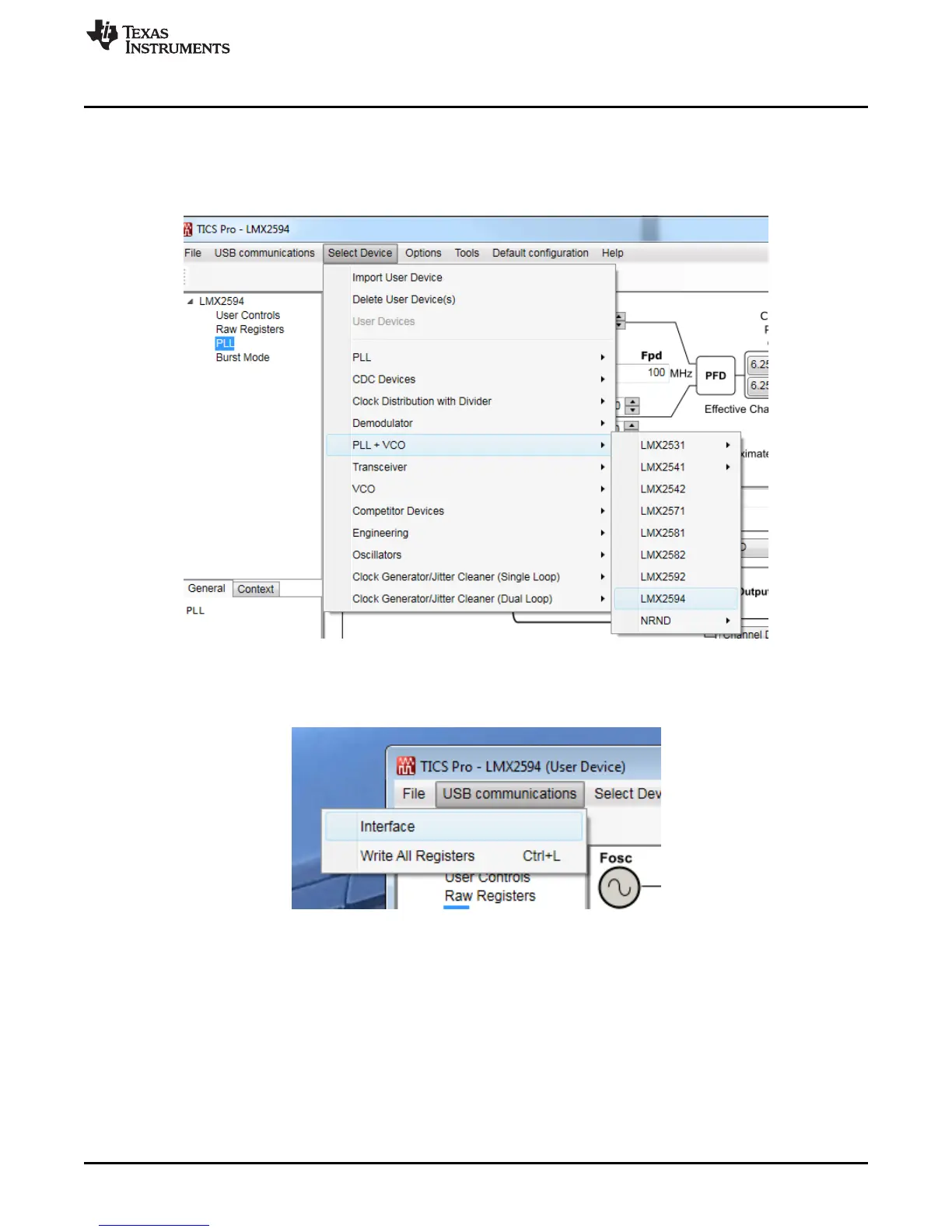
3. Search for LMX2594: Click on Select Device From menu bar →PLL+VCO→LMX2594
Figure 5. Search for LMX2594 on TICS Pro
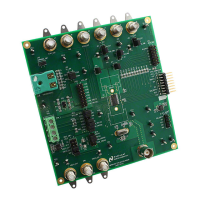
4. You are now ready to use this software. Verify that you can communicate with Reference Pro. Select
interface under USB communications:
Figure 6. USB Communications on TICS Pro










 To Next Page