29
SNAU210–March 2017
Submit Documentation Feedback
Copyright © 2017, Texas Instruments Incorporated
VCO Calibration
Appendix H
SNAU210–March 2017
VCO Calibration
1. Connect an oscilloscope probe (high impedance) to MUXout of the device
2. Set trigger to about the center of the MUXout swing (approximately 1.6 V)
3. Set MUXOUT_SEL register R0[2] to a value of 1 for lock detect
4. Set your desired output frequency to lock to
5. Trigger the calibration with FCAL_EN register R0[3] to a value of 1
6. Observe the triggered pulse, there should be a pulse from MUXout digital HIGH to LOW and back to
HIGH (the low indicates the instant calibration is triggered and running, then high is when done
calibration). Adjust the time scale to capture the pulse (approximately 300 µs to start)
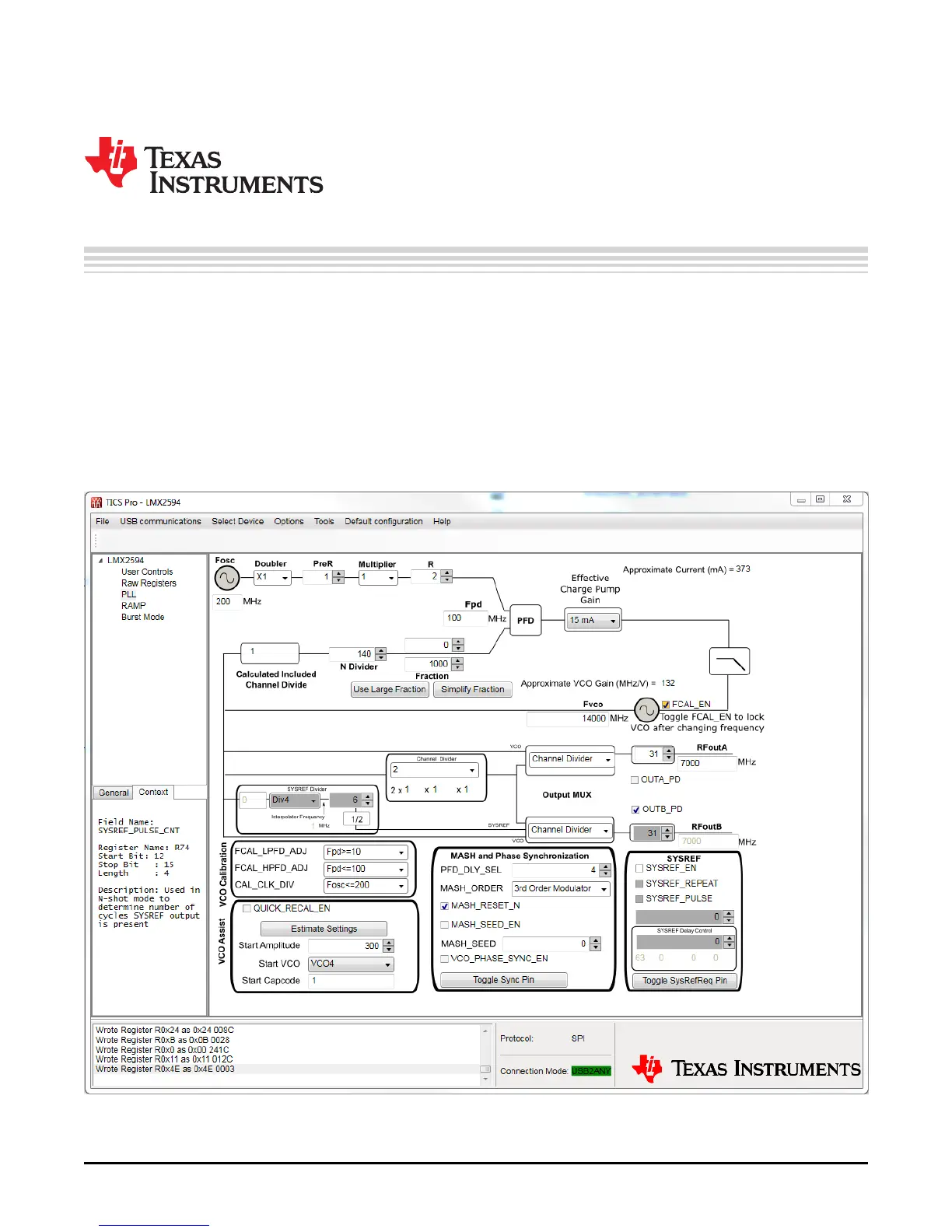
Figure 26. Unassisted Calibration TICS










 To Next Page