Software
www.ti.com
5.2 Navigation and Features
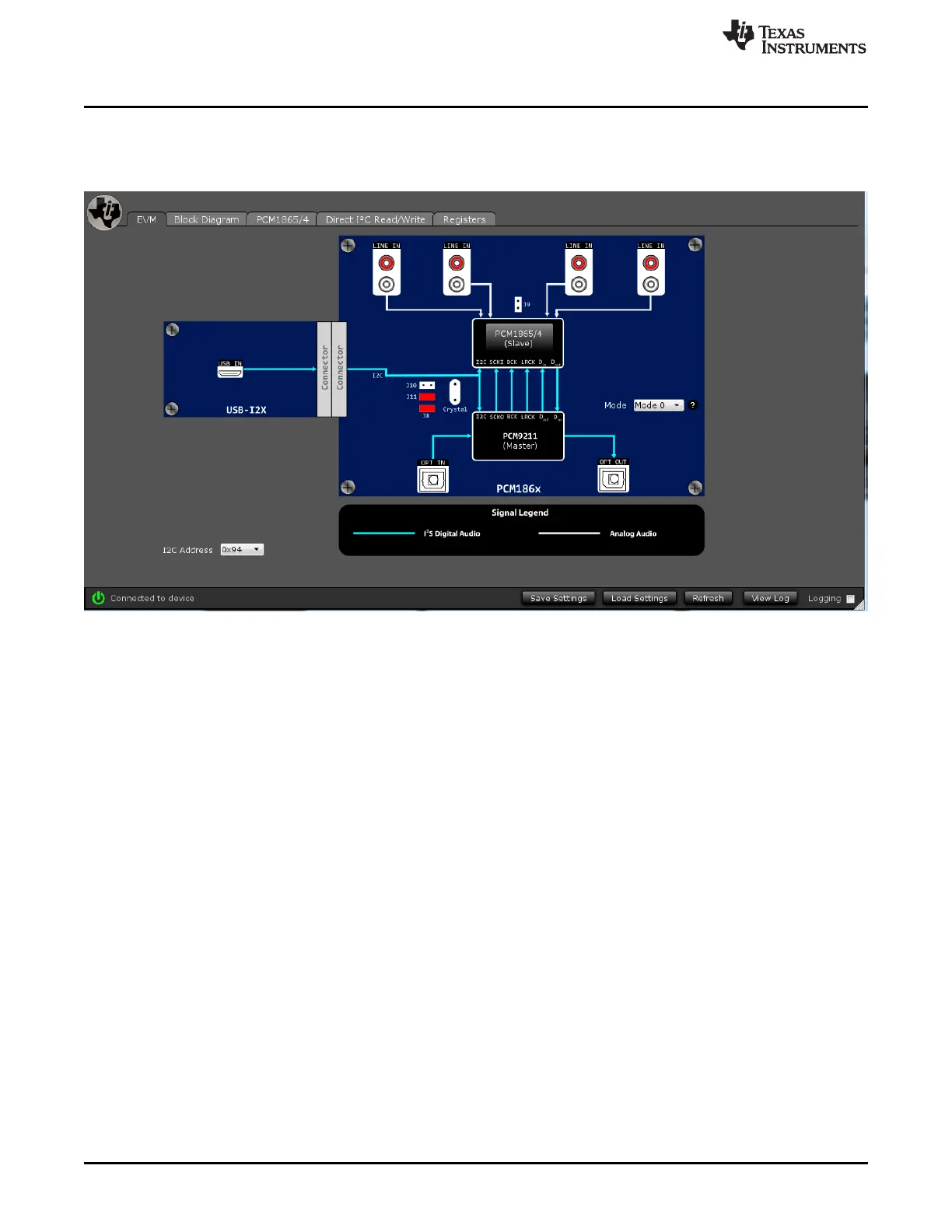
After the plugin is loaded and the device has been connected, the first window should look like Figure 12.
The mode can be changed by the drop down menu on the right.
Figure 12. EVM Tab
One very useful feature of the PurePath Console is the ability to load, save, and run scripts. Scripts are
text files that include each I2C write that is going to be sent to the PCM186x. Although the GUI is useful
for making rapid changes and experiments, the goal is developing a script that can be run and saved.
To access the script editing area, click on the Direct I
2
C Read/Write tab.
12
PCM186xEVM SLAU615–December 2014
Submit Documentation Feedback
Copyright © 2014, Texas Instruments Incorporated







 To Next Page