www.ti.com
Software
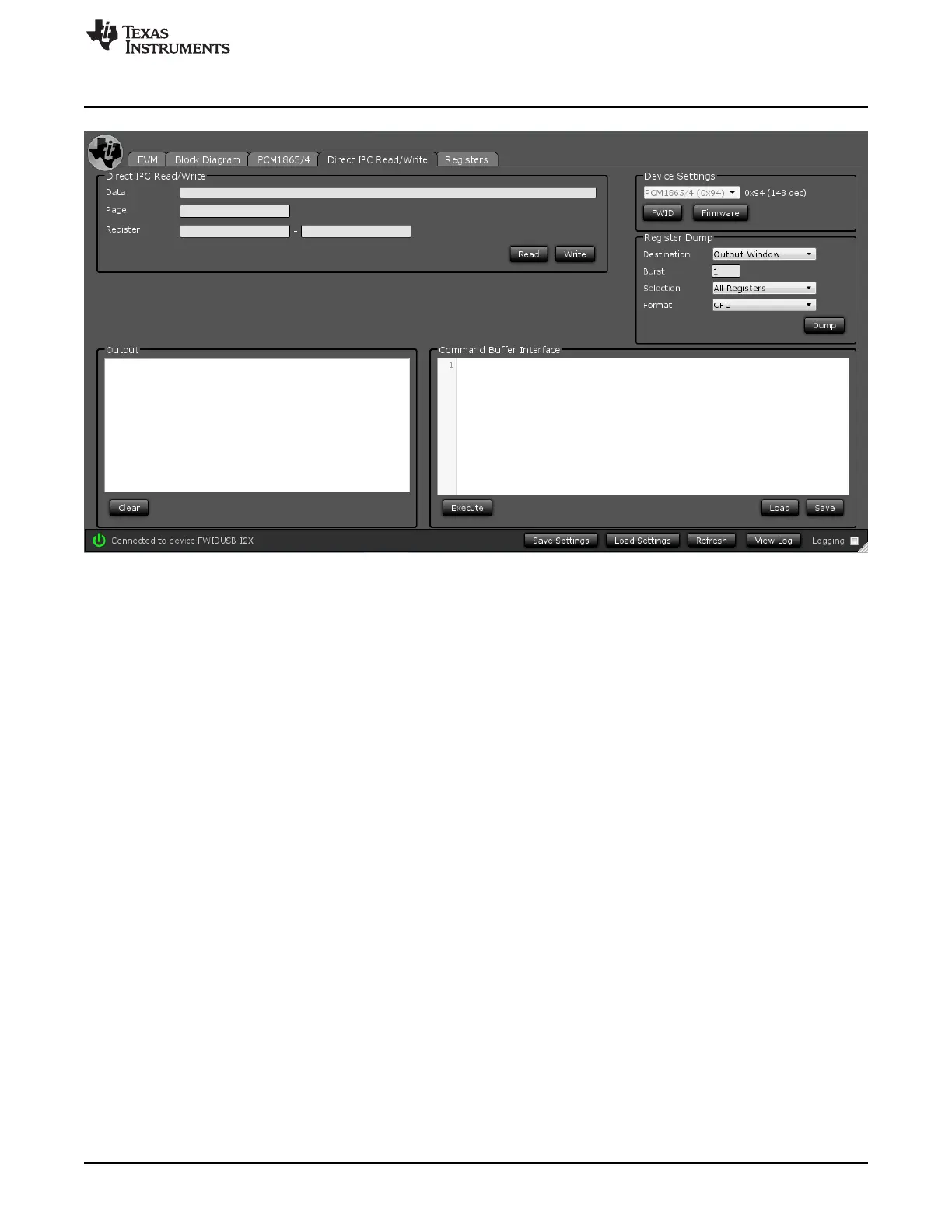
Figure 13. Direct I
2
C Read/Write Tab
By clicking on the Load button in the right window, any script.txt file can be opened. Editing, saving and
running the script from this window is also possible.
In the default setting, to get audio out from the EVM quickly, connect a left and right analog audio signal
into Vin1, and connect a system that accepts digital audio through the optical out. To improve
performance, supply a differential audio signal to the part and select 1P-1M Differential and 2P-2M
Differential in the Block Diagram tab.
13
SLAU615–December 2014 PCM186xEVM
Submit Documentation Feedback
Copyright © 2014, Texas Instruments Incorporated







 To Next Page