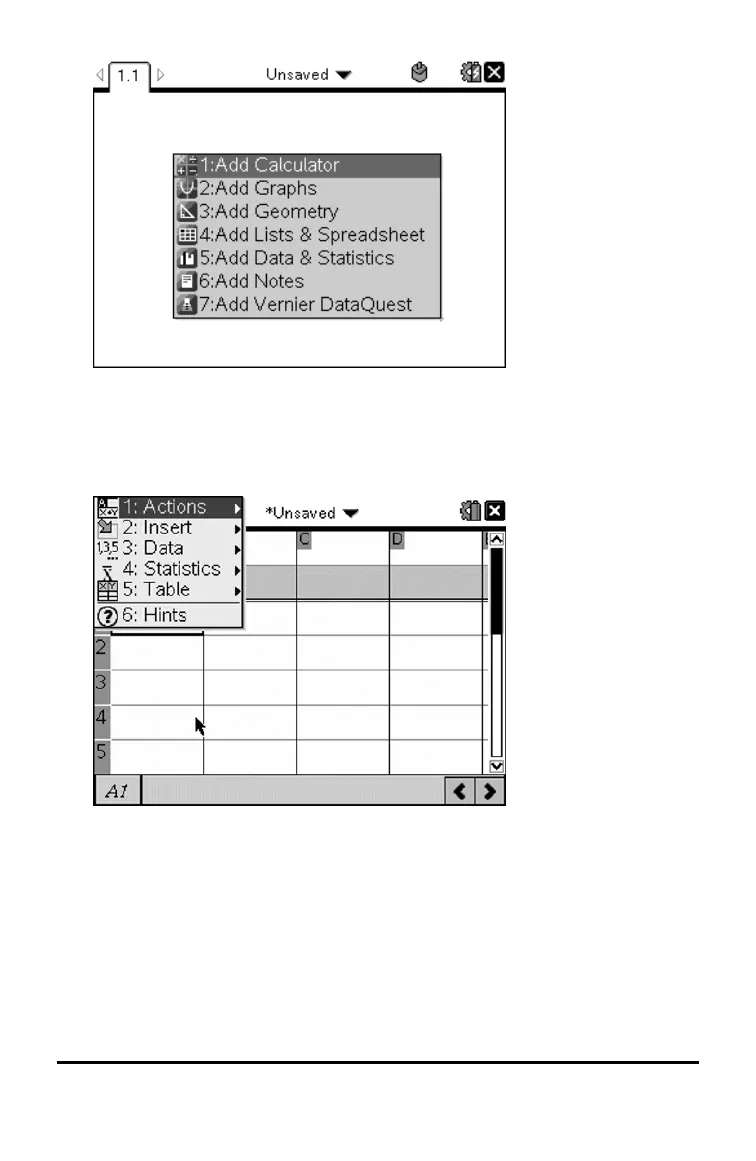
3. Press bto display the Application menu, which lists the options for
working with the current application.
The example below displays the Application menu for the Lists &
Spreadsheet application.
Context Menus
Context menus display options that are specific to the selected object or the
current cursor location.
Using the Context Menu
▶ To access a context-sensitive menu from an application, press / b.
Working with Documents on TI-Nspire™ Handhelds 51



 To Next Page
 Loading...