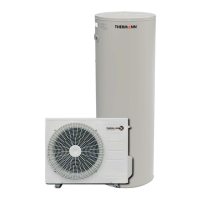
Thermann Installer's Manual
Thermann X Split Heat Pump
20
TIME AND BLOCK OUT SETTING (CONT.)
BLOCK OUT TIME SETTING MODE
This mode is used to set the block out time that blocks the heat pump unit operation within
the setting time. Block out times are used when the customer has an o-peak tarrif for
example.
CHANGE THE MODE
Press and hold down ▲ and ▼ keys together in the clock display mode to go to the block
out time setting mode. Once the mode is changed, 'bo' and '00XX' (00 = start time, XX =
end time) are displayed. (Initial setting = 00 o'clock for both start and end)
Adjust set block out start time
Press ▲or ▼key and '00' (start time) in '00XX' starts flashing and 'XX' (end time)
illuminates. Now the block out start time can be adjusted. Setting can be performed only in
hour increments.
Set block out start time
Press the Enter key to set the desired time setting. After the start time is set, the start time
display stops flashing. The end time display starts flashing at the same time.
Adjust block out end time
Set to the desired end time by using ▲ and ▼ keys. Setting can be performed only in hour
increments.
Set block out end time
Press enter key to adjust the desired time setting. After the end time is set, then it starts to
display 'bo' and '00XX' (00 = start time, XX = end time) by turns.
Go back to clock display mode
Hold down Enter key to go back to the clock display mode. It will automatically go back to
the clock display mode when no panel operation is performed for more than 60 seconds.
Block out time setting mode cannot be set unless the end time setting is confirmed.
Cancel block out setting
To cancel the block out setting, set both start and end times to the same time.
AM
○
PM
○
○
13
01
BoSetting For Example “ 13 01 ”
Unit will not Run


 To Next Page