Controls, Indicators, and Displays
SORVALL
®
Centrifuges
3-2
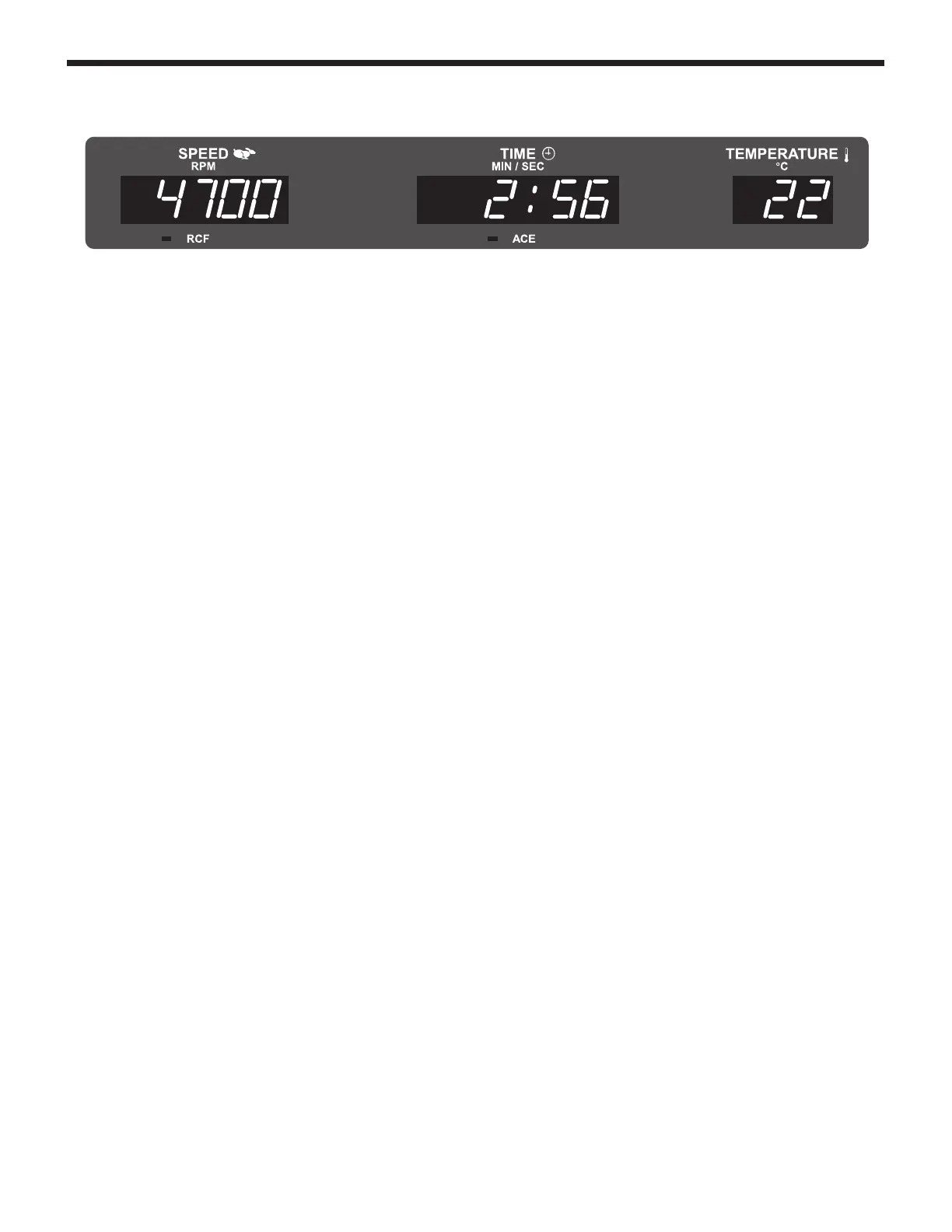
RUN Display
The RUN display is to the left of the control panel, and is comprised
of three fields of large red LEDs that indicate the current measured/
calculated conditions during a run:
• The run SPEED (RPM/RCF) field indicates either the current
measured rotor speed (in rpm) or, if RCF is selected (RCF
indicator lit), the relative centrifugal force (or g-force) that is
currently being generated at the maximum radius of the selected
rotor. The rpm values are rounded to 10s above 200 rpm. At run
completion (zero speed, after the door has been unlocked) the
display will show the word "End" until the door is opened.
• The run TIME (MIN:SEC/ACE) field indicates:
– If controlled by TIME, the display counts down from set
time, showing the time remaining (in minutes and seconds)
until the run terminates and deceleration begins,
– If controlled by HOLD (indicated in the control panel SET
display), the display during a run counts up, showing the
time elapsed (expressed in minutes and seconds, up to a
maximum of 300:00) since START was pressed, or
– If controlled by ACE (Accumulated Centrifugal Effect™,
ACE indicator lit), the RUN display shows the current
calculated ACE value (∫ω
2
dt). When the set ACE value is
reached, the run terminates and decelerates to a stop. The
displayed value continues to calculate the centrifugal effect
during deceleration to zero to show total accumulation.
Monitoring run duration in alternative terms
During a run, if an alternative run duration key is pressed once (for
example, pressing TIME during an ACE run), the RUN display
will change to show an accumulating value in terms of the newly
selected method. The SET display and ACE indicator will not
change, but will continue to show the control method and value
that was in effect when START was pressed. Run duration will be
controlled by the SET display value, regardless of the alternative
value showing in the RUN display. If that same alternative key is
pressed a second time, the SET display will change to show a
flashing value (from the previous run) expressed in that control
method – entry will change duration control to that method and the
RUN display will continue counting based on the new entry.
Pressing START resets the run.
RCF










 To Next Page