General Warning
This device contains electronic components which operate via a power
source (power supply and/or batteries). Do not let children use the
device while unattended. Only use the device as described in the
manual, otherwise you run the risk of an electric shock.
Children should only use the device under adult supervision.
packaging material, like plastic bags and rubber bands, out of the reach
of children,as they pose a choking hazard.
Keep
Keep batteries out of the reach of children. Make sure you
batteries correctly. Empty or damaged batteries could cause burns
if they come into contact with the skin. If necessary, wear adequate
gloves for protection.
insert the
DANGER!
-3-
-4-
EN
Introduction
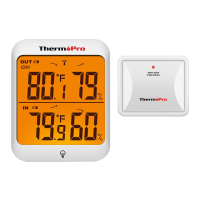
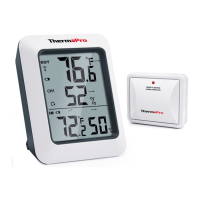
Congratulations on your purchase of the wireless indoor/
humidity and temperature monitor. You will now be able to know the
outdoor/indoor temperature and humidity while sitting inside.
outdoor
Do not disassemble the device. In the event of a defect,
your dealer. The dealer will contact the Service Centre and can send
the device in to be repaired, if necessary.
please contact
NOTE!
Use only the recommended batteries. Always replace weak
batteries with a new, complete set of batteries at full capacity. Do not
use batteries from different brands or with different capacities. The
batteries should be removed from the unit if it has not been used for a
long time.
or empty
Notes on cleaning
Separate the device from the power supply or remove the batteries
before cleaning.
DANGER!
Do not expose the device to high temperatures.Use only
recommended batteries. Do not shortcircuit the device or batteries,
or throw them into a fire. Excessive heat or improper handling could
trigger a shortcircuit, a fire or an explosion!
the
EN
Only use a dry cloth to clean the exterior of the device.
Do not use any cleaning fluid to avoid damaging the electronics.


 To Next Page