-9-
-10-
EN
EN
Buttons
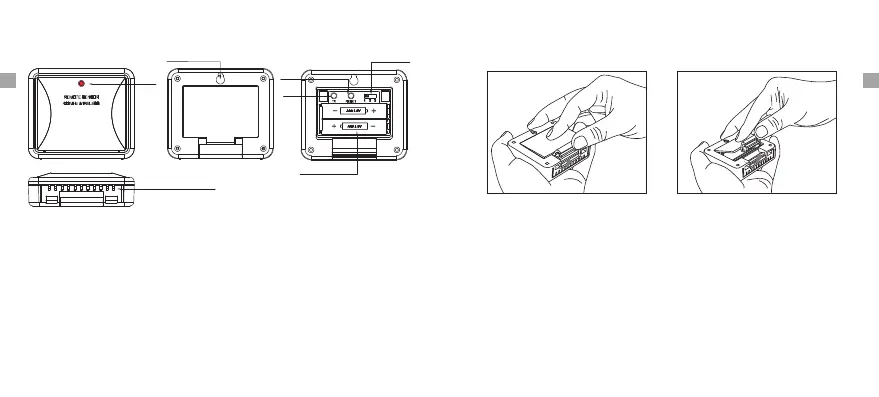
CHANNEL Selector (1,2,3): Slide to set Channel 1,2 or 3.
RESET: Press once to reset the remote sensor.
1. Battery Compartment: Holds 2 X AAA batteries to power the unit.
2. Rain-proof and design.wall-mounted
3. Outdoor Temperature range: -58° ~158°F (-50°C~70°C).
4. Humidity range: 10% ~ 99%.
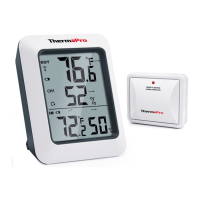
Outdoor Remote Sensor (Transmitter) Features
Sensor detection port
Wall hanging hole
Channel 1.2.3
2*AAA battery
RESET
TX
TX LED
TX: Press to send temperature/humidity data to the receiver manually.
Battery Installation and Setup
1. Open the battery compartment of the remote sensor as below Figure;
2. Slide the channel selector switch inside the battery
to your desired channel. For the first remote you may select any
channel, for additional remotes select any unused channel;
compartment
3. Insert (2) AAA batteries according to the polarity markings. Replace
the battery compartment cover;
4. Open the battery compartment at the back of the base
insert (2) AAA batteries according to the polarity markings. Replace
the compartment door;
station and
5. Press the °F /°C button at the back of the base station to display
the temperature in °F or °C.


 To Next Page