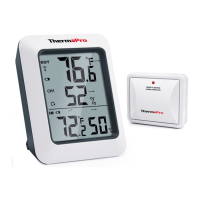
Indoor Base Station (Receiver) Features
-7-
-8-
EN
EN
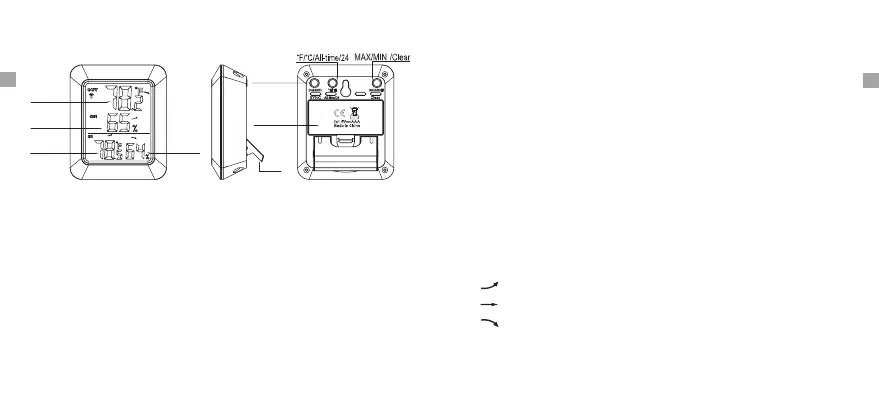
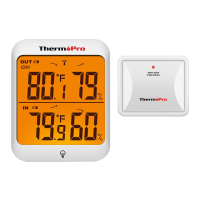
1. LCD display: Displays the current outdoor humidity/temperature
and indoor humidity/temperature.
2. Battery Compartment: Holds 2 AAA batteries to power the unit.
3. Tabletop and wall-mounted design.
4. Indoor Temperature range: -4°F ~ 158°F (-20°C ~ 70°C).
5. Humidity range: 10% ~ 99%.
6. Temperature display unit: °C and °F selectable.
7. Temperature Resolution: 0.1 °C/°F.
8. Humidity Resolution:1%.
9. Low battery indication.
Buttons
CHANNEL/SYNC: Press once to display the temperature and humidity
readings from up to 3 outdoor remote sensors; Press and hold this
button to enter the synchronization mode.
MAX/MIN/CLEAR: Press once to display the maximum
temperature and humidity; Press and hold to clear the history data.
or minimum
Outdoor
temperature
Outdoor
humidity
Indoor
temperature
Indoor
humidity
Channel/
SYNC
Battery
Compartment
Stand
° display in ºC F/°C/ALL-TIME/24: Press to select the temperature
or ºF; When the display shows the maximum or minimum temperature
and humidity, press this button once to set the maximum and minimum
data record time interval between ALL TIME or 24 hours. Note: Both
ALL TIME and 24 hours represent the time since you last time manually
cleared the history data or installed a new battery.
1. indicates the temperature & humidity is in an increasing trend.
Temperature & Humidity Trend
2. indicates the temperature & humidity is in an no change trend.
3. indicates the temperature & humidity is in a decreasing trend.


 To Next Page