SAFETY PRECAUTION
INITIAL USE
START CALIBRATION
TARGET PATTERN KIT
PRODUCT PROFILE
13
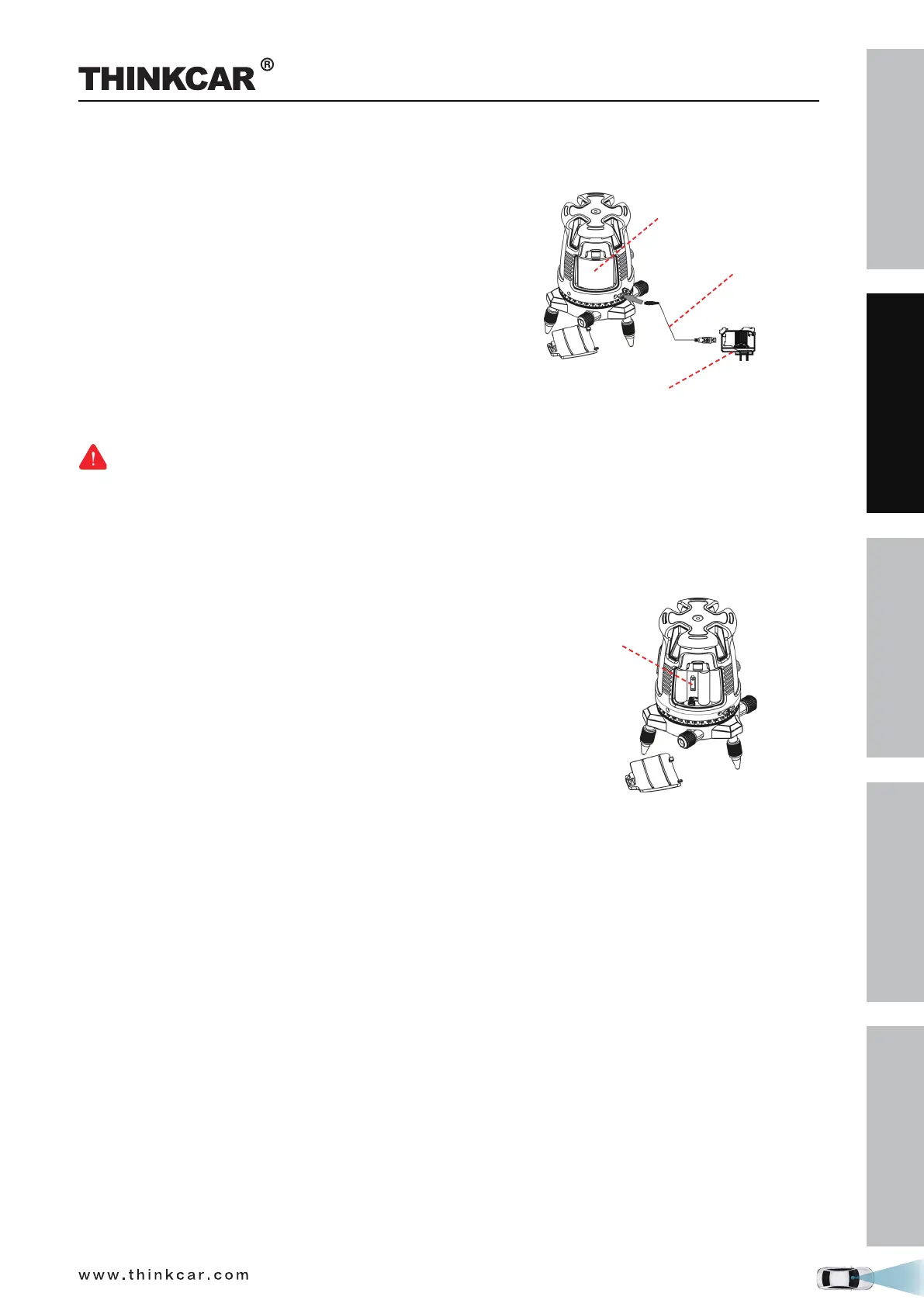
Installation of the lithium-ion battery pack
1. Press down the latch of the cover and pull the battery
cover.
2. Insert the lithium-ion battery pack with the contact
terminal towards the 2 small pins in the battery
compartment.
3. Reclose the battery cover.
4. Use a standard 5 V ± 5% charger (1A-2A), with micro
USB connector to charge the Li-Polymer battery pack.
5. The rechargeable battery pack can be charged outside or
inside the laser battery compartment.
6. Charge the battery pack at least 2 hours before using the
laser tool for the first time.
Lithium battery
Charging cable
Charger
Warning:
• Do not use a damaged battery charger.
• The built-in Lithium battery is factory replaceable only. Incorrect replacement or tampering with the
battery pack may cause a explosion.
Installation of the 4 AA Batteries
1. Press down the latch of the cover and pull the battery
cover.
2. Insert 4 new AA batteries of the same brand, according
to the polarity diagram indicated on the inside of the
battery compartment.
3. Reclose the battery cover.
4 AA
battery
THINKCAR ADAS Calibration Tool



 To Next Page