SAFETY PRECAUTION
INITIAL USE
START CALIBRATION
TARGET PATTERN KIT
PRODUCT PROFILE
42
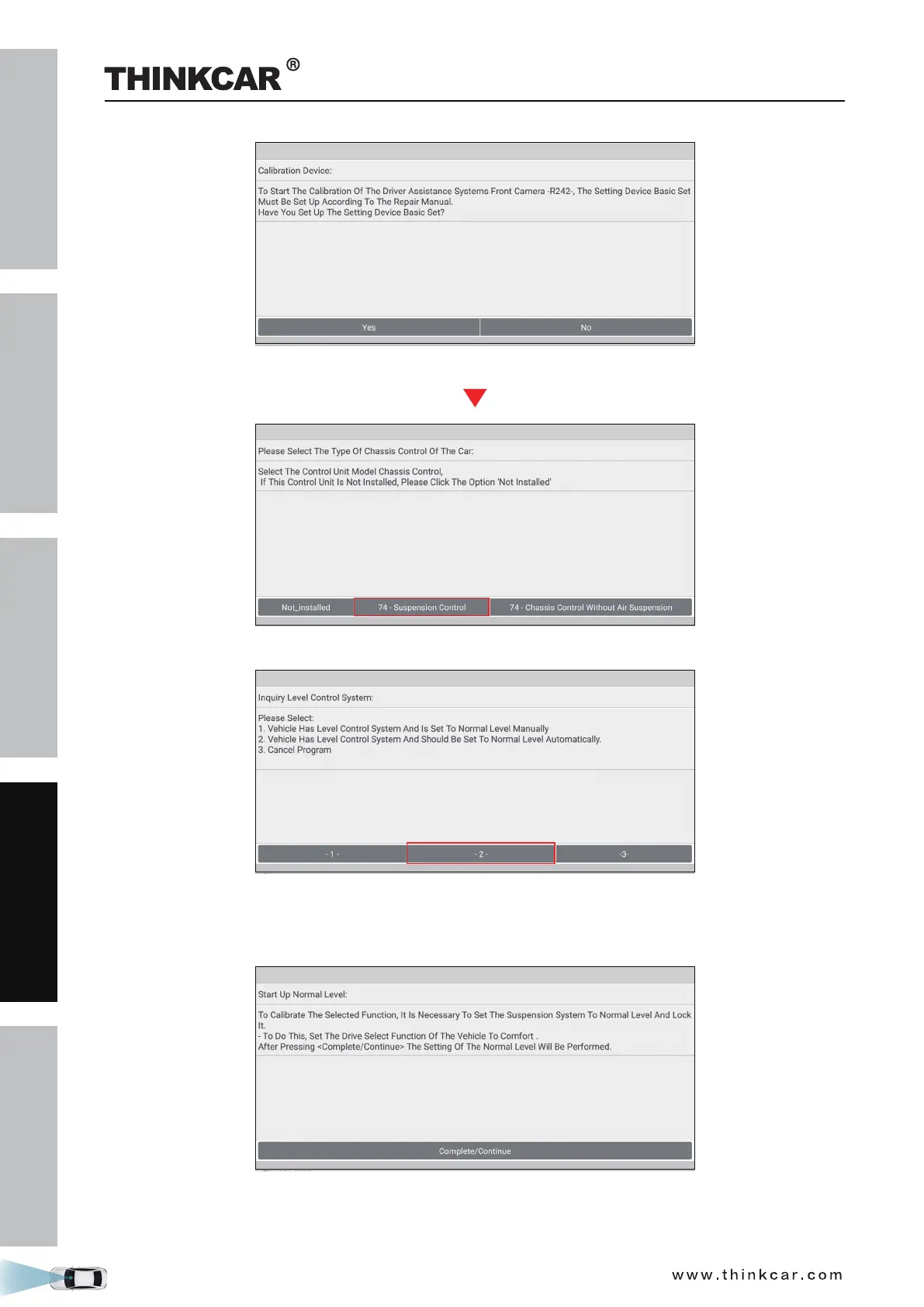
(Tap Yes)
10. Select 74 - Suspension Control to choose how to set the vehicle level system to normal level.
(Select -2-)
11. Tap -2- (Vehicle has level control system and should be set to normal level automatically). Set the drive
select function of the vehicle to COMFORT to set the suspension system to normal level and lock it.
12. Tap Complete/Continue, follow the on-screen instruction to finish the startup, evaluate chassis status
and level control system, and enter the wheel housing edge values (*please enter the values in
THINKCAR ADAS Calibration Tool



 To Next Page