Installing the product
17
3
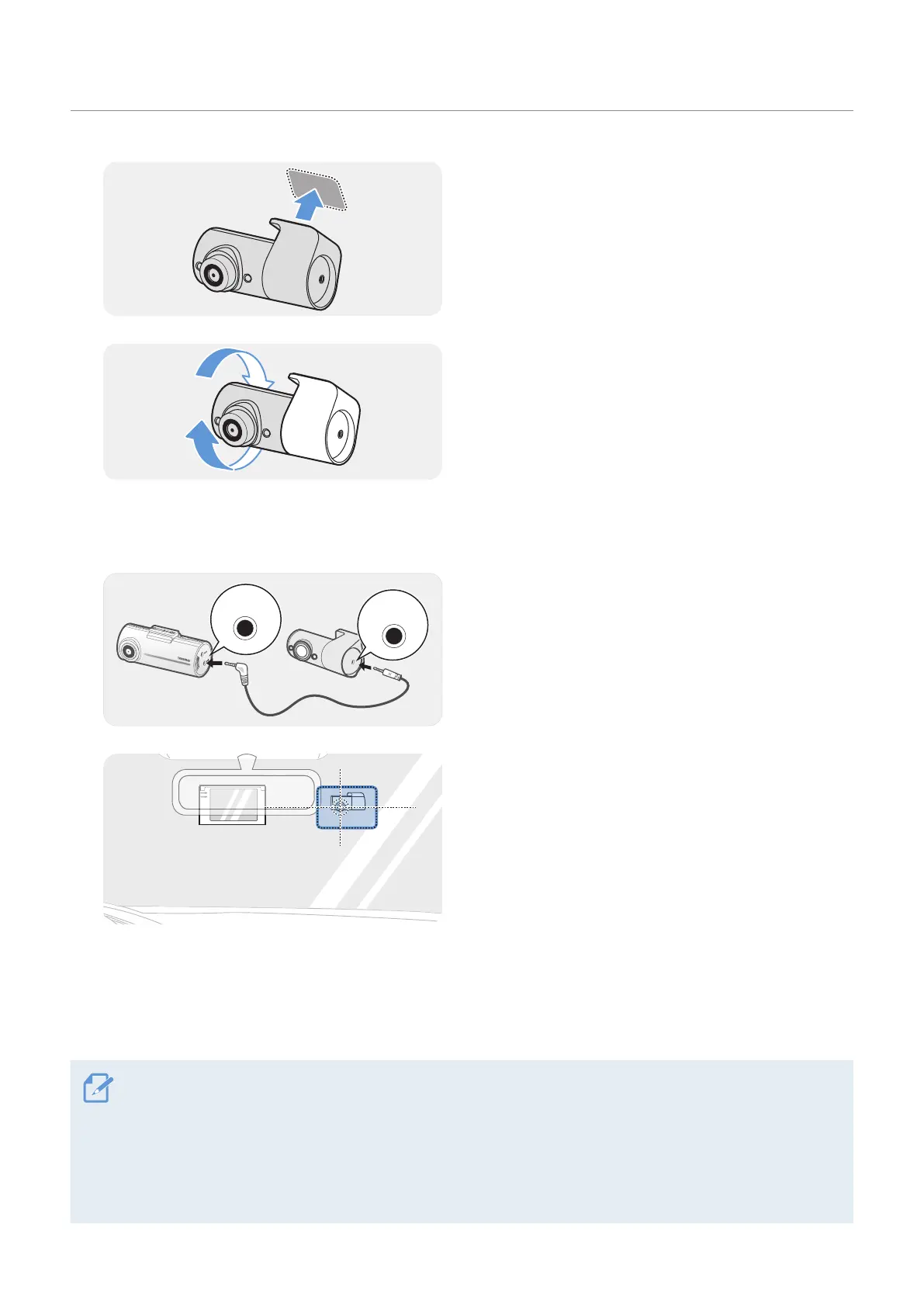
Make sure the THINKWARE logo on the mount is
facing the windshield. Attach the interior infrared
camera to the installation location and apply firm
pressure to fix it to the windshield.
4
Then, adjust the camera angle.
2.3.3 Connecting the IR camera cable
1
Connect the dash cam's V-IN port to the interior
infrared camera's V-OUT port via the cable provided
with the camera.
2
Then, route the cable neatly so that it does not
obstruct the driver's view.
3
After installing the interior infrared camera, record a video to check if the interior infrared camera is
properly installed. After the interior infrared camera is connected to the dash cam, it will turn on when
the dash cam is powered on.
• The interior infrared camera is designed to work only when the connected dash cam is on. If the interior
infrared camera is not working properly, turn off the dash cam and check its cable connection with the
interior infrared camera.
• THINKWARE is not responsible for damages to the interior infrared camera, or to the dash cam it is
connected to, caused by incorrect installation. To avoid damage due to incorrect installation, have your
interior infrared camera installed by a professional at a licensed installation location.



 To Next Page