Installing the product
17
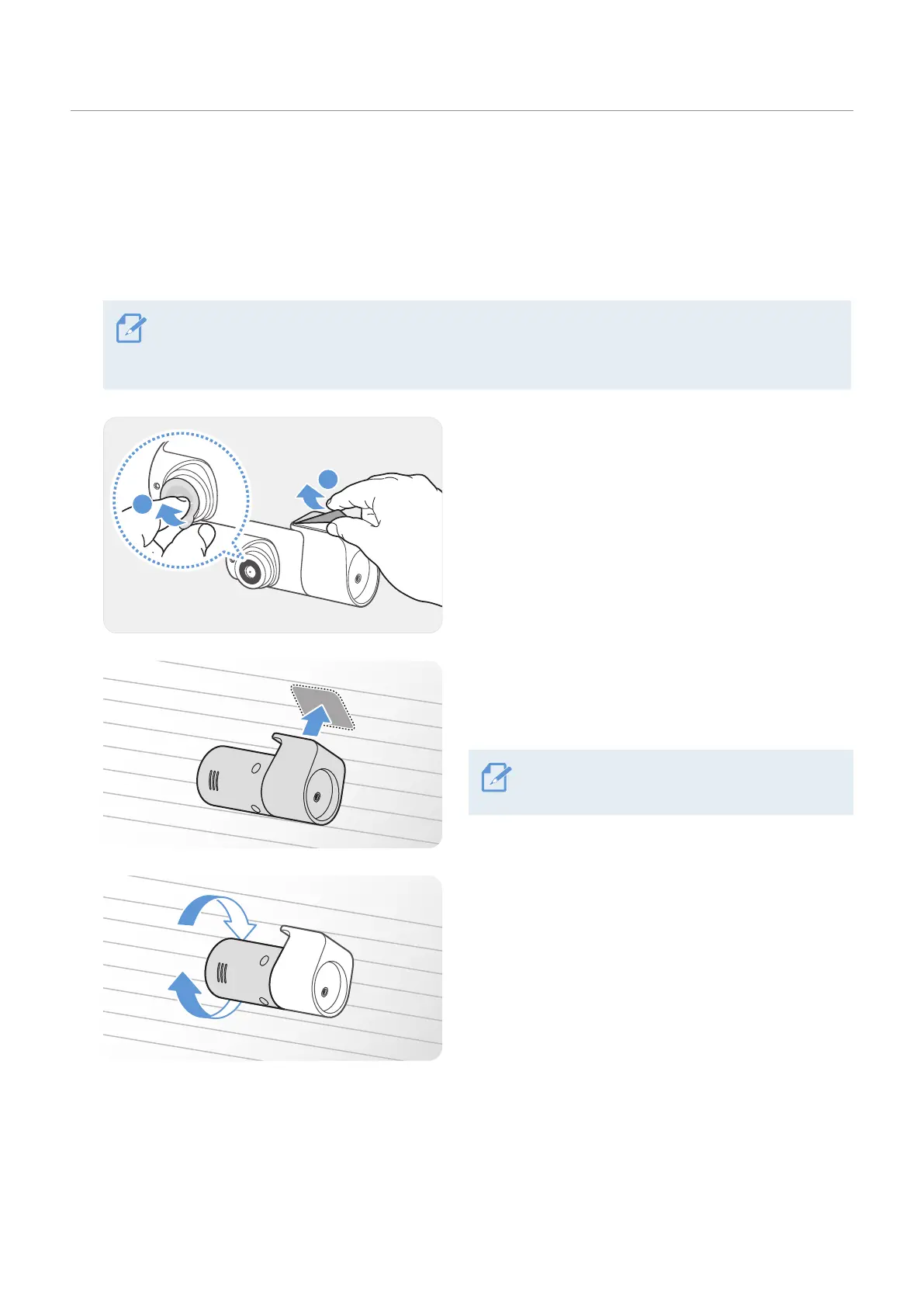
2.2.2 Securing the rear camera
Refer to the following instructions to secure the product to the installation location.
1
After determining the installation location, wipe the installation surface of the windshield with a dry
cloth.
Check the installation location before you secure the rear camera to the rear windshield. After
securing the rear camera to the windshield, it is hard to remove the camera or change the installation
location due to the strong adhesive.
2
Remove the protective film from the adhesive mount
and camera lens.
3
Attach the product with the THINKWARE logo facing
indoors and press the adhesive tape firmly to secure
the camera.
If the product is fixed in reverse, the rear view
will be recorded upside down.
4
Adjust the camera's vertical angle.



 To Next Page