Using the mobile viewer
23
4.2 Viewing the mobile viewer screen layout
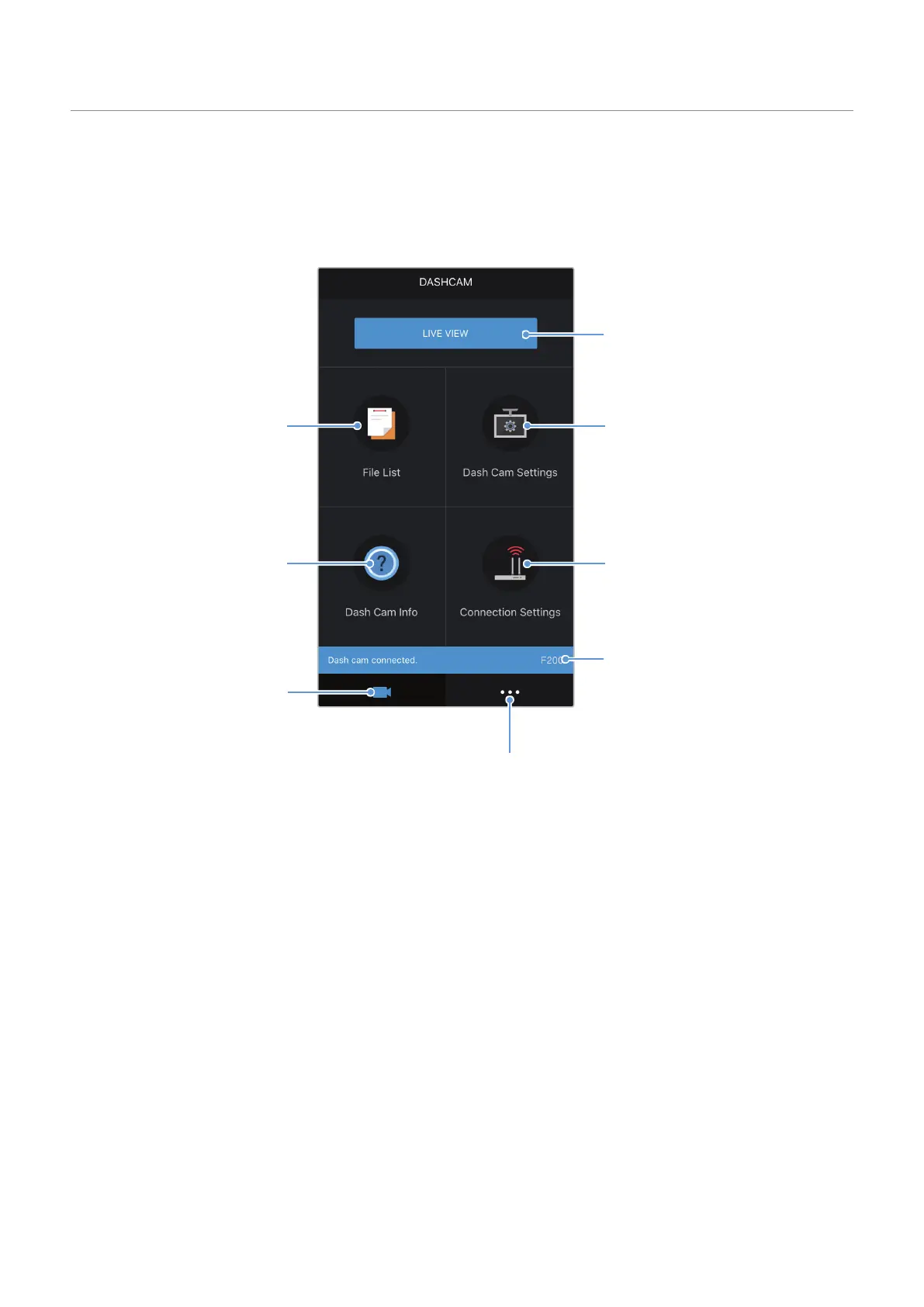
The following provides brief information about the mobile viewer’s screen layout.
Configure the dash cam settings.
View the connected Wi-Fi
network or add a new network.
Displays the connection status of
the product.
View the application information and terms of use.
Move to the live view
screen.
View and play the
recorded videos.
Move to main menu.
View the product
information.



 To Next Page