14
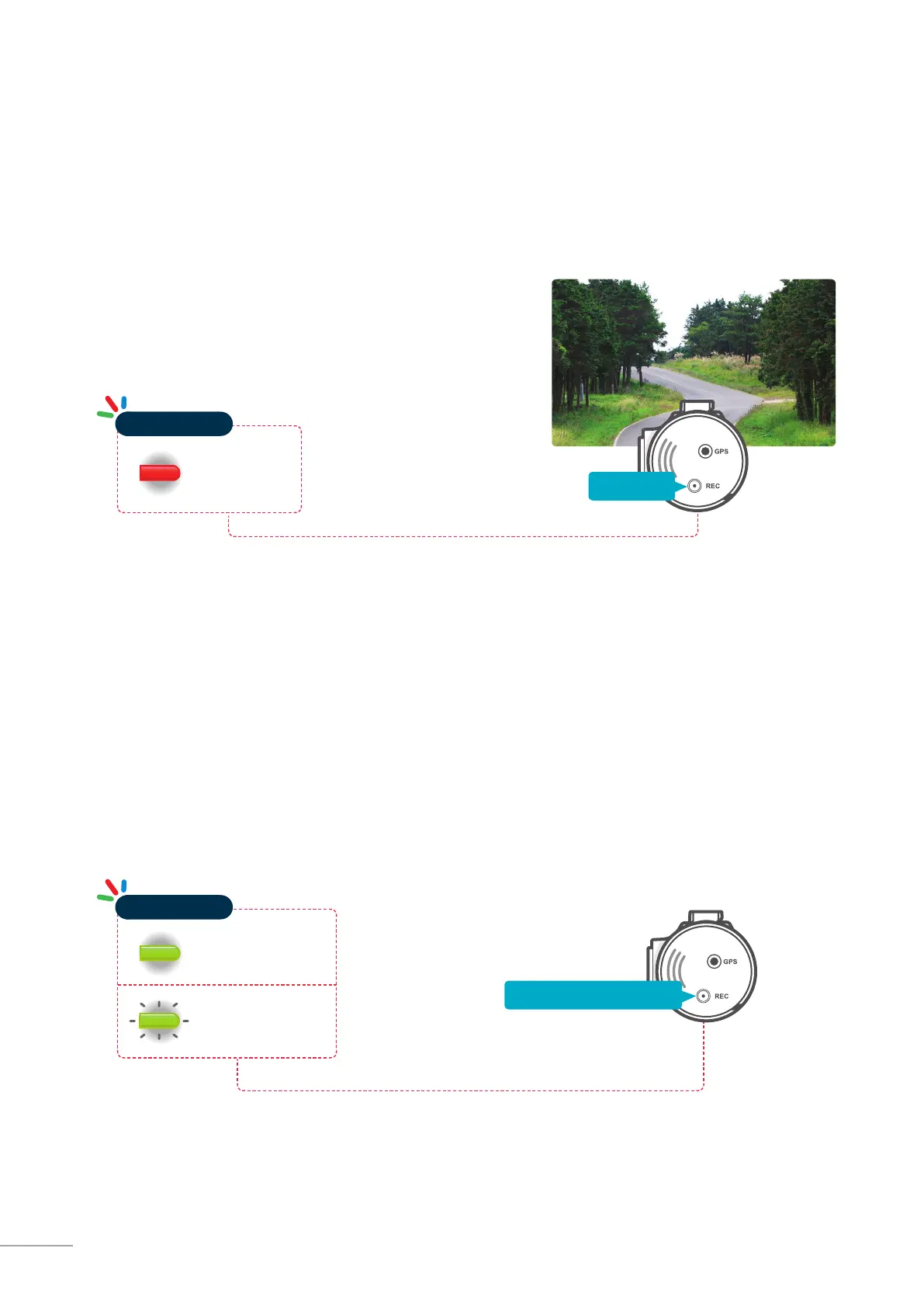
Briey press the REC button to start recording. The device will
record video for 1 minute (10 seconds be fore and 50 seconds
after) as of the time when the button is pressed. The recorded
video will be saved under the “manual_rec” folder.
2-6. Manual Recording
In addition to recording accidents, the dash cam allows the user to initiate manual recording mode to capture
scenery and/or places while driving. This feature can also be used to save video as witness where the installed
vehicle is not directly involved in an accident. Video les saved during manual recording mode are stored in a
separate location on the memory card and will be protected from video overwriting in continuous recording
mode.
Red Light ON
Operation LED
2-7. Voice Recording
Press and hold the REC button for more than 3 seconds to turn the voice recording ON/OFF
Green Light ON
(Voice Recording ON)
Green Light Blinking
(Voice Recording OFF)
Operation LED
Press and hold for 3seconds
Press briey



 To Next Page