21
PC Application
03
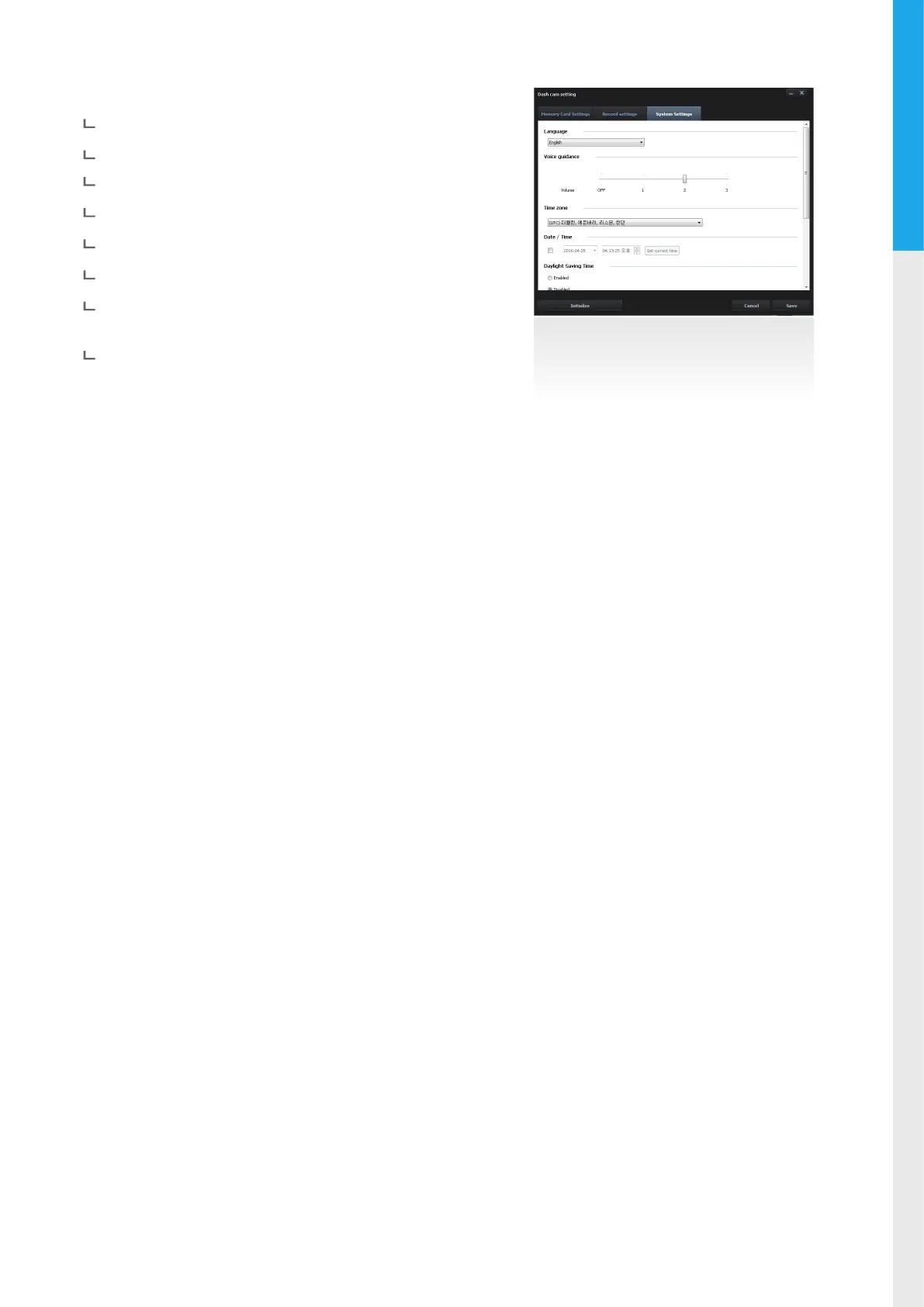
System Settings
Language : Sets dash cam system language
Voice guidance : Sets the volume level
Time zone : Sets the time zone
Date/Time : Sets the date/time
Daylight Saving Time : Sets the daylight saving time
Speed unit : Sets the unit for the vehicle speed
Speed Stamp : Sets vehicle speed information (tracked by
GPS) to be shown or hidden directly on video
Road Safety Warning : Sets the audible notications for road
safety warnings
3-3. PC Viewer Settings
Dashcaminfo
: Displays dash cam information
language setting
: Sets dash cam system language
Units speed
: Sets the unit for the vehicle speed



 To Next Page