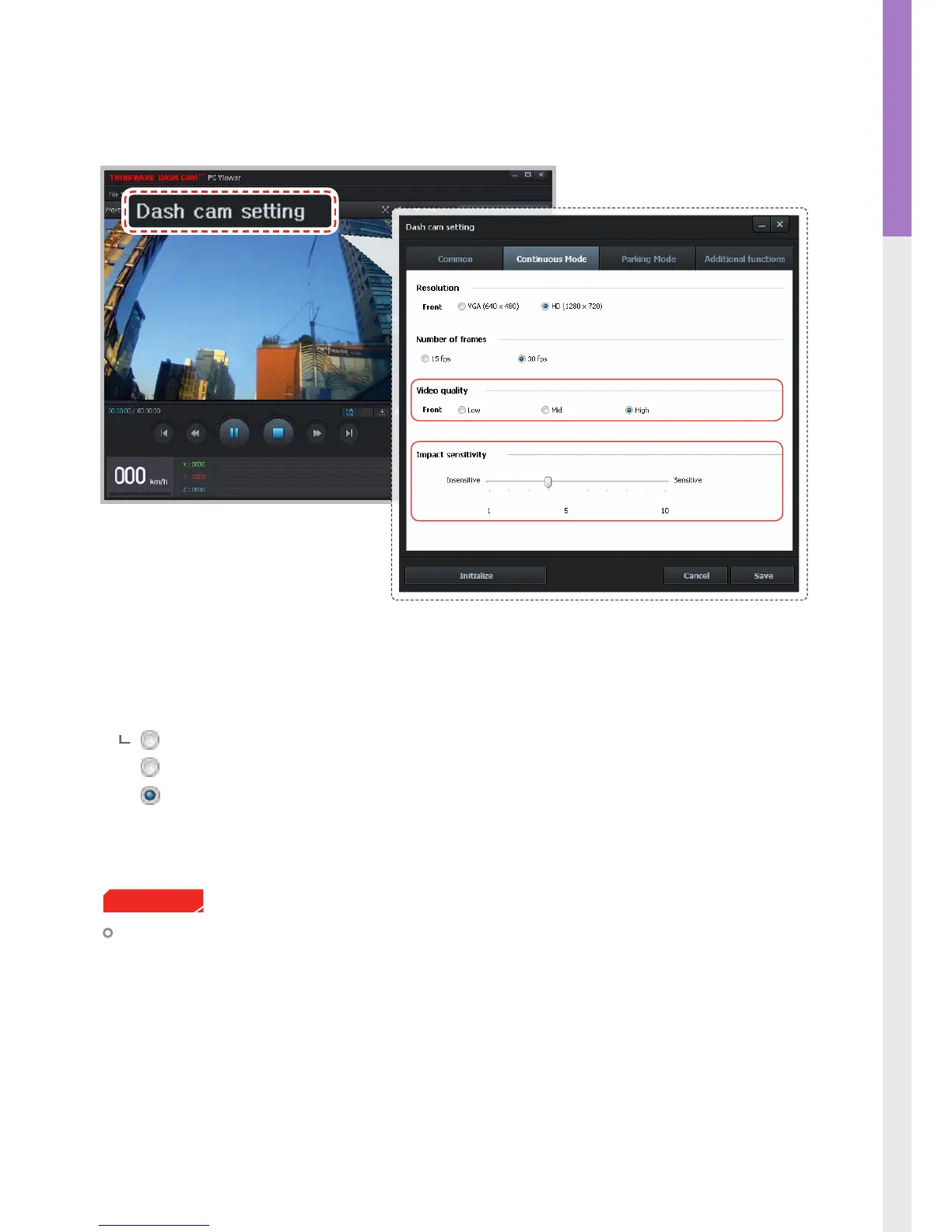
3-1-8. Dash Cam Setting > Continuous Recording Mode - 2
Video quality: Sets the video quality level. The video le sizes will vary according to the congured quality.
As the quality of the video increases, the size of the videos will also increase resulting in
reduced total recording capacity.
Low (The video le size will decrease)
Normal
High (The video le size will increase)
Impact sensitivity: Set impact sensitivity from Level 1 to 10 (1 is least sensitive/ 10 is most sensitive).
Tip on sensitivity
It is recommended that you set the sensitivity according to vehicle type. High sensitivity setting is rec-
ommended for cars with softer ride such as luxury sedans and low sensitivity setting is recommended for
cars such as performance cars, trucks, or SUVs which tends to have stier suspension settings.
Cautions



 To Next Page