28
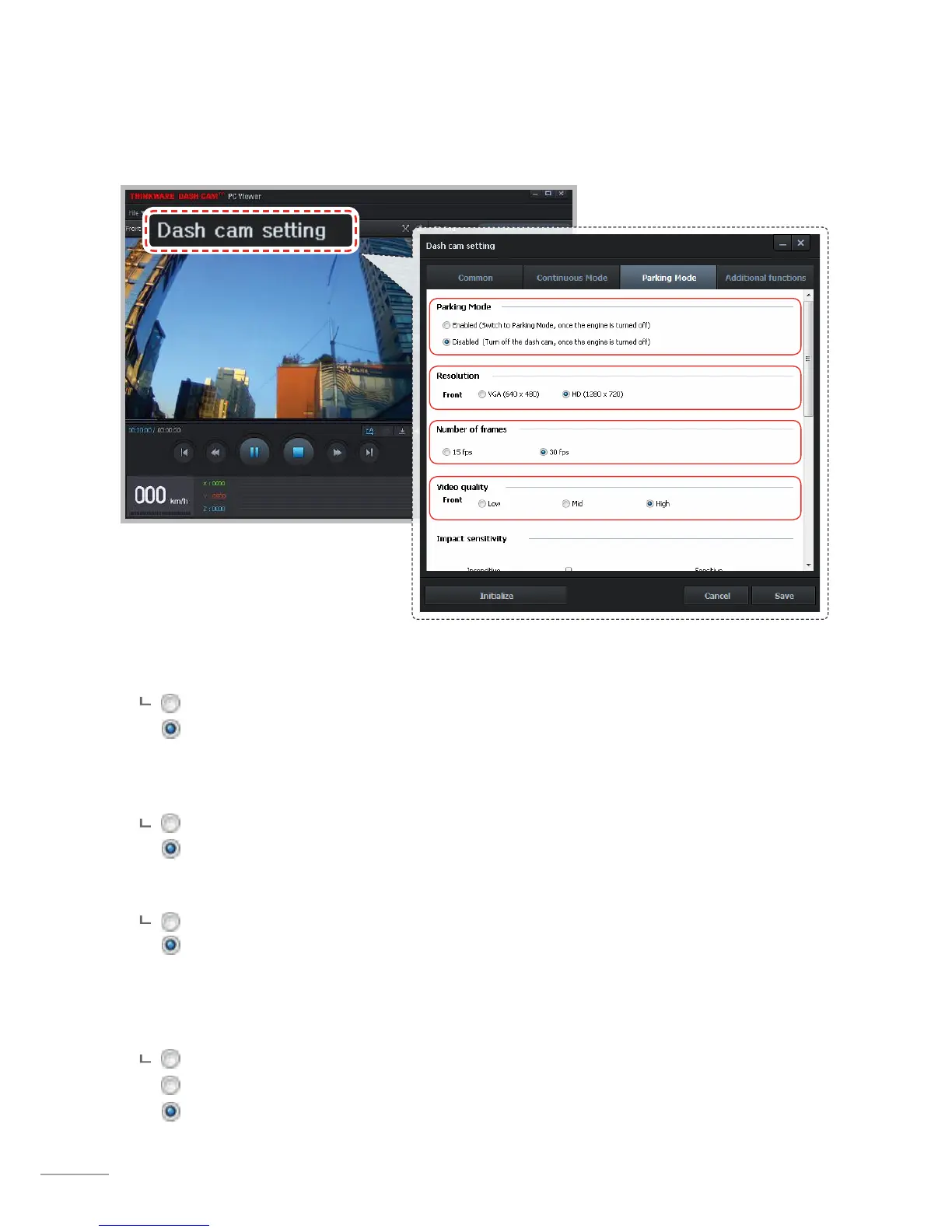
3-1-9. Dash Cam Setting > Parking Surveillance Mode - 1
This feature is available only when the dash cam has been hardwired direct to the vehicle battery. Separate
purchase is required for the hardwiring cable accessory and installation is required.
Parking Mode: Dash cam automatically changes recording mode to parking surveillance when vehicle
ignition is turned o.
Enabled
Disabled (default)
Resolution: Sets resolution of recorded videos in the Parking Surveillance Mode.
Front
VGA(640X480)
HD(1280X720) (default)
Number of frames: Sets number of frames for Parking Surveillance Mode.
15 fps
30 fps (default)
Video quality: Sets the video quality level. The video le sizes will vary according to the congured quality.
As the quality of the video increases, the size of the videos will also increase resulting in
reduced total recording capacity.
Low (The video le size will decrease)
Normal
High (The video le size will increase)



 To Next Page