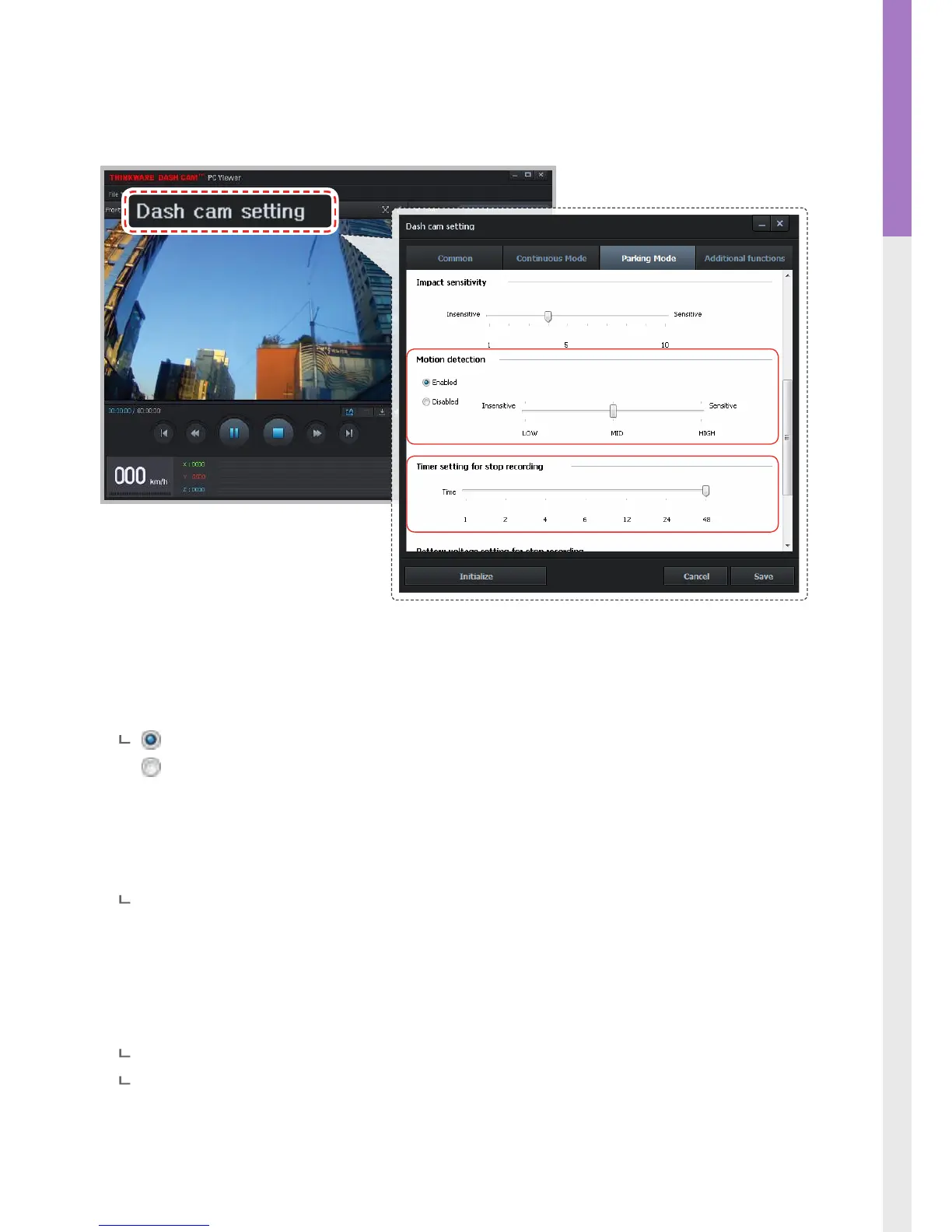
3-1-10. Dash Cam Setting > Parking Surveillance Mode - 2
Impact sensitivity: Sets the impact sensitivity level in parking mode.
Motion detection: Sets motion detection sensitivity from Levels 1 to 10.
Enabled (default)
Disabled
Timer Setting for recording: Dash cam can be congured to stop recording after preset time period
during parking surveillance mode in order to prevent the vehicle battery
from being discharged.
Time Range: 1~48 hours (7 levels)
Battery voltage setting for stop recording: Dash cam can be congured to automatically shut down
when battery voltage drops below preset value during park-
ing surveillance mode in order to prevent the vehicle battery
from being discharged.
Vehicle voltage 12V - 11.6V-12.3V (changeable by 0.1V)
Vehicle voltage 24V - 23.2V-24.6V (changeable by 0.2V)



 To Next Page