22
5. Using THINKWARE CONNECTED
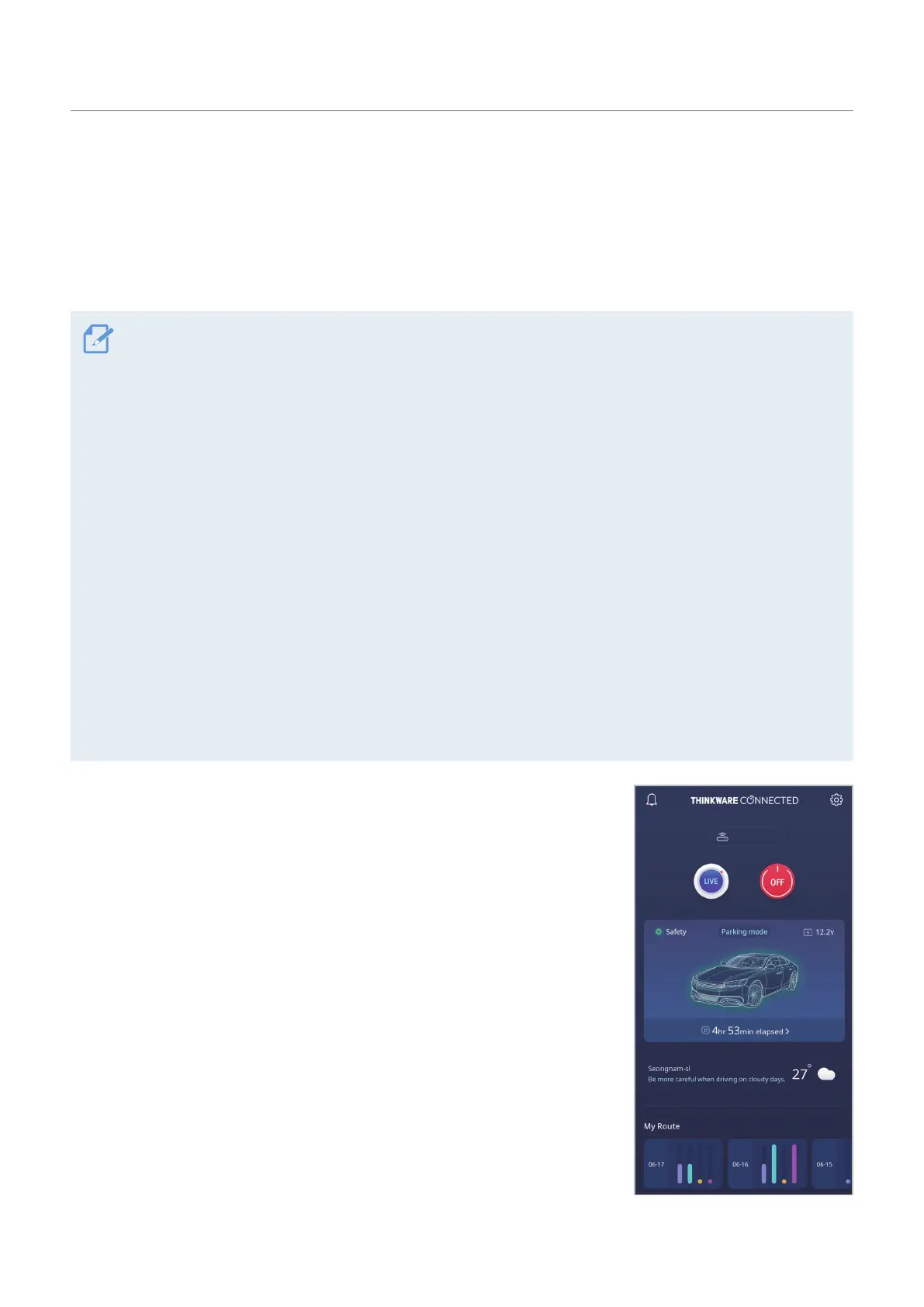
When using parking mode, you can check vehicle status notifications, such as Live View, parking impact
notifications, the vehicle voltage status, the dash cam power status, vehicle battery status, and the recent
parking location on the THINKWARE CONNECTED application depending on your service plan.
• One of the following environments is required to use the THINKWARE CONNECTED application:
- Android 7.0 (Nougat) or higher
- iOS 11.4 or higher
• The services and features provided by THINKWARE CONNECTED application may be changed according to
the service policy. Refer to the THINKWARE website (https://www.thinkware.com) for more information.
• To use the THINKWARE CONNECTED application, the dash cam needs to be connected to the internet in the
THINKWARE DASH CAM LINK application.
• The THINKWARE CONNECTED features are not available in the following Parking recording modes:
- Energy Saving
- Radar
•
Connecting the dash cam to a mobile hotspot device or a Wi-Fi network with internet access will consume
data. Carrier/Service Provider charges may apply.
• The smartphone used to set up the internet connection on the dash cam cannot also be used as a mobile
hotspot for the dash cam. A different hotspot device/smartphone is required.
• To connect the dash cam to the internet, use the THINKWARE DASH CAM LINK application. Once the dash
cam is connected to the internet, you can go to the THINKWARE CONNECTED application to get access to
the THINKWARE CONNECTED features.
• Status of the vehicle while driving/parking
• Vehicle battery voltage status
• Dash cam power off
• Driving history
• SOS notification, recorded video backup, and SMS transmission
• Driving impact notification, video backup, and SMS transmission
• Parking impact notification and recorded video backup
• Download and share the event location and recorded video
• The captured image of the front camera during the most recent parking
• Real-time vehicle location
• Remote live view
Q850



 To Next Page