10 Piano keys [CHORUS] to adjust the Chorus effect and the effects depth. Keep
the [FUNCTION] button pressed and press the piano key [OFF] to turn the
Chorus effect off. Keep the [FUNCTION] button pressed and press one of the
other piano keys to adjust the effects depth.
11 Piano keys [TOUCH] to adjust the touch sensitivity. Keep the [FUNCTION]
button pressed and select the desired touch sensitivity with one of the piano
keys.
12 Piano keys [EQ] to adjust the timbre. Keep the [FUNCTION] button pressed
and select the desired timbre with one of the piano keys.
13 Piano keys [TRANSPOSE] to transpose the note values. Keep the [FUNCTION]
button pressed and transpose the note value by up to 12 semitones up or
downwards using the [+] or [–] buttons.
14 Piano keys [TUNE] to fine tune the entire keyboard. Keep the [FUNCTION]
button pressed and tune up or downwards in 2-cent increments using the
piano keys [+] or [–].
15 Piano key [VOICE DEMO]. Keep the [FUNCTION] button pressed and press the
piano key [VOICE DEMO] to play the demo song.
16 Piano key [BEEP]. Keep the [FUNCTION] button pressed and press the piano
key [BEEP] to turn the beep sound on pressing the function button on or off.
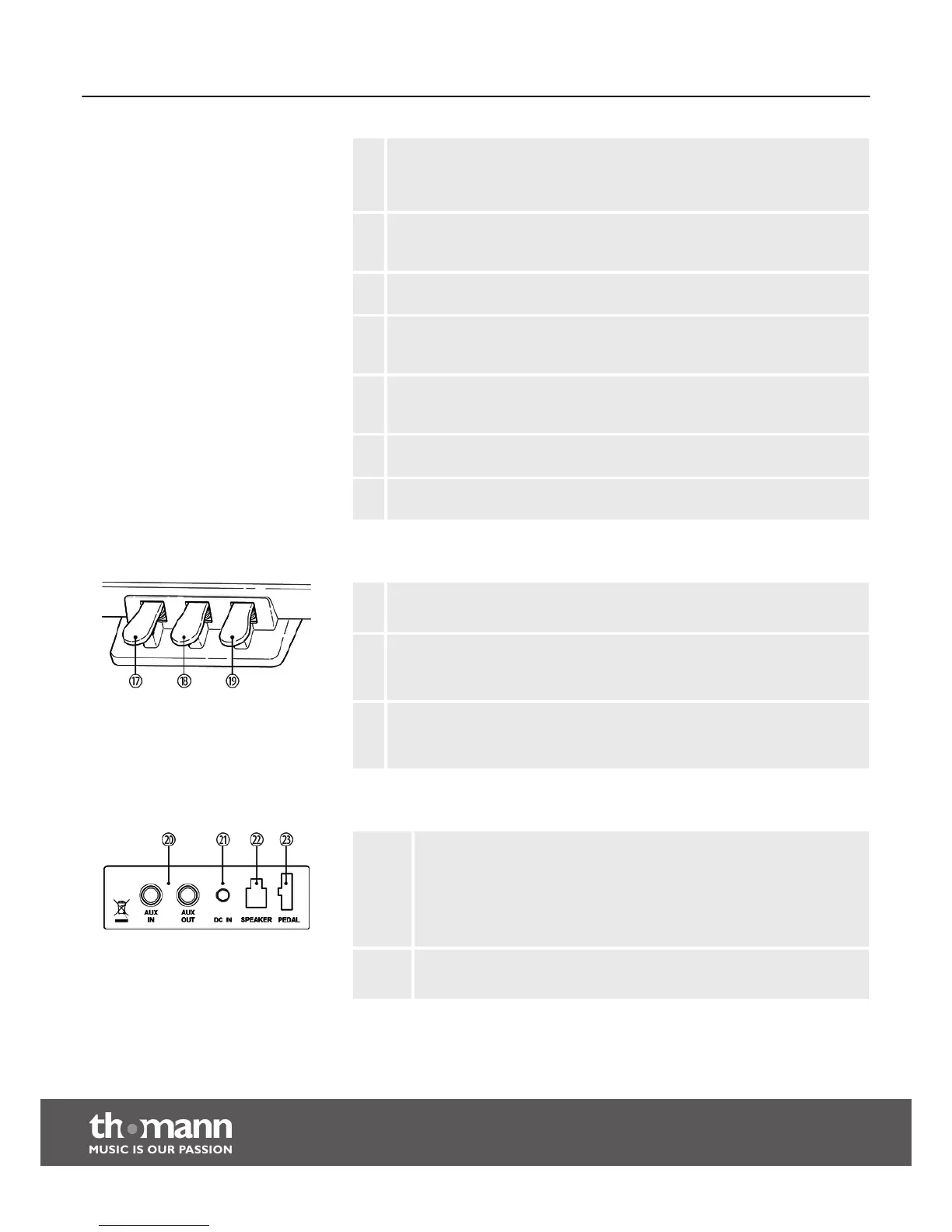
17 Soft-Pedal
Using the Soft-Pedal softens the sound and reduces the overall volume.
18 Sostenuto-Pedal
Depressing the Sostenuto-Pedal while striking a note or notes will hold those
until the pedal is released.
19 Sustain-Pedal
The Sustain-Pedal emulates the effect achieved lifting the string damper of an
analog piano. All striked notes will sound longer.
20 AUX IN
Input for external audio devices like MP3 or CD players, playback via
internal speakers.
AUX OUT
Output for external audio devices like active speakers or amplifiers.
21 DC IN
Connection for the power adapter
Pedals
Rear panel connections
Control panel and connections
digital piano
14



 To Next Page