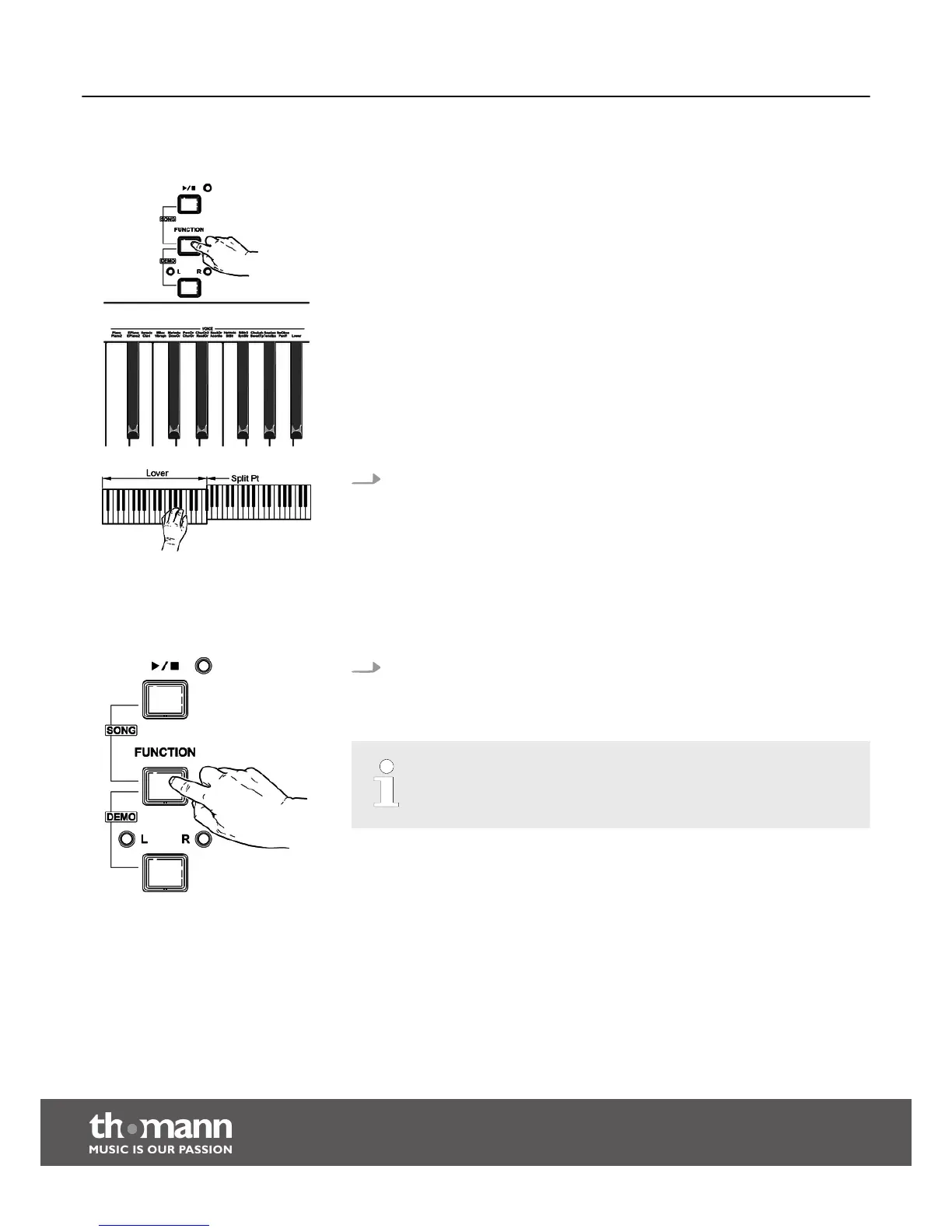
8.2.3 Split mode
With this function, you can assign different voices to certain keyboard areas.
Keep the [FUNCTION] button pressed and press the piano key [Lower] in the
[VOICE] area. This splits the keyboard automatically into two areas with dif‐
ferent voices. A string voice is assigned to the piano keys in the left section of
the keyboard up to and including [F#3].
8.2.4 Demo mode
The digital piano offers 26 demos for the individual voices.
Keep the [FUNCTION] button pressed and press the piano key [VOICE DEMO] to
start the demo for the selected voice. Press this piano key again to exit the
demo mode.
In demo mode, the piano keys can not be played.
Functions
digital piano
22



 To Next Page