8.2.9 Transposing
With this function you can adjust the pitch of the keyboard in 12 semitone steps up
or down.
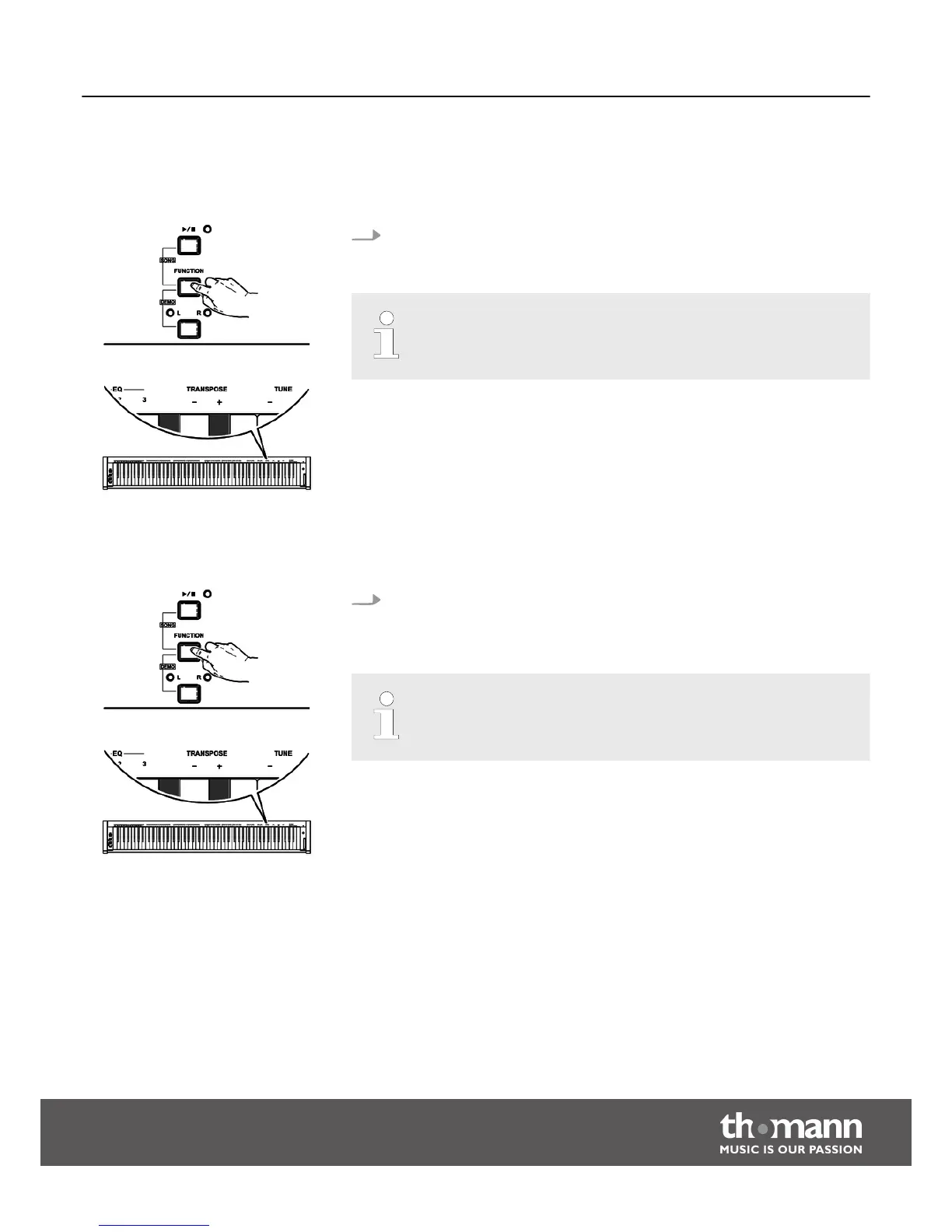
Keep the [FUNCTION] button pressed and press the piano keys [+] and [–] in the
[TRANSPOSE] area to adjust the keyboard pitch in semitone steps up or down.
– Press the [+] and [–] buttons in the [TRANSPOSE] area simultaneously
to restore the default setting (no transposition).
8.2.10 Fine tuning
With this function you can fine tune the entire keyboard in 0.2-Hz steps.
Keep the [FUNCTION] button pressed and press the piano keys [+] and [–] in the
[TUNE] area to fine tune the keyboard. The value changes by 0.2 Hz in a range
from –100 to +100 Hz per keystroke.
– Press the [+] and [–] buttons in the [TUNE] area simultaneously to
restore the default setting (0 Hz).
Functions
DP-33
27



 To Next Page