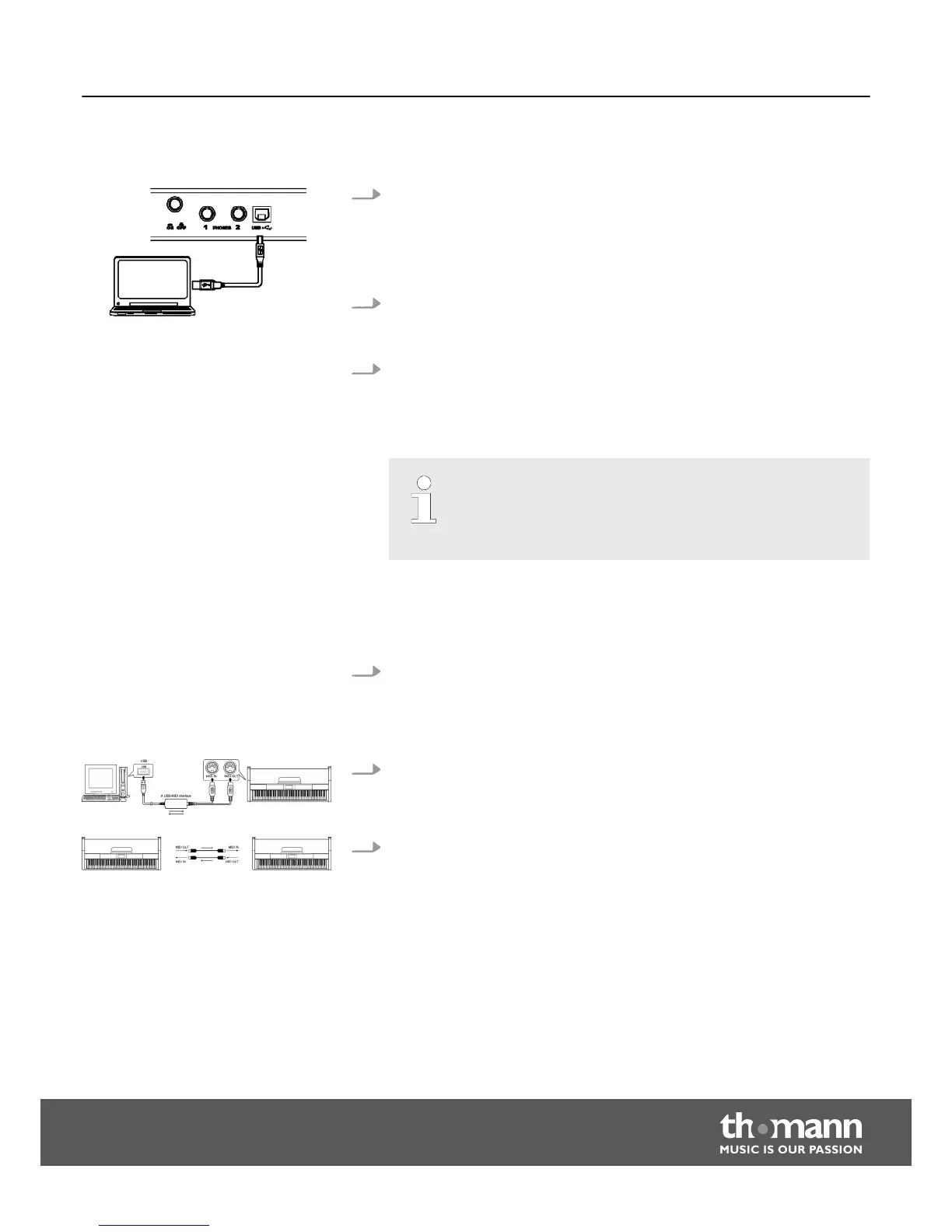
8.3.2 USB connection
1. System requirements
n CPU: 300 MHz, Pentium 2 or higher.
n RAM: 64 MB min.
n 2 MB free hard disc space.
n Operating system: Windows® 2000/XP, Vista, Windows 7, Windows 8.
2. Connecting
Connect the USB port on the rear panel of the digital piano to the USB port on
your computer using a standard USB cable (not included).
3. USB precautions
Please heed the following instructions when connecting USB instruments to
computers. Otherwise, the instrument or the computer may ‘crash’, which can
result in data loss. If a ‘crash’ should occur, turn off computer and instrument
and restart them after a few seconds.
– If the computer is in standby or hibernation, wake the computer
before connecting the USB cable.
– Establish the USB connection between computer and instrument
before turning on the instrument.
8.3.3 MIDI connection
1. Tips on connecting
At MIDI connections, the device that controls other devices, is referred to as
the ‘Master’. A device that is controlled via MIDI is called ‘Slave’. Connect the
MIDI OUT of the master to the MIDI IN of the slave. You can not connect the
MIDI OUT of a device to the MIDI IN of the same device.
2. Connection method
Connect the MIDI interface to the computer.
3. Additional devices
Connect additional devices via the MIDI interface.
8.3.4 MIDI applications
n The digital piano can control other equipment or electronic instruments.
n You can use other devices to control the digital piano.
n The digital piano can play MIDI files from a computer.
Functions
DP-33
29



 To Next Page