Connections and initial set up
12
Sockets and cables (outputs)
4 -
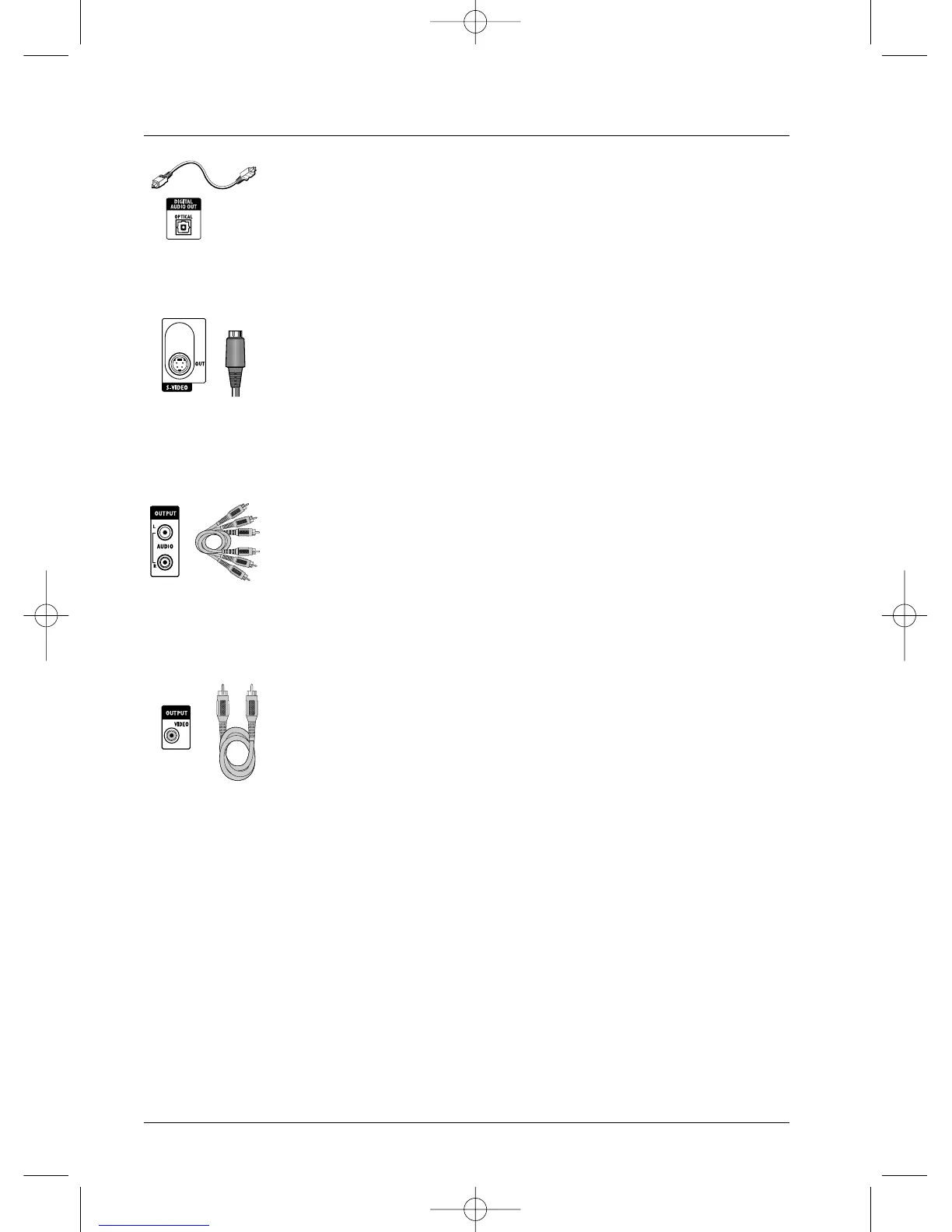
Optical Out socket (DIGITAL AUDIO OUT)
The digital sound of a disc being played is permanently available on the optical
socket of your DVD recorder. Use this socket by connecting it to a decoder
or a DTS or Dolby Digital amplifier.
5 -
S-Video out socket (Y/C) (S-VIDEO OUT)
The S-Video cable provides a video signal of lower quality than the Peritel
(Scart) socket.An S-Video signal however provides a better quality image than
a composite video socket, because colour (C) is separated from black and
white (Y) in the video signal.
Note: do not forget to also connect the audio cables, because the S-Video cable
transmits images and not sound.
6-
Audio outputs (OUTPUT L, R)
The digital sound output from a disc being read is permanently available at
the two audio sockets, L and R, of your DVD recorder. If you do not use the
recommended Peritel (Scart) connection to the television (paragraph 3
page 3), you must, as well as one of the video connections (CVBS or S-
VIDEO) connect the Audio outputs, L and R, of your DVD recorder to the
Audio inputs, L and R, of your television set (or amplifier).
Note: audio sockets and cables are usually identified by a colour code (white for the
left channel and red for the right channel).
7 -
Composite Video Out socket (CVBS) (OUTPUT COMPOSITE VIDEO)
The yellow video socket is also called composite video, or CVBS.The
image quality delivered by the video socket is the least good of all video
connections. Only use this socket if all other sockets are already in use.
Optical socket and
cable for digital
audio signal.
Ushiden socket and
cable for Y/C Video
signal, also called
S-Video.
RCA sockets and
cables for analogue
L and R audio
signal.
RCA socket and
cable for CVBS
Video signal, also
called Composite.



 To Next Page