Connections and initial set up
6
Sorting the channels
9.
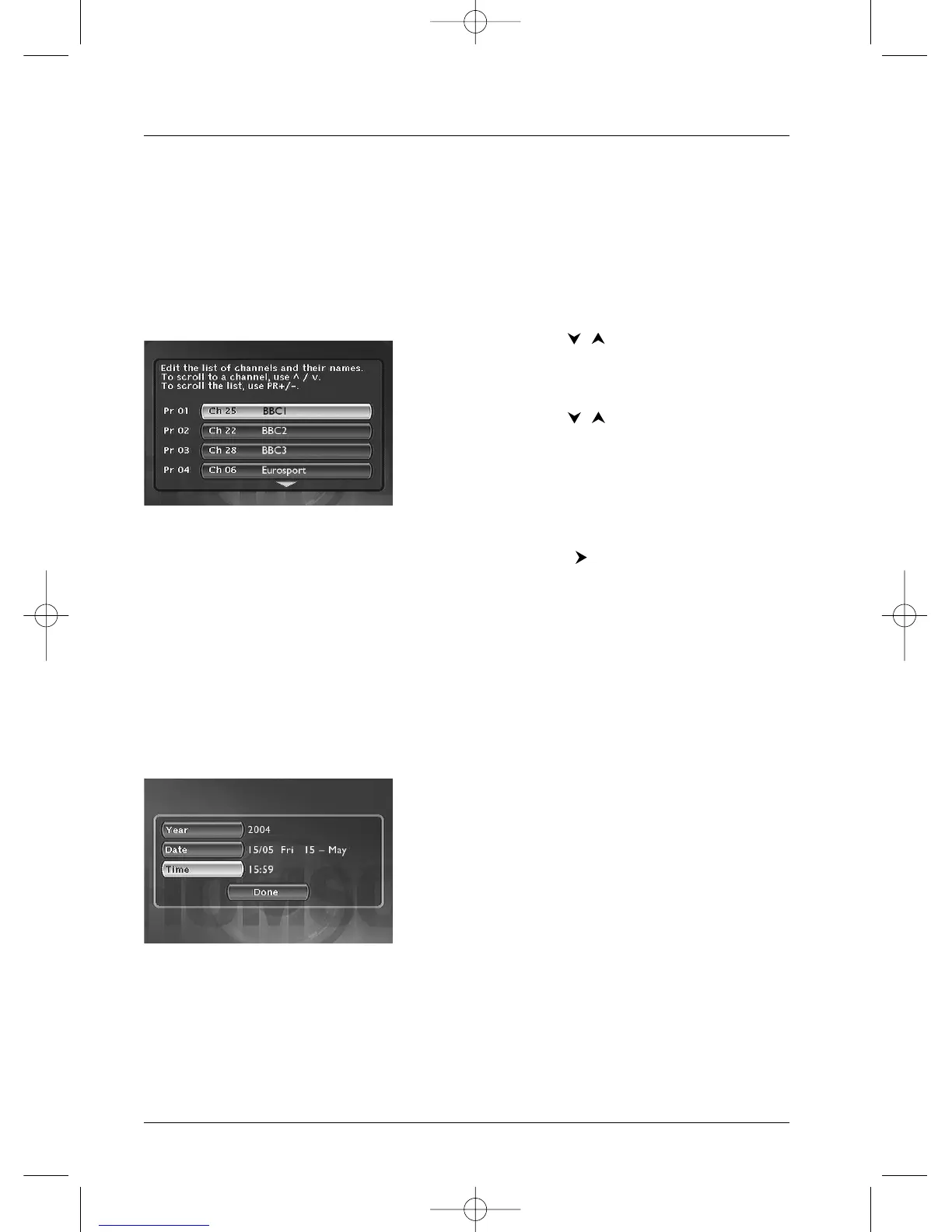
A channel sorting window will appear.The picture of the selected channel is shown in the
background.
The automatic channel search has assigned numbers to the channels is a predefined order.These
numbers may not be the numbers you would have chosen. Should this be the case, you can
change these numbers by following the instructions at the bottom of the screen. For easy channel
identification, we suggest you have a TV magazine at hand.
Note: Channel sorting instructions:
Move: press OK (then the / keys until you reach the
desired position (Pr no. on the left of the list then OK: swapping
of the 2 channels).
Delete:
CLEAR key.
Rename:
INFO keys, then / to search for a name on the
list. Validate by pressing OK.
Decoder adjustment :
AV key (indicates that the images of the
selected channel will be decrypted by a decoder, of the
CANAL
+ type, connected to connector
AV2.The symbol of a
decoder displayed alongside the name of the channel confirms
the adjustment).
10. When all channels have been sorted to your liking, press the key.
11. Your DVD recorder has an automatic time (and date) setting function. In general, no setting is
required on your part. If the time and date information are correct, press
OK.A message
appears. It indicates that the installation of the channels are now complete. Press
OK.The
main menu of your DVD recorder appears.
Clock setting
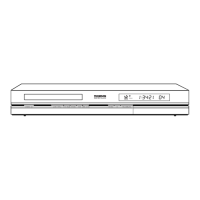
AutoClock: If the date and time information is not correct, adjust the clock as described below,
then check in the System Options menu that the automatic time setting is activated.This menu
is reached from the Setup menu (see page 52).The time setting of the DVD recorder is
important for the correct functioning of your programmed recordings.
1. Select Year. Enter 4 digits for the year
(2, 0, 0, 4 for 2004).
2. Then enter the 4 digits of the date
(press 1
, 5, 0, 5 for 15th May).
3. Enter the 4 digits of the time
(press 1
, 5, 5, 9 for 15:59 (03:59 PM).
4. Then press twice on OK. The Main Menu will appear
again. Channel set-up is complete.
Note:You can now use your DVD recorder and take advantage of its numerous functions. If you want to
connect a satellite receiver to your DVD recorder, refer to page 9 for the recommended connection.You can
also complete your installation through the settings available in the System Options menu (refer to
pages 51-52).These adjustments depend on the other devices that you are likely to connect to your DVD
recorder.
If you want to redo the automatic channel set-up, you will have to select Interactive setup in the
Installation menu (in the Setup menu).



 To Next Page