Connections and initial set up
13
EN
EN
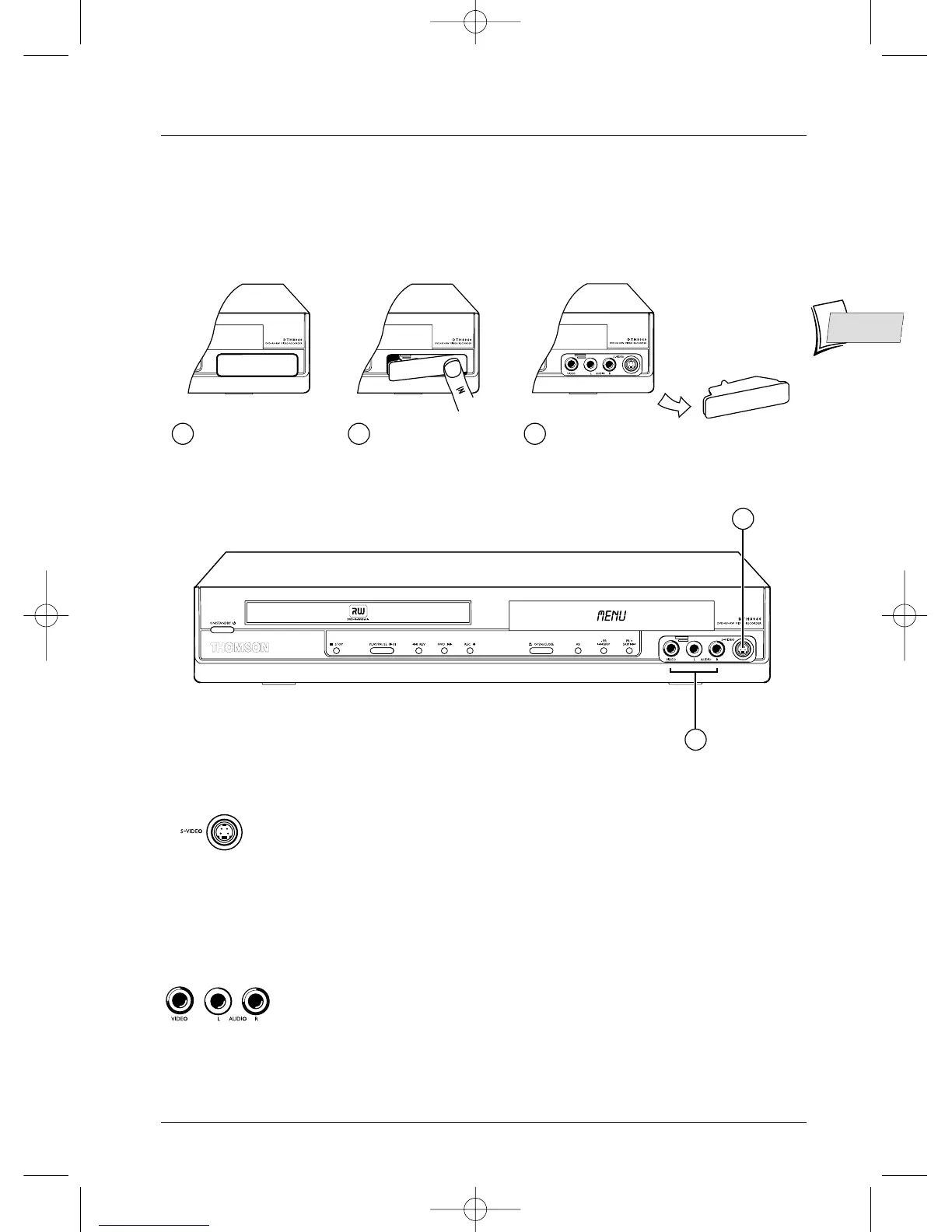
Front sockets (inputs)
1 -
S-Video socket
For the connection of a Camcorder or other S-Video device.
Note: do not forget to connect the audio cables since the S-Video socket handles only
images and not sound.
2-
AV sockets (Audio/Video)
The AUDIO-VIDEO connectors allow the viewing or copying of your video
sequences from a camcorder or any other AV device that provides a
composite video signal and analogue stereo sound.
The connectors on the facade allow easy connection when copying sound and images or
displaying them from a video camera
2
1
1 2 3
The connectors
are behind a
trapdoor
Press here Lift the trapdoor to gain
access to the connectors



 To Next Page