Connections and initial set up
5
EN
EN
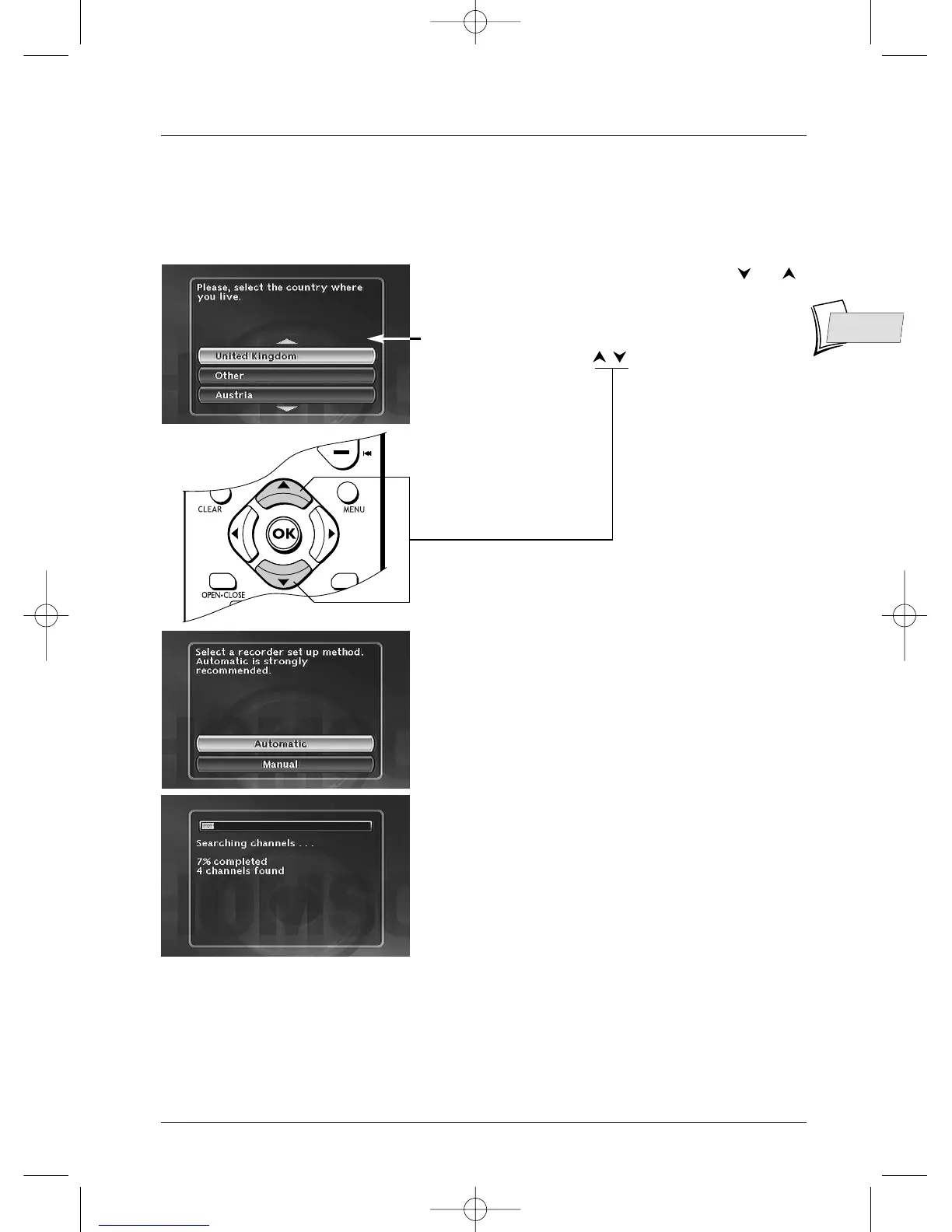
6. Select your country of residence using the or
keys, and press
OK.
Note: the arrows indicate that other countries are available.
To find your country, use the buttons on your remote
control.
7. On the screen that is displayed, the Automatic
option is already selected. Press
OK.
8. An installation window will appear.A cursor shows
the progress in the set-up of the channels.You will
need to wait a fair amount of time.When all the
channels that you can receive in your area have been
stored, 100 % is indicated.The number of channels
found is indicated by XX channels found.
Press
OK.
Continue on the next page …
Automatic channel search
In each region,TV stations are broadcast on different channels.Your DVD recorder cannot be
factory-set to receive the TV channels of your area.You will have to set up the channels by
following the automatic procedure recommended below.



 To Next Page