Further information
56
Other problems
Reconfiguring your player’s initial set-up
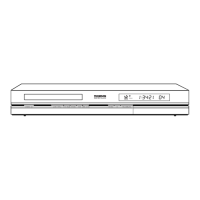
• Open the disc tray and make sure there is no disc in it. Close the disc tray. Hold down the
STOP key of your DVD recorder, then press the ON/STANDBY key by holding it down
for 3 seconds, until
INIT is displayed on the screen of your DVD recorder.When MENU
reappears on your display, turn off and then turn on your DVD recorder using the
ON/STANDBY button on the front.The menu displayed on-screen is the menu which
enables you to choose your DVD recorder’s display language. It confirms that all settings
made since initial installation have been deleted.The DVD recorder has been reconfigured
as it was when purchased (factory settings). Refer to page 4 of this manual to restart the
installation of your DVD recorder.
If you forget your password
• Open the player’s disc tray and ensure that there is no disc on it. Close the tray.The player
menu is now displayed on the TV screen. Now press the
STOP key on your player and hold
the
STOP key on the remote control unit down for 3 seconds.The password that you
chose for parental control is cancelled.To reallocate a code see page 49.
You can’t switch channels
• Penda During the recording of a TV program (or video sequence from a connected
device), switching channels is impossible.To change channels, you have to stop the
recording completely (page 21).
In quiet moments, you hear a slight hum coming from your DVD recorder
• Your DVD recorder is equipped with a fan. It releases heat in order to ensure proper
cooling. It switches on as soon as your DVD recorder is turned on and produces a slight
hum.
The display or reading of digital images in JPEG format is slow
• Image display can take a fairly long time, depending on the size of the images. If the images
are too “bulky”, your DVD recorder may not be able to display them correctly.
You cannot record on the disc
• If a message is displayed on the screen, press the CLEAR key of the remote control to
remove it.
• Check that you are using a DVD+R or DVD+RW disc.
• Perhaps the DVD+R disc is temporarily locked or definitively locked. If it is definitively locked
you can no longer record on it. If it is temporarily locked you can unlock it, see page 43.
• You cannot record on the same disc both video images and JPEG photos or mp3 music.
Use different DVD+R/+RW discs for each type of recording.
• Dirt and finger prints may affect the recording and playback. Please see page 57 of your
User Manual for information about proper handling of discs and proper disc cleaning.



 To Next Page