E-DOC-CTC-20060609-0001 v2.0
Chapter 7
Thomson Gateway Wireless Configuration
50
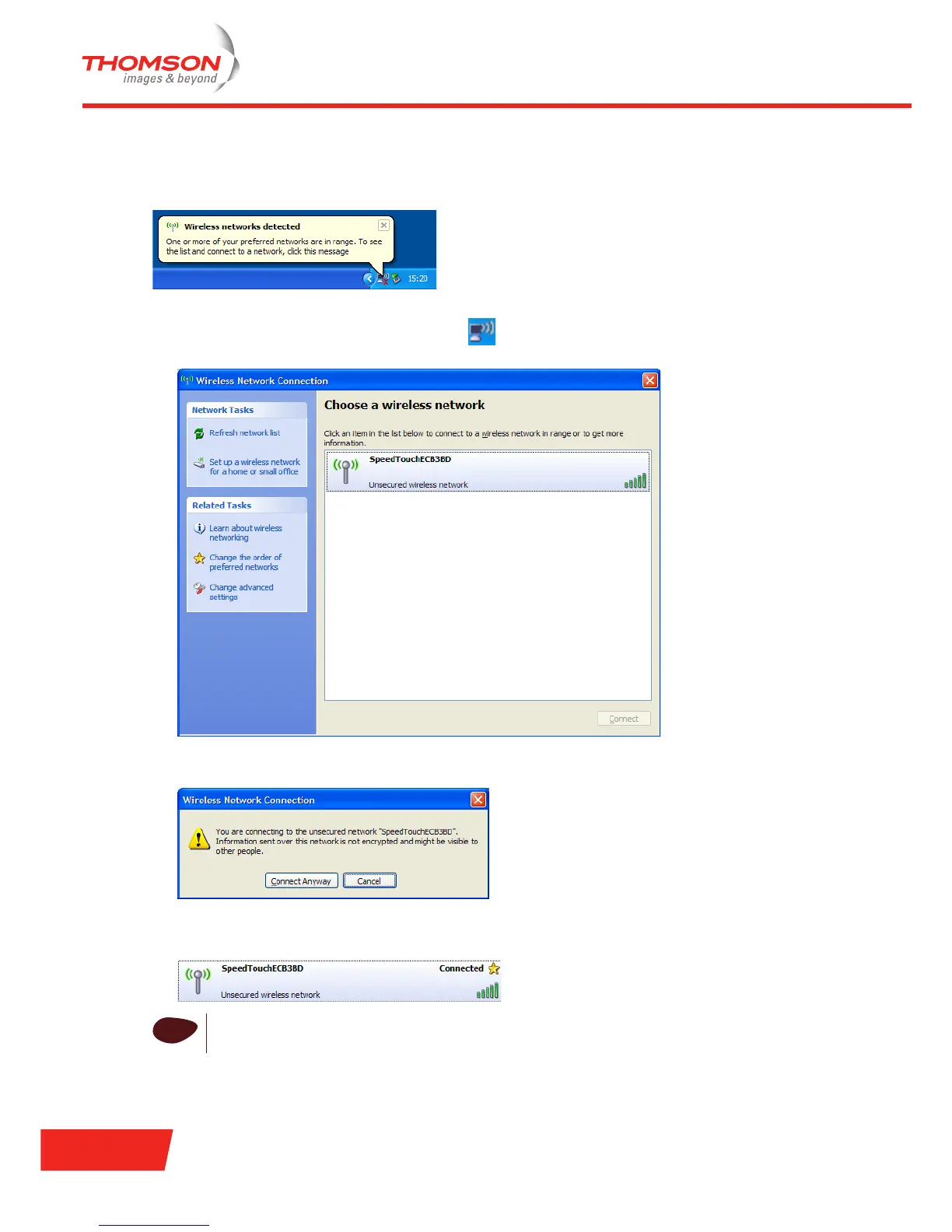
First-time association example
The example below shows how the Thomson Gateway wireless network is presented by a Windows XP
Service Pack 2 system.
To associate your wireless station to the Thomson Gateway:
1 Click the network icon in the notification area:
The Wireless Network Connection window appears:
2 In the Choose a wireless network list, select the Thomson Gateway wireless network and click Connect.
The following window appears:
3 Click Connect Anyway.
Your computer is now connected to the Thomson Gateway wireless network.
i
In case of other Operating Systems, the wireless station will in most cases be configured via
dedicated client managers.













 To Next Page