E-DOC-CTC-20060609-0001 v2.0
Chapter 7
Thomson Gateway Wireless Configuration
69
7.2.1 Access Point Settings
Overview page
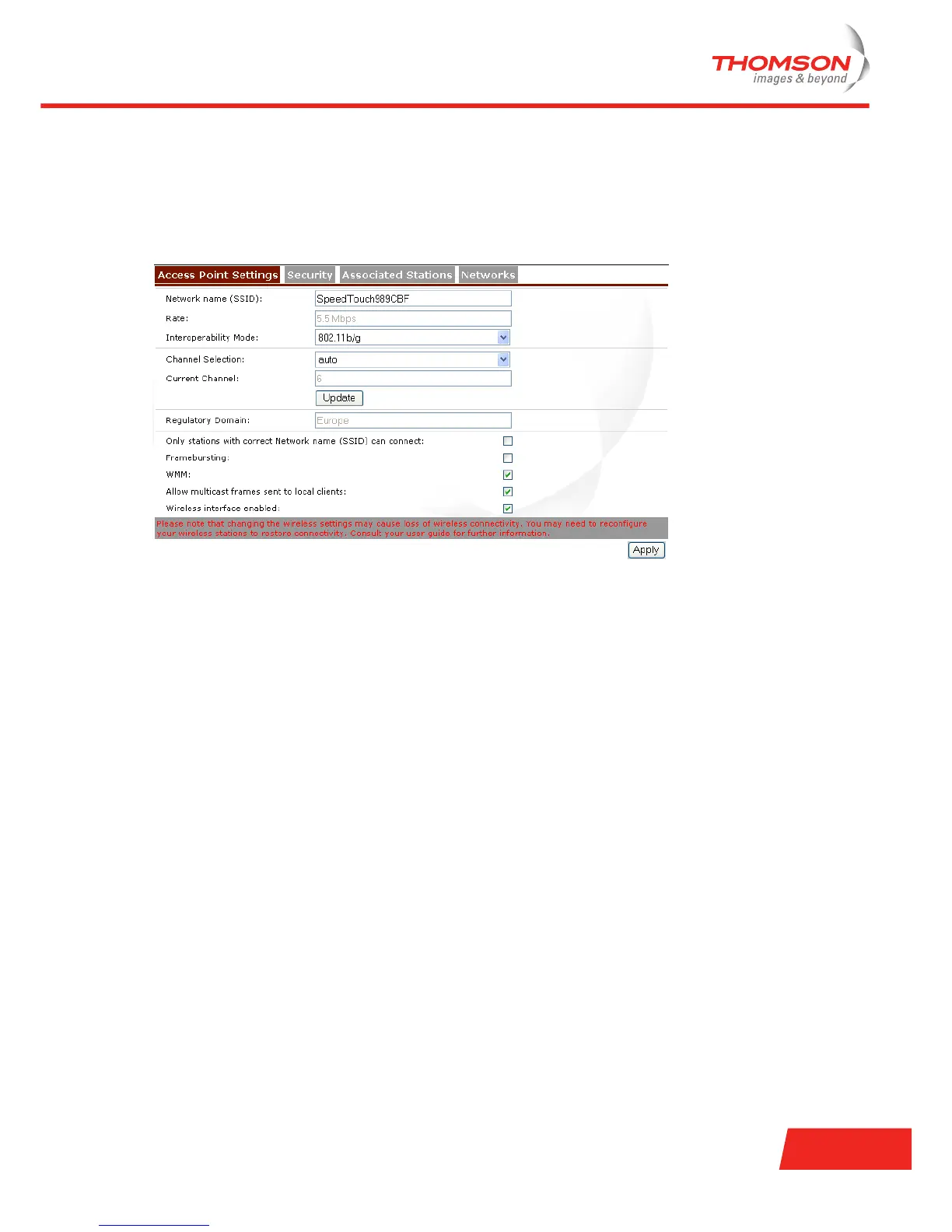
To view or configure the AP settings, click the Access Point Settings tab.
The following AP settings can be viewed or configured:
> Network Name (SSID):
The network name, also known as Service Set ID (SSID). For more information, see “ Network name
(SSID)” on page 70.
> Rate:
Displays the current modulation rate in which the Thomson Gateway is operating. Take into
consideration that if the distance between the Thomson Gateway and the wireless stations increases the
throughput decreases. Walls, closets and big metal objects have a negative influence.
> Interoperability mode:
Shows the selected 802.11 standard that the AP allows. For more information, see “ Interoperability
mode” on page 70.
> Channel Selection allows you to choose between:
Auto:
The best communication channel is automatically selected by the Thomson Gateway (recommended
setting). The Current Channel displays the channel currently in use.
A specific channel.
For more information, see “ Channel” on page 70.
> Regulatory Domain displays the AP’s Regulatory Domain.
> Only stations with correct Network name (SSID) can connect:
If this check box is:
Cleared, the Thomson Gateway broadcasts its SSID and accepts every wireless station.
Selected, the Thomson Gateway does not broadcast its SSID and accepts only those stations who
have the correct Network name (SSID).
For more information, see “ Network name broadcast” on page 71.
> Framebursting:
Allows you to enhance the performance of wireless networks by improving the efficiency between the
wireless station and the AP if you have mainly downstream traffic.













 To Next Page