E-DOC-CTC-20060609-0001 v2.0
Chapter 7
Thomson Gateway Wireless Configuration
72
7.2.2 Security
Overview page
To view or configure the security settings, click the Security tab. The security configuration tab allows you to
configure the Thomson Gateway:
> Security mode settings.
> Access control settings.
Security mode
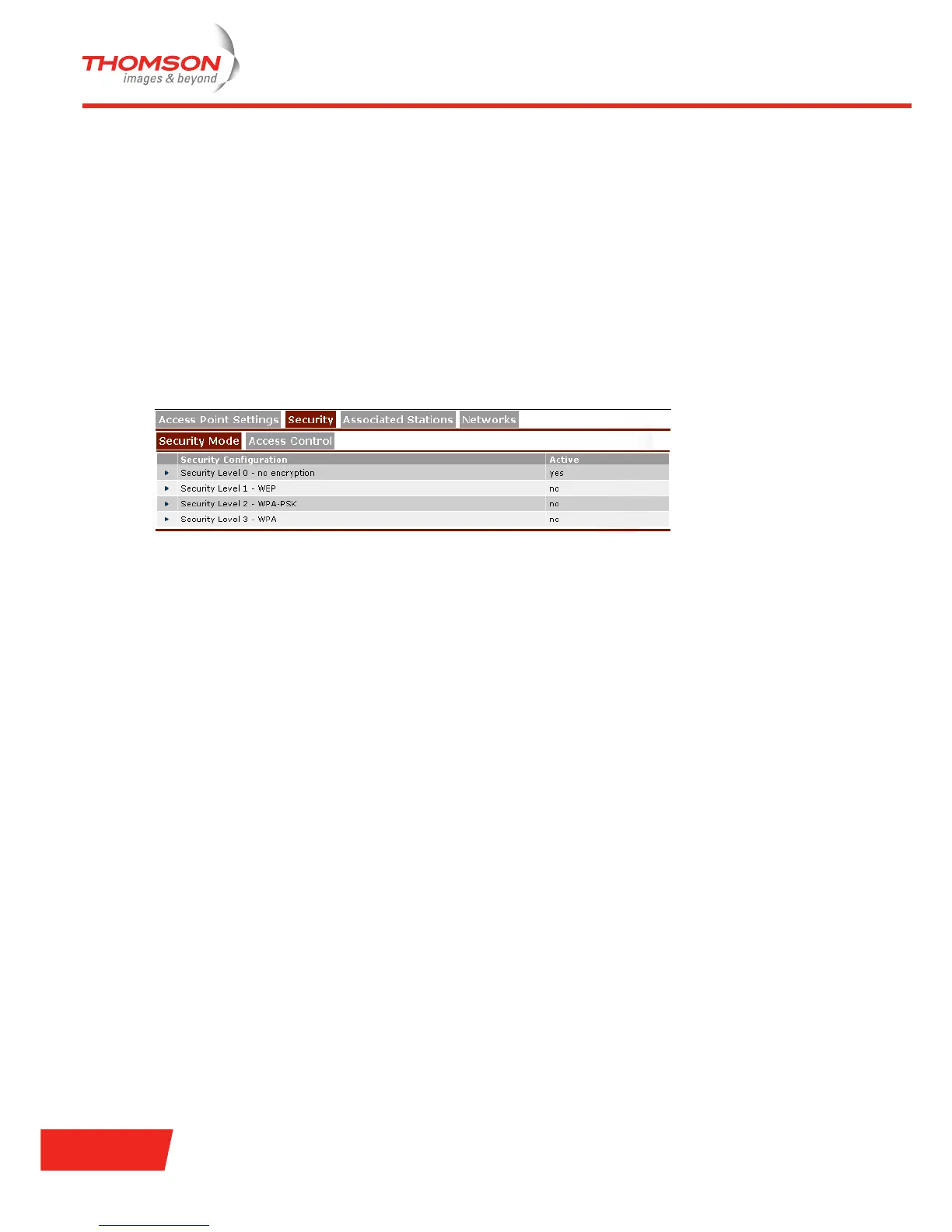
To configure the security settings, click the Security Mode tab.
Four security levels are available for protecting the Thomson Gateway wireless network environment.
> level 0:
No security, meaning that the data will not be encrypted and no authentication process will be used.
> level 1:
Backwards compatible security with any Wi-Fi certified station (WEP), i.e. encrypting the traffic between
the Thomson Gateway and the stations by sharing a pre-defined 64-bit or 128-bit Network key. For more
information, see “ WEP” on page 73.
> level 2:
WPA-PSK is the highest form of security available for home users, but make sure that your wireless
station and client manager are compatible with it. For more information, see “ WPA-PSK” on page 73.
> level 3:
WPA is the highest form of security available. You have to make sure, however, that your wireless station
and client manager are compatible with it. If you want to use this level of encryption, you must have a
RADIUS (Remote Authentication Dial-in User Service) server installed on your network. For more
information, see “ WPA” on page 75.
By default, the Thomson Gateway AP uses security level 0, implying that no encryption is used for wireless
networking. In case security level 1 or 2 is active, select Security Level 0 - no encryption to return to security
level 0. Selecting this security level has immediate effect. Data will no longer be encrypted. As a result, you
must first disable security on your wireless station to re-access the wireless environment of the Thomson
Gateway.













 To Next Page