E-DOC-CTC-20060609-0001 v2.0
Chapter 7
Thomson Gateway Wireless Configuration
65
7.1.6 Reset to Factory Defaults
Introduction
The Reset to Factory Defaults page allows you to reset the Thomson Gateway to return to the initial
configuration of your Thomson Gateway. You can perform a software reset on both, residential and business
devices. You can only perform a hardware reset on business device.
Software reset
Proceed as follows:
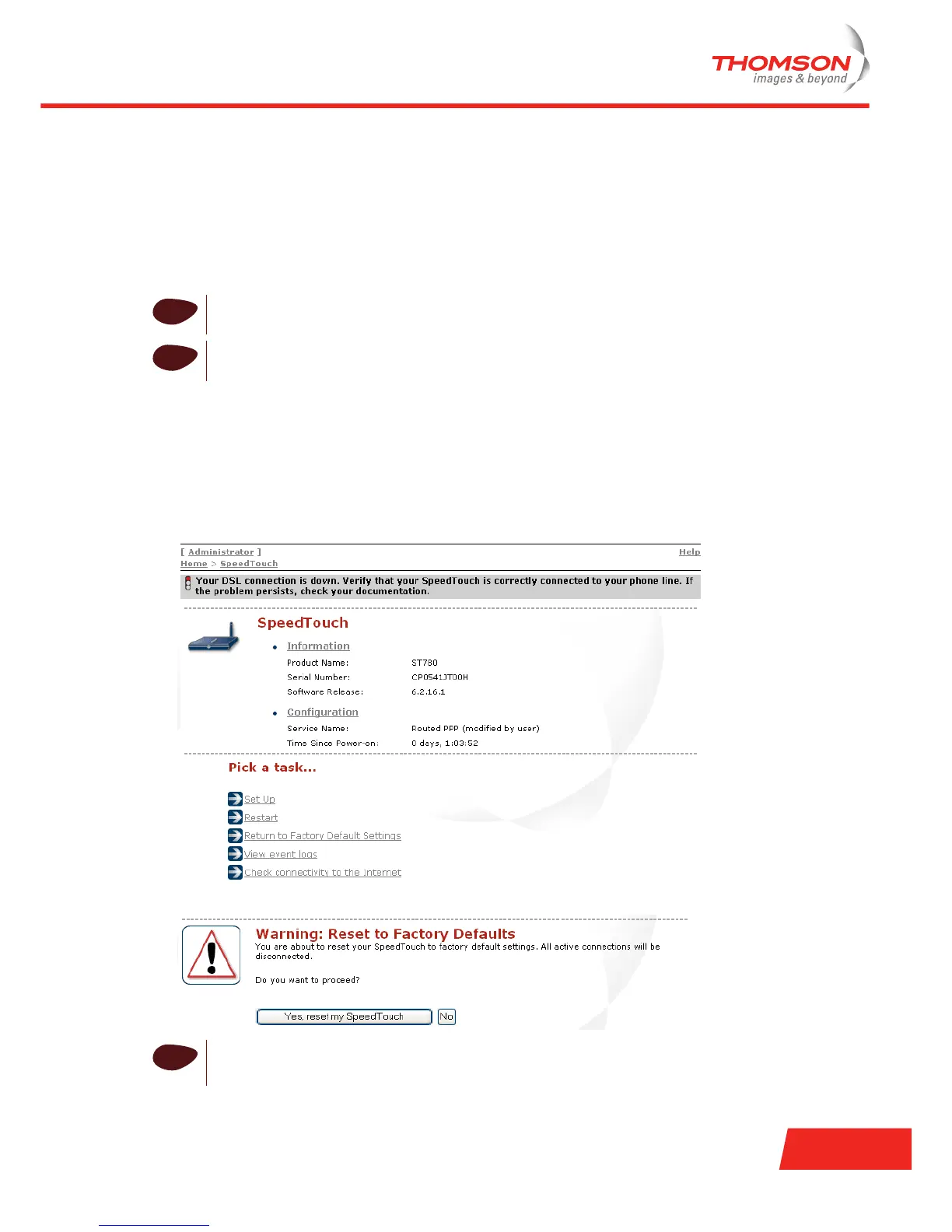
1 Go to the Thomson Gateway Web pages.
2 In the left menu, click SpeedTouch.
3 In the Pick a task list, click Return to Factory Default Settings.
4 Click Yes, reset my SpeedTouch.
!
If you reset to factory defaults, all configurational changes you made will be revoked.
!
If you reset your Thomson Gateway to factory default settings, all active connections will be
disconnected.
i
The Thomson Gateway returns to the Thomson Gateway home page (unless the IP address of your
computer is not the same subnet as the default IP address of the Thomson Gateway, being
192.168.1.254).













 To Next Page