E-DOC-CTC-20060609-0001 v2.0
Chapter 7
Thomson Gateway Wireless Configuration
57
Configuring your access point settings
To configure the basic settings for your AP:
1 In the Thomson Gateway menu click Home Network.
2 Under Wireless, click the AP that you want to configure.
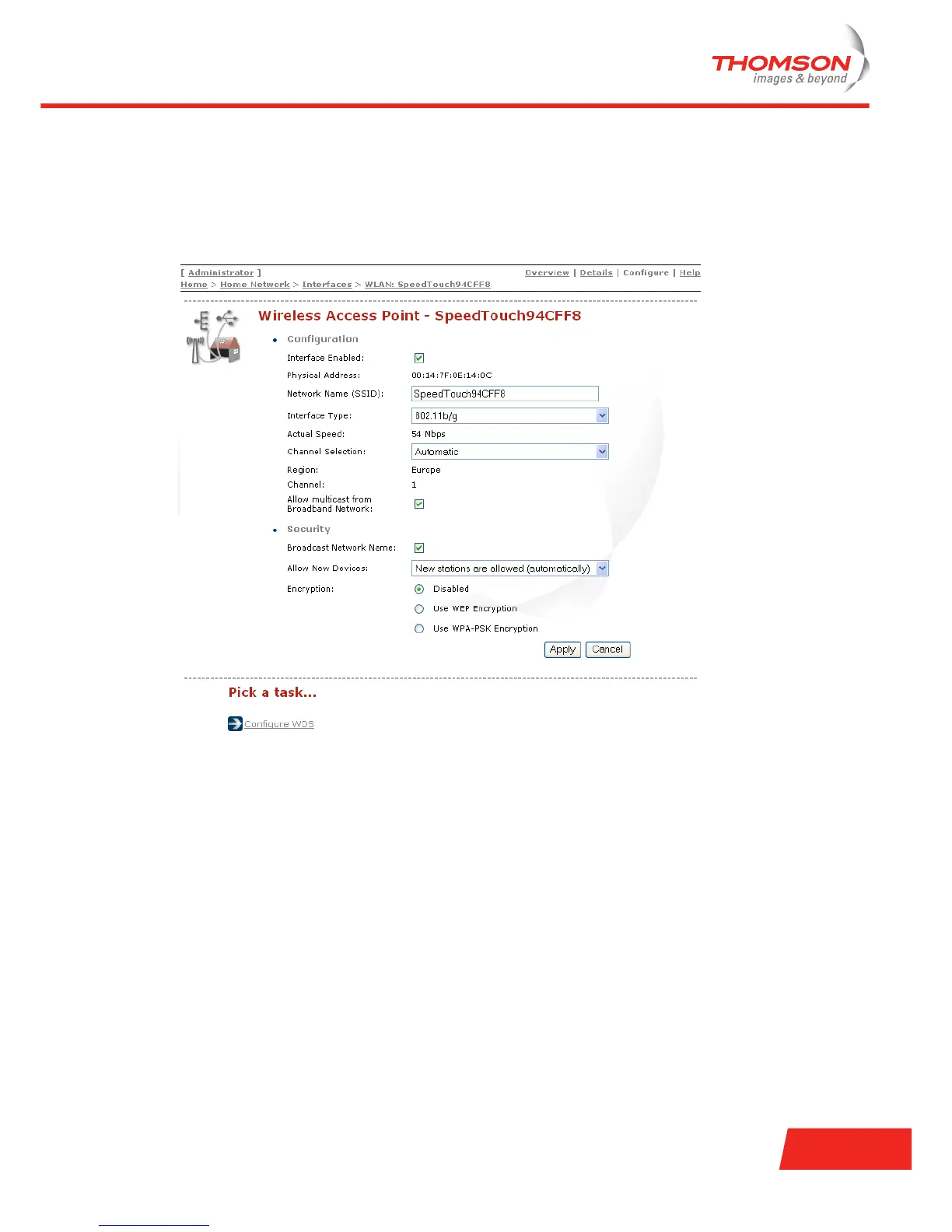
3 Click Configure to display the Configure page.
Configure page
On the Configure page you can configure:
> General settings
> Security settings
General settings
> Enable/disable the wireless interface.
> Change the wireless network name.
> Change the interface type. Select one of the following 802.11 standards:
802.11b
Only stations that are configured in 802.11b mode can associate.
802.11b(legacy)/g
This is a special compatibility mode for 802.11b/g and is in fact designed for older types of b-stations.
Use this mode only in case you would be experiencing connectivity problems in combination with
some particular wireless stations.













 To Next Page