C
ABLES
B-2
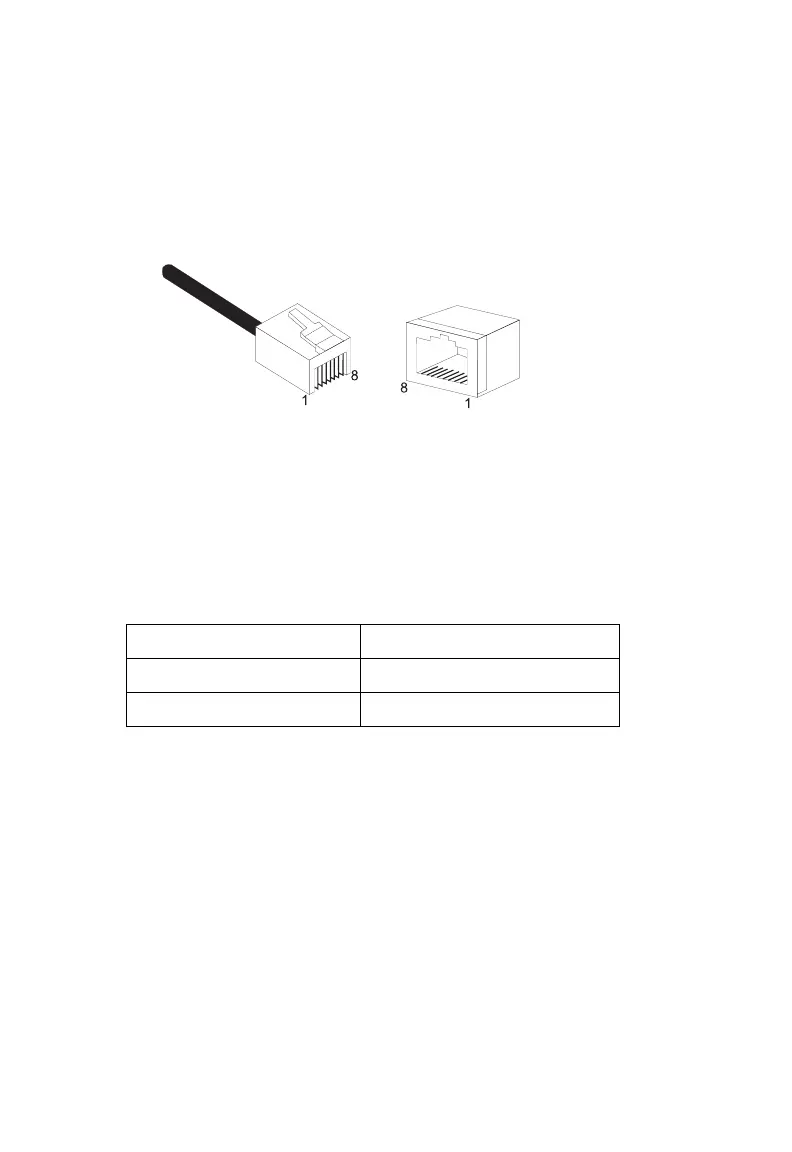
Each wire pair must be attached to the RJ-45 connectors in a specific
orientation. The following figure illustrates how the pins on an Ethernet
RJ-45 connector are numbered. Be sure to hold the connectors in the same
orientation when attaching the wires to the pins.
Figure B-1. RJ-45 Ethernet Connector Pin Numbers
RJ-45 Port Connection
Use the straight-through CAT-5 Ethernet cable provided in the package to
connect the Barricade to your PC. When connecting to other network
devices such as an Ethernet switch, use the cable type shown in the
following table.
Attached Device Port Type Connecting Cable Type
MDI-X Straight-through
MDI Crossover



 To Next Page