12
3.1 Router Reset Procedure
If you encounter problems, perform a hardware reset of your router back to factory defaults and then refer
to section 3.2 Configuring your router.
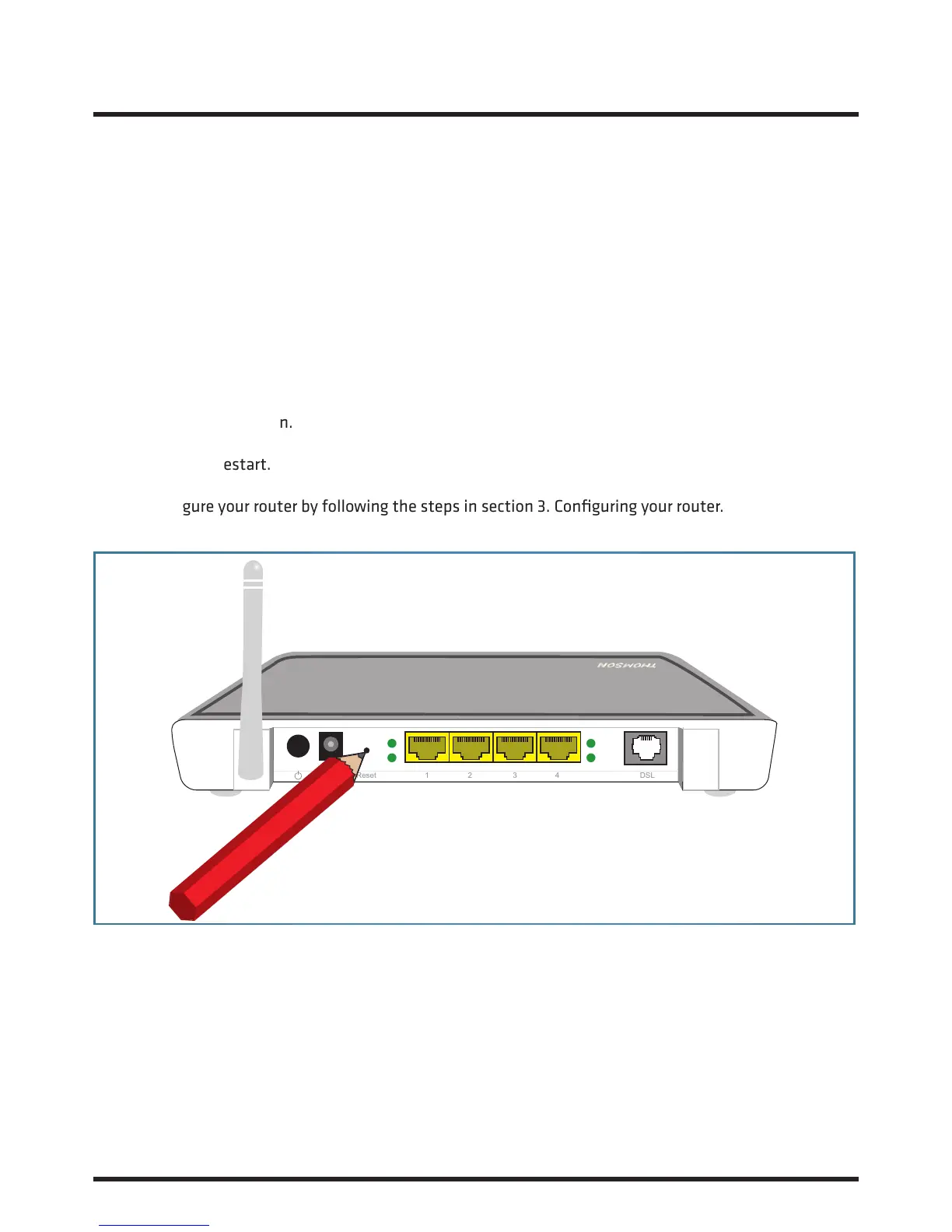
To perform a hardware reset:
1. Make sure your router is turned on.
2. Use a pen or paper-clip to push the recessed ‘reset’ button, push and hold until the power light turns
red (approx. 7 seconds).
3. Release the reset button.
4. The router will restart.
5. Now configure your router by following the steps in section 3. Configuring your router.
3. About your Router Continued...
Reset 1 2 3 4 DSL














 To Next Page