13
3. About your Router continued...
3.2 Configuring your router
Note: If you plan to connect your computer via a wireless connection then please configure your computer as
described in 4. Connecting to wireless networks and then continue with this section.
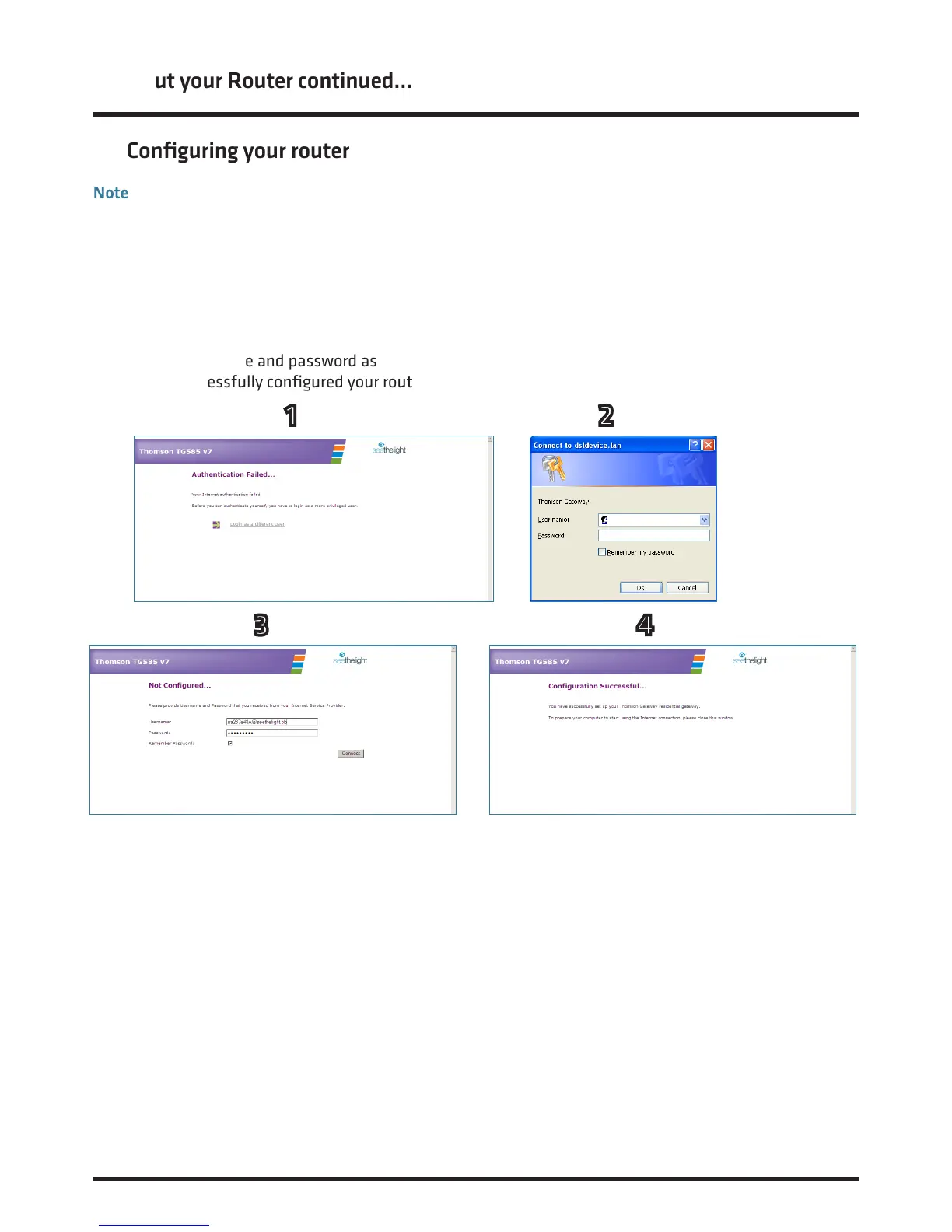
1. Launch your web browser and the following page should be displayed. If the page does not display, then
type http://192.168.1.254 into your web browser’s address bar and press enter.
2. Now click on the link ‘Login as a dierent user’ and a user name and password box will be displayed.
3. Enter admin in the User name’ field and the default password quick in the ‘Password’ field.
4. Enter the username and password as displayed in your welcome letter. Now click the ‘Connect’ button.
If you have successfully configured your router, the following screen will be displayed:
1 2
3 4














 To Next Page