9
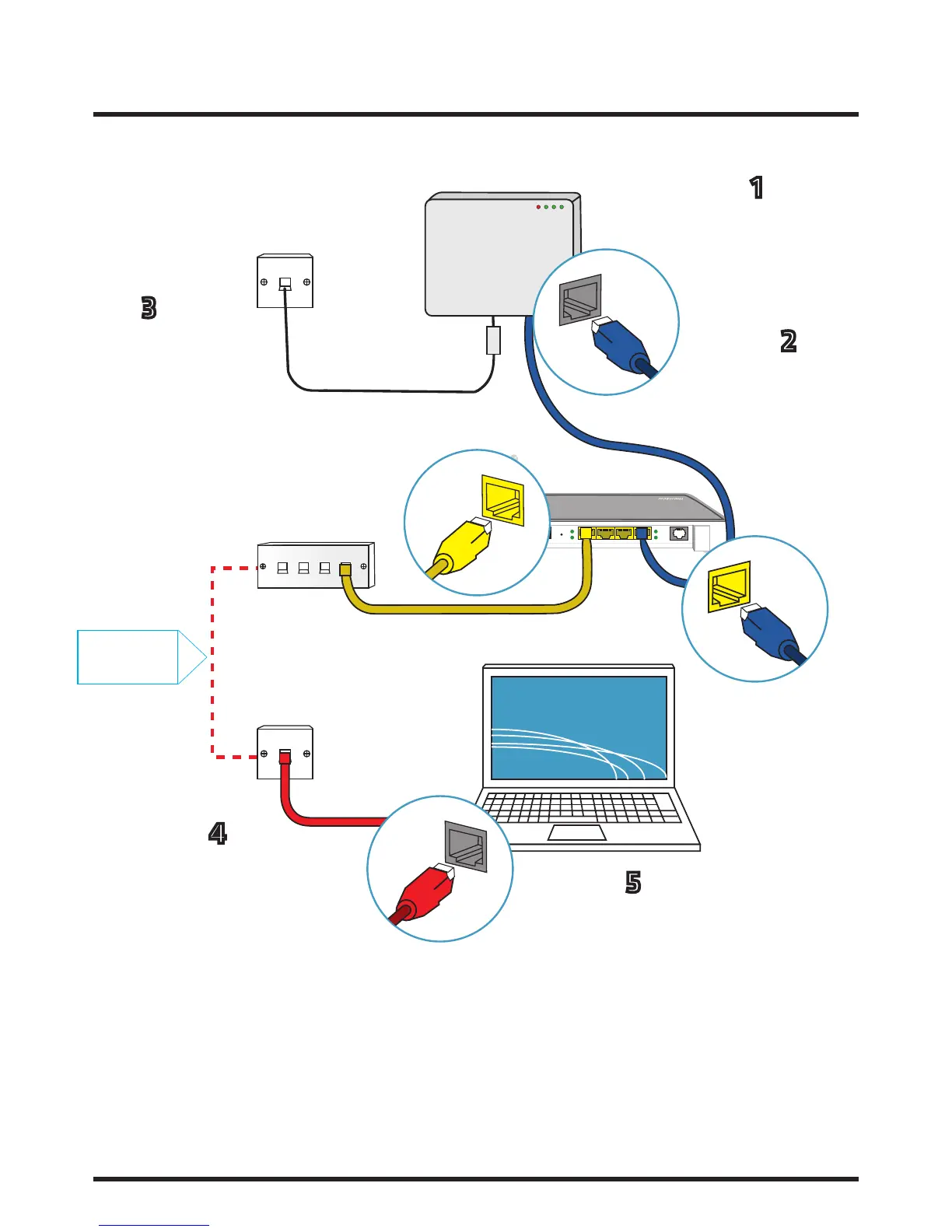
2.3 A ‘wired’ connection using the patch panel (Using your house’s internal wiring)
Reset 1 2 3 4 DSL
INTERNET
PORT 1
PORT 4 OF
ROUTER
LAN
PORT
(1-4)
INTERNET
PORT
Take another Ethernet
cable and plug one end
into any of your rout-
er’s remaining ports
(1-3) and the other end
into the relevant port
of the patch panel as-
sociated with the room
where you would like
services provided.
With the other end of this
cable, connect to your PC/
Internet enabled device
through its internet port.
Use another Ethernet cable
and take one end and plug
into a wall socket in the
relevant room that your
internet service has been
enabled to.
Insert an Ethernet
cable into internet
port 1 of the ONT
Take the other end of
the cable and insert
into port 4 of your
router
1
2
3
4
5
Internal
Wiring














 To Next Page